snom technology AG • 83
[ SNOM 320 USER MANUAL V1.00 ]
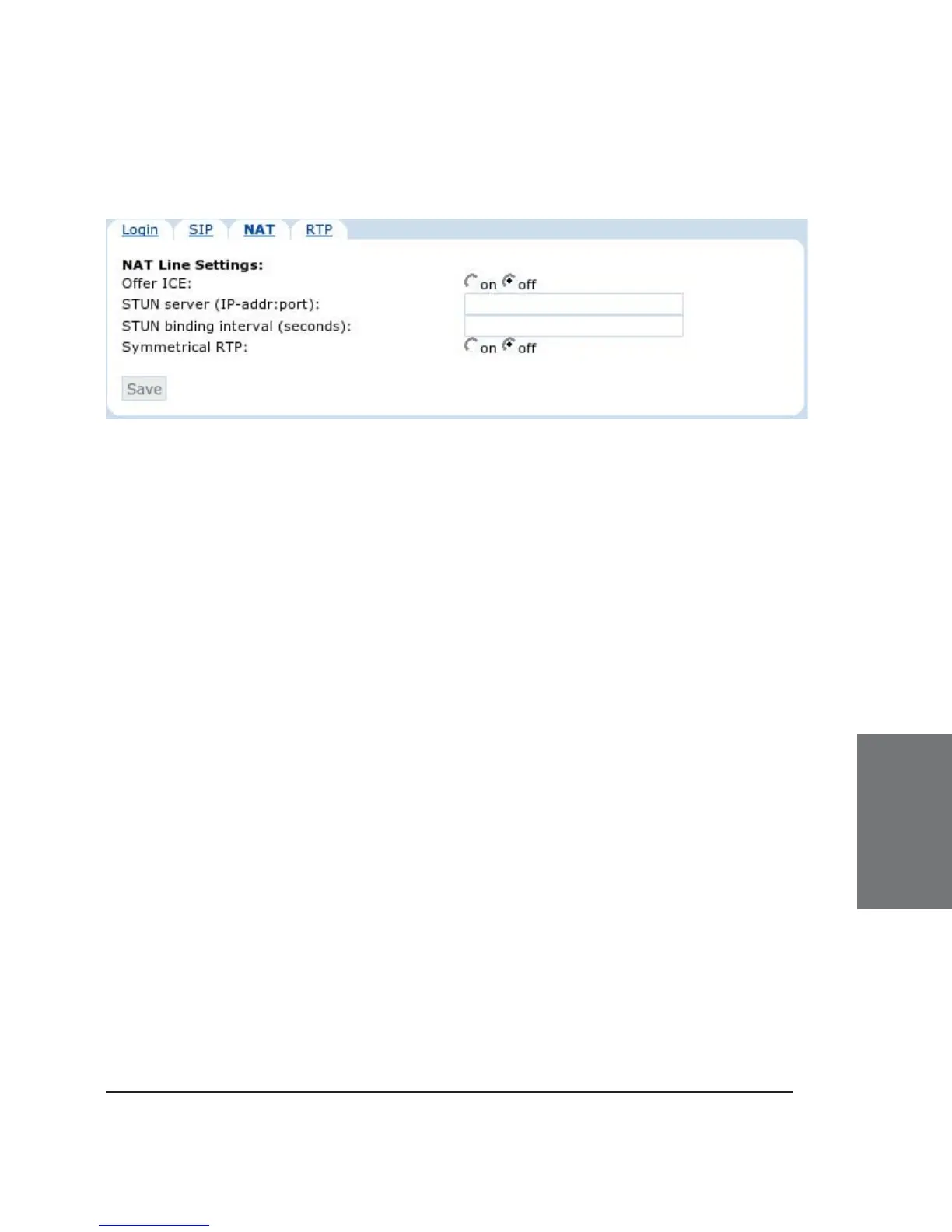
NAT Line Settings
Offer ICE: Choose whether or not you want to use ICE (Interactive
Connectivity Establishment). ICE optimizes the media path. This would
be the case, for example, when two phones in the same network are
calling each other via a long media path through other, external networks.
With ICE, the short media path in the same network would be chosen,
which will presumably have better quality than the long one.
Sometimes this feature will stop you from being able to make
calls. When this occurs, switch it off.
STUN Server (IP-addr:port): We reintroduced a STUN keep-alive
mechanism for SIP, which can be turned on manually by specifying the
address of the STUN server followed by the port number. However, we
strongly discourage you from using it, because it will not work properly with
symmetrical NAT (i.e., Linux-based router/fi rewall). The only general SIP
NAT solution is a session border controller (SBC) on the service provider’s
side.
STUN Binding Interval (seconds): Similarly, set the STUN binding
interval time in seconds through this setting.
Symmetrical RTP: If you want to use symmetrical RTP switch it
“on” here.
6





 To Next Page