snom technology AG • 97
[ SNOM 320 USER MANUAL V1.00 ]
UPDATE
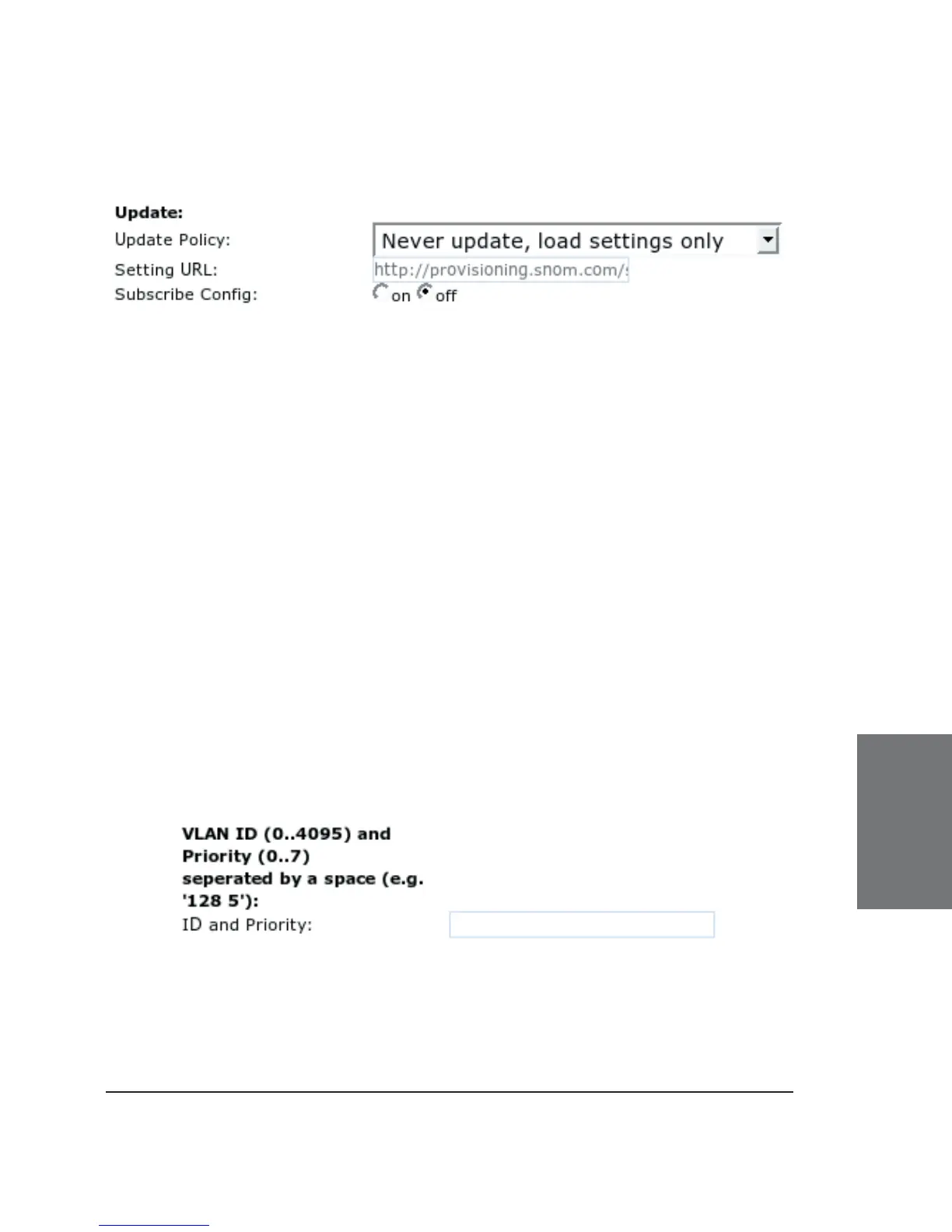
Update Policy: Select the update policy you wish to adopt for
your phone.
“Update automatically” does not ask again whether you are really sure
that you want to update. “Ask for update” asks whether you are really sure that
you want to update fi rmware or bootloader. “Ask for updating fi rmware only”
asks whether you are really sure you want to update the fi rmware. “Ask for
updating bootloader only” asks whether you are really sure you want to update
the bootloader. “Never Update, Load settings only”: loads only settings from
settings server.
Setting URL: Enter the URL of the settings server from where
you would like to obtain the confi guration fi le to confi gure your phone.
Please read our white paper on “Mass deployment”, which is available on
our website.
Subscribe Confi g: The phone can subscribe to setting changes
delivered via SIP when this option is switched to “on”.
VLAN
ID and Priority: Enter your VLAN ID (802.1q) and Priority (802.1p)
separated by a space (e.g. “128 5”). The fi rst number specifi es the VLAN
number the phone should be joining and the second number gives the
priority of this device.
6





 To Next Page