23
D375 | Snom 370 User Manual Getting to Know Your Phone
Alphanumeric Keypad
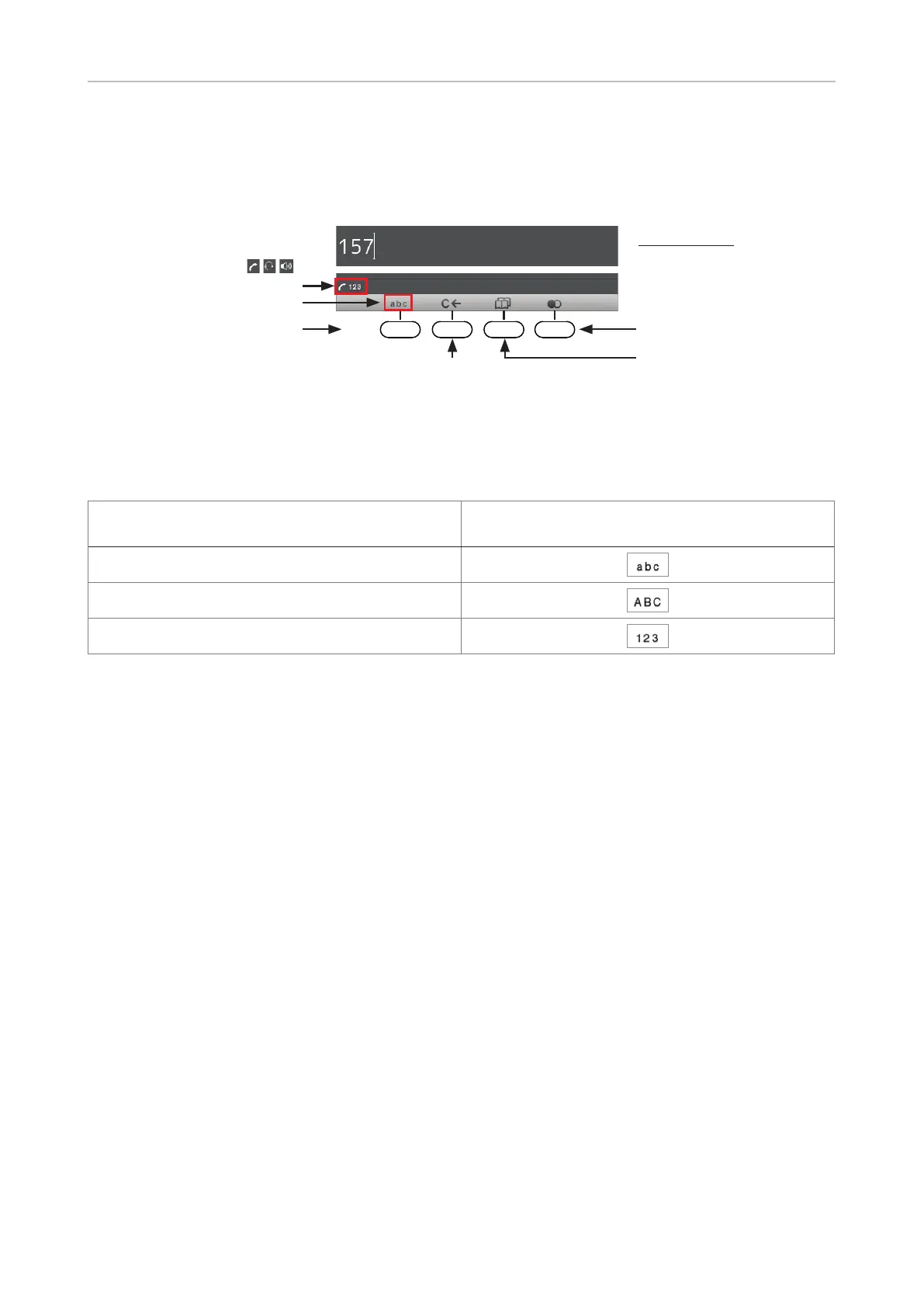
Input modes and navigation
Directories, call lists,
contact list, favorites
Input modes:
123: Numerals
abc: Small letters
ABC: Capital letters
Delete character to
Current audio ( , , )
mode and input mode:
Next input mode:
Redial
Move cursor to the left
Move cursor to the right
:
:
Changing input mode:
Press any key on the alphanumeric keypad or pick up the handset to open the "Enter Number" screen.
The current input mode is indicated in the information line. Press the left function key underneath the
display to switch to the input mode indicated by the symbol directly above it in the function key line.
Text in Information Line
= current input mode
Press function key to switch to input mode
indicated by symbol in Function Key Line
123
abc
ABC
Entering numerals, letters, special characters, and symbols
When entering letters and special characters, pause briefly after each character until the cursor has
moved forward so that you won't write over the last character you entered. Pausing is not necessary
when entering numerals.
Numerals. In numeral mode, press the respective number key to type the number printed on the key.
Letters. When in input modes small and capital letters, press the alphanumeric key with the
respective letter one, two, three, or four times quickly to type the first, second, third, or fourth letter
printed on the key. Pause briefly after each letter.
Example: In small letter mode, press the "2" key once to type an "a", twice to type a "b",
and three times to type a "c".
Letters with accents and umlauts. When in input modes small and capital letters, press the
alphanumeric key with the basic form of the respective letter as many times as necessary. Pause
briefly after each letter. Available letters with accents and umlauts depend on the phone's language
setting.
Example: If the phone language is German, press key "2" four times to type "ä".
Entering special characters and symbols. In input modes small and capital letters, press keys "0"
and "1" one or more times quickly. Pause briefly after each character or symbol.



 To Next Page