52
D375 | Snom 370 User Manual Using the Phone
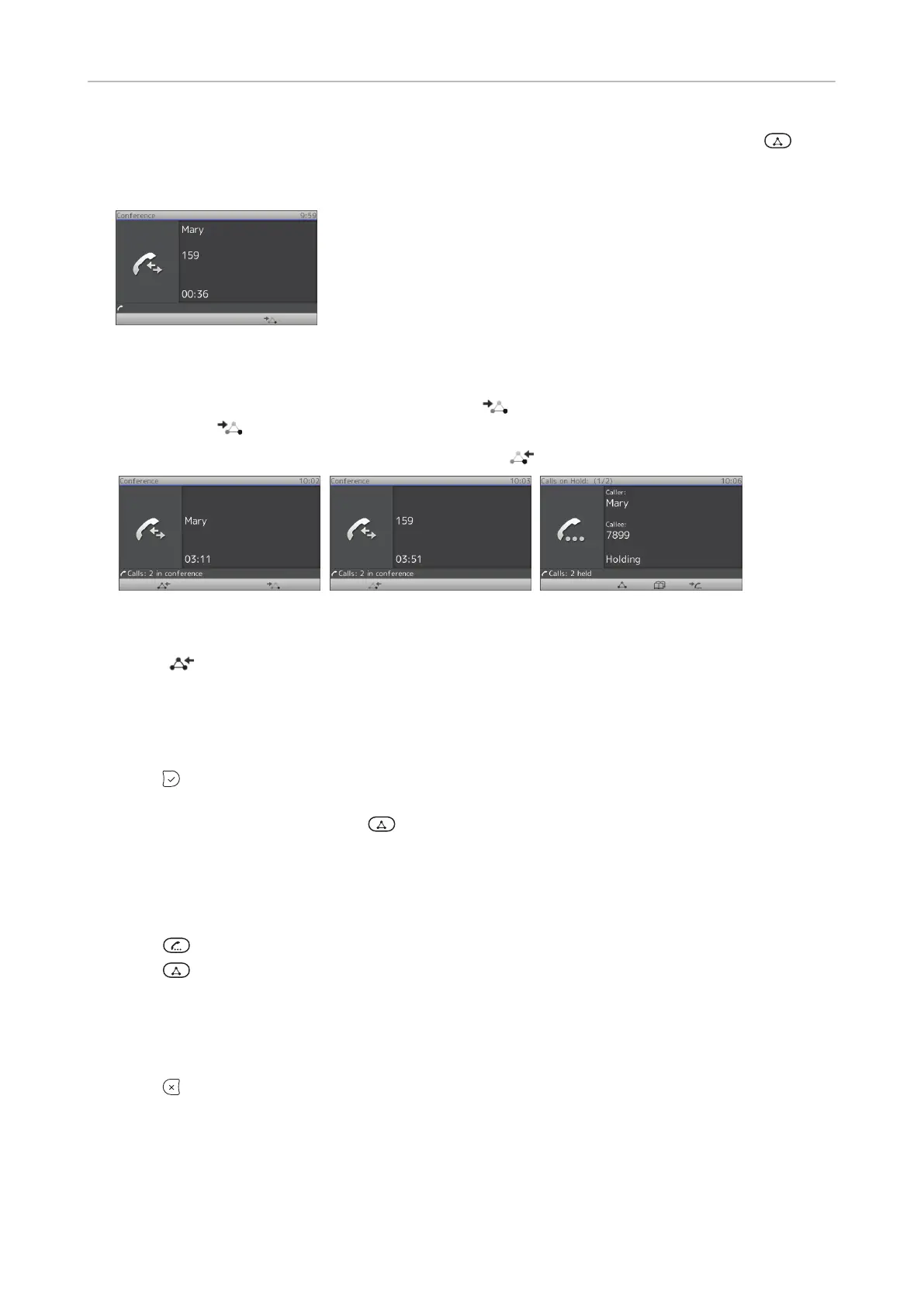
Example: A conference with three participants, including yourself. After you have pressed to
start the conference, the names, if available, or phone numbers of the other participants are shown
on-screen (Fig. 1).
Fig. 1
• Selecting individual participants:
◦ With all participants on-screen (Fig. 1), press
to put the first participant on-screen (Fig.
2); press
again to put the next participant on-screen (Fig. 3).
◦ Scroll back through the participants by pressing
.
Fig. 2 Fig. 3 Fig. 4
• Bringing the entire conference back on-screen: Scroll to the first participant's screen (Fig. 2), then
press
.
Speaking to one participant in private
1. Put the participant on-screen, as shown in Conference screen navigation, above.
2. Press
to put the other participant on hold and talk in private to the participant whose name or
number is shown on the display.
3. To return to the conference, press
.
Putting one participant on hold
1. Put the participant on-screen, as shown in Conference screen navigation, above.
2. Press
.
3. Press
to return to the conference.
Dropping a participant
1. Put the participant on-screen, as shown in Conference screen navigation, above.
2. Press
to terminate the connection to this participant.
Adding a participant
• Adding an incoming call. An incoming call is indicated as call waiting; see "Call waiting" on page
49 for more information.



 To Next Page