24
D375 | Snom 370 User Manual Getting to Know Your Phone
• Period. Press "1" once.
• Space ("˽"). Press "0" once.
• Underscore ("_"). Press "0" twice.
• Special characters listed in the table. Press "1" as many times as indicated.
1x . 2x + 3x @ 4x 1 5x : 6x ,
7x ? 8x ! 9x - 10x _ 11x / 12x \ 13x (
14x ) 15x ; 16x & 17x % 18x * 19x #
20x < 21x = 22x > 23x $ 24x [ 25x ]
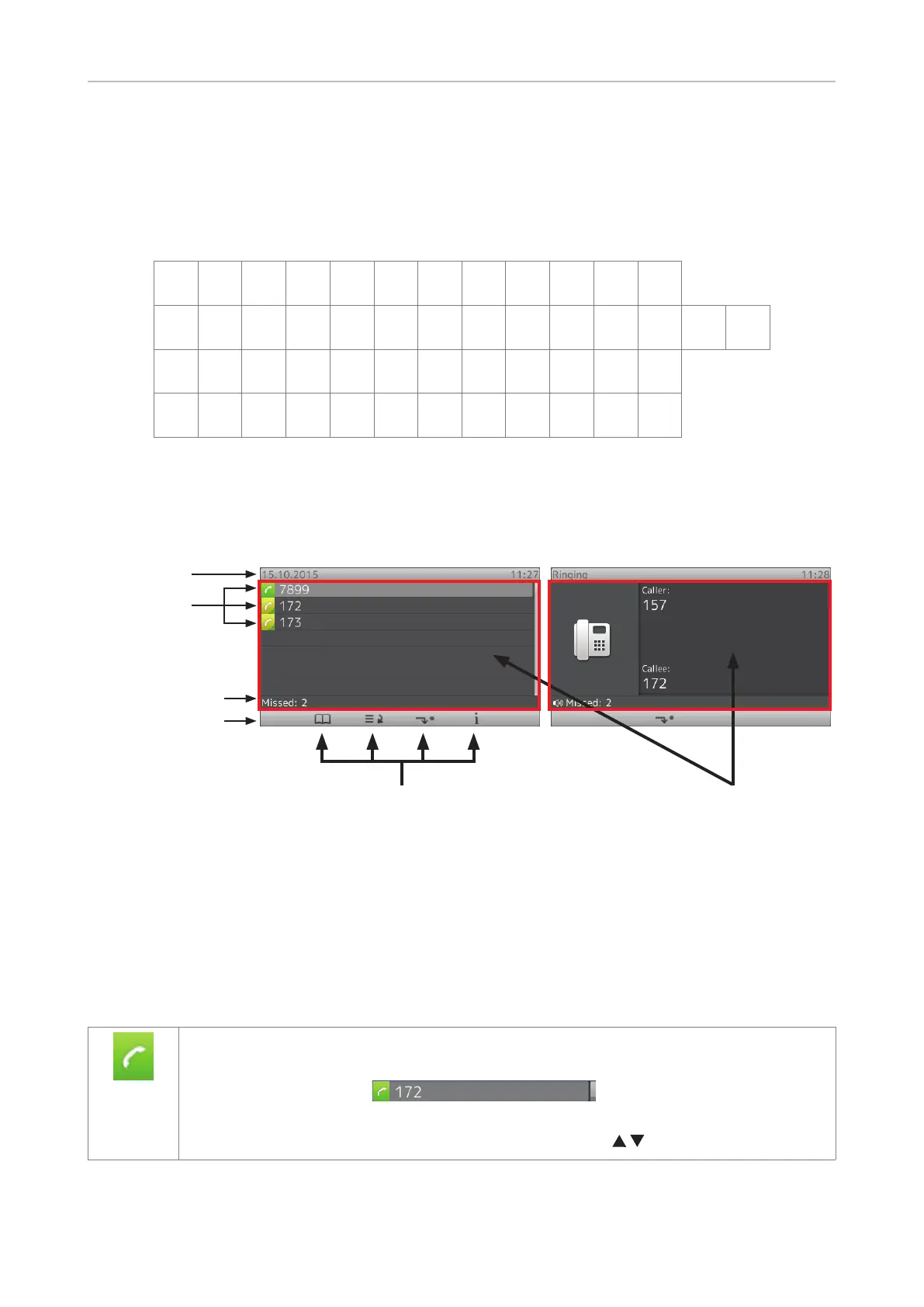
Display layout
Infobar
Confi gured
identities
Status line
Function key line
Context area
When active
Context-sensitive function key symbols
In idle mode
Idle Mode
In idle mode, the display presents the following information:
Info bar: Date and time.
Context area: Configured identities.
Outgoing identity
• The current outgoing identity is indicated by the lighter line and the green box with
the handset symbol:
. When you call someone, this
is your identity for the call.
• Select a dierent identity for the next call by pressing
on the navigation key.



 To Next Page