49
D375 | Snom 370 User Manual Using the Phone
◦ Press the key to show any ongoing activity on all extensions monitored by your phone on the
display. In the example, extension 159 is a monitored extension. "7819 > 159" (Fig. 1, above)
indicates that extension 7819 is calling extension 159; "7819 x 159" (Fig. 2) indicates that 7819
is connected to 159 and that 7819 is the caller, 159 the callee.
◦ Press
to close the Calls screen and return to the idle screen.
Call waiting
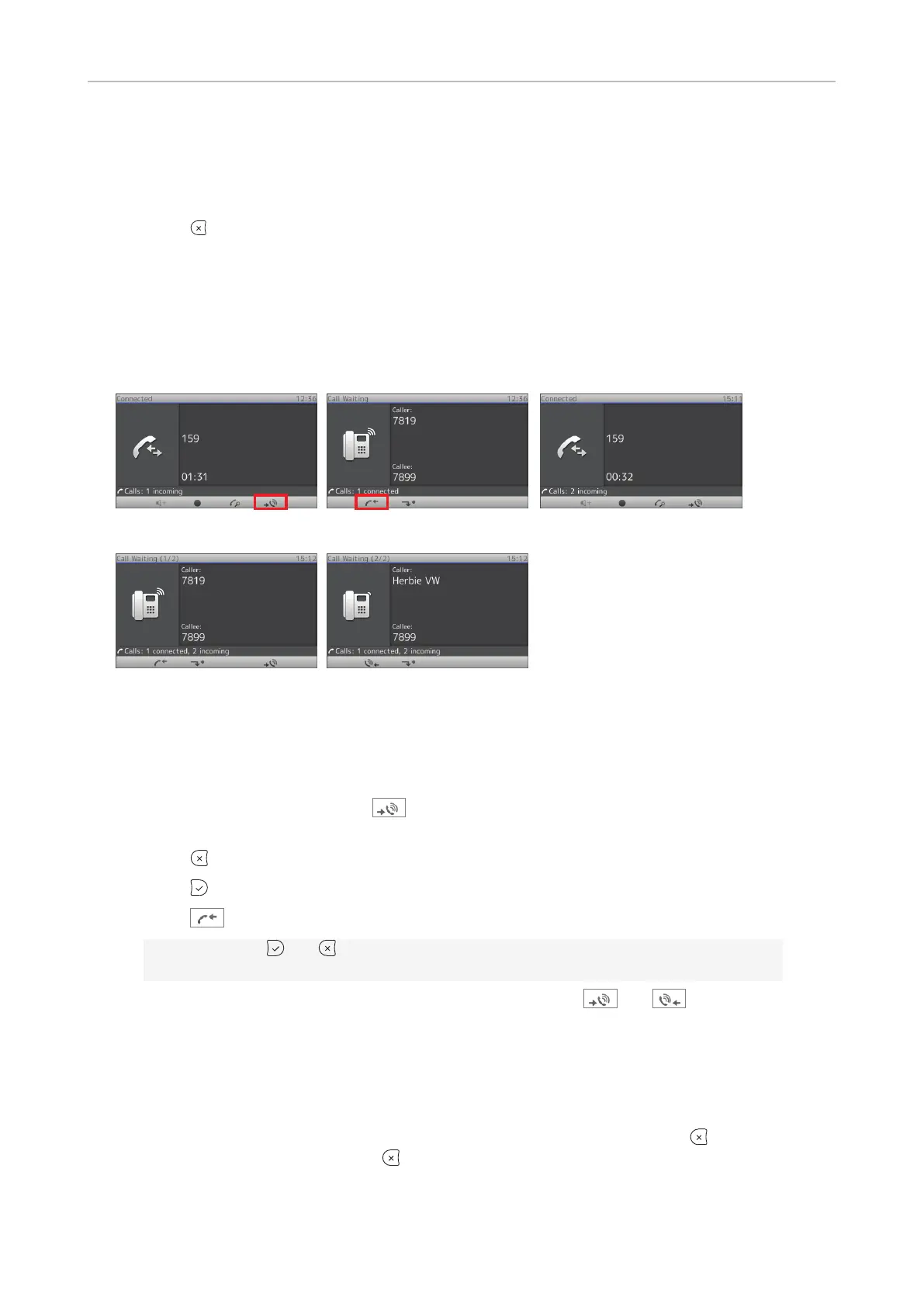
When you are in a call, another call coming in will be announced visually in the status line (Fig. 1) and
acoustically by the sound of a double beep. If you wish to switch to visual or acoustic announcement
only or turn call waiting o completely, see "Call waiting" on page 72.
Fig. 1 Fig. 2 Fig. 3
Fig. 4 Fig. 5
When a call is waiting, you have the following options:
• Press the blinking line key of the call waiting to put your current call on hold and to accept the
second call without knowing who is calling.
• Press the function key underneath
(Fig. 1) to open the Call waiting screen (Fig. 2); you will
see the caller ID on-screen if it is being transmitted.
◦ Press
to reject the call waiting. The caller will hear the busy signal.
◦ Press
to accept the second call and put your current call on hold.
◦ Press
to return to the Connected screen with your current connection (Fig. 1).
Note: Pressing
and will aect the call on the display, i.e., your current connection
in Fig. 1 or the call waiting in Fig. 2.
◦ If there is more than one call waiting (Fig. 3), press the keys
and to bring them
on-screen.
• If you do not wish to accept the waiting call, you can:
◦ ignore the announcement. If you have set call forwarding when busy, the call will be
transferred to that phone.
◦ reject the incoming call by calling up the Call Waiting screen and pressing
. The caller
hears the busy signal. Pressing
for three seconds will also put the caller on the Deny list
of the phone's directory. Future calls from this number will not ring on the phone; the caller
hears the busy signal.



 To Next Page