10
D385 User Manual Setting up the Phone
Setting up the phone
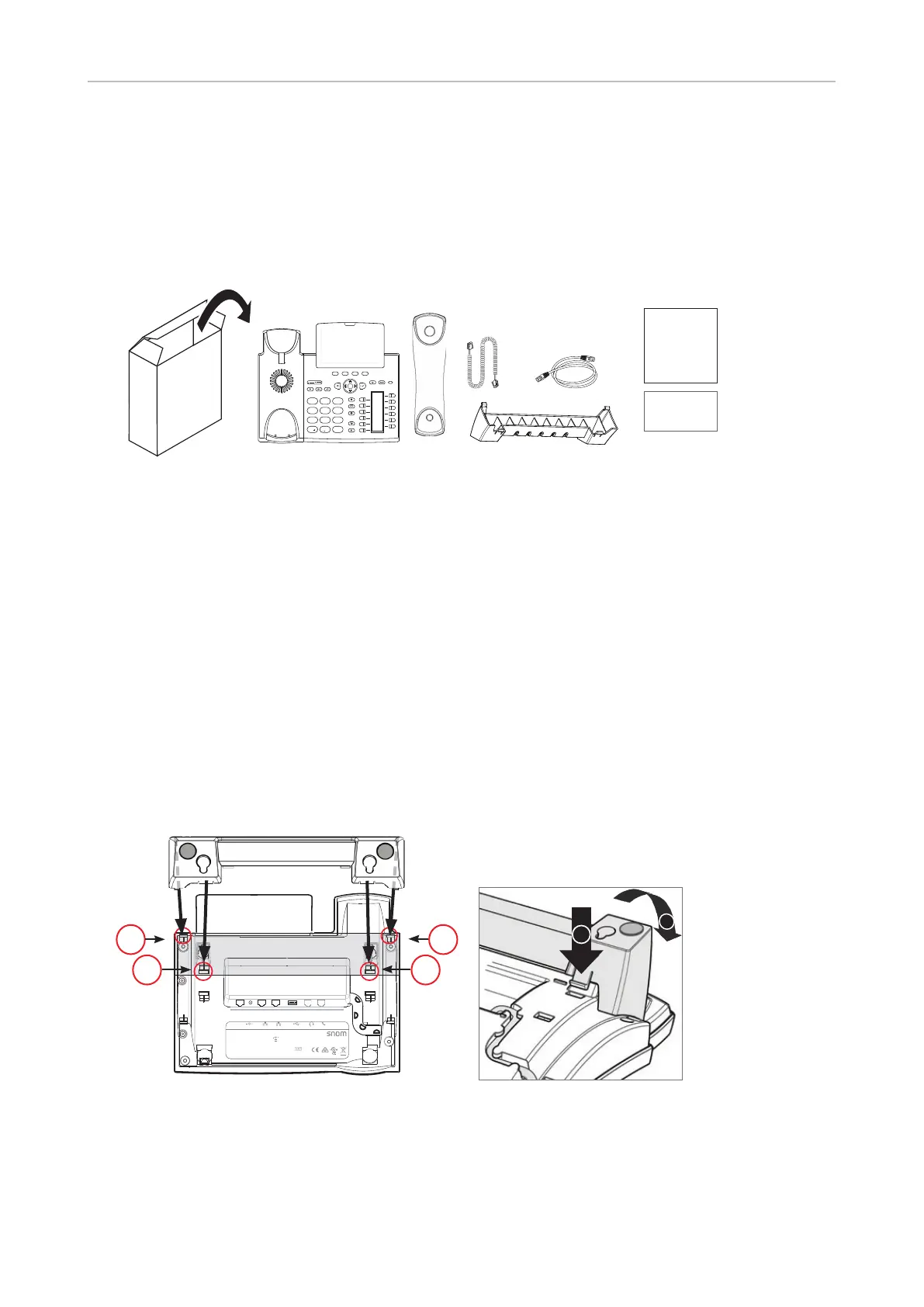
Delivery Content
4
7 8
0
9
#
5 6
GHI JKL MNO
PQRS
a » A
TUV WXYZ
1 2 3DEF
ABC
GNU
General Public License
Quick Installation
Guide
D385
- Base phone unit
- Footstand
- Handset
- Handset cord
- Ethernet cable
- Quick Installation Guide, GNU General Public Licence
Attaching and detaching the footstand
The footstand can be attached in two dierent positions, depending on whether the phone will be
placed on a desk or mounted on a wall. To avoid scratching or otherwise damaging the phone, we
recommend turning it upside down and placing it on a soft piece of cloth.
Attaching for desktop placement
D385
PN 00004340
EHS DC 5V NET PC USB AUDIO
S/N
MAC address
Use only power supply
listed in the user guide.
Snom Technology GmbH
Wittestr. 30 G, 13509 Berlin, Germany
© 20XX by Snom Technology GmbH.
All Rights Reserved. Made in XXXXX
RnX
Adapter 5V 2A
PoE 48V 0.25A
7B02
This device complies with Part 15 of the FCC Rules. Operation is subject
to the following two conditions: (1) this device may not cause harmfu l
interference, and (2) this device must accept any interference received,
including interference that may cause undesired operation.
XXXXXXX
11
22
2
1
Fig 1 Fig. 2
1. Insert the snap-fits on the longer ends of the footstand into the holes marked (Fig. 1 and 2).
2. Tilt the footstand towards you and insert the snap-fits on the shorter ends into the holes
marked (Fig. 1 and 2).



 To Next Page