67
D385 User Manual Using the Phone
In the default setting, the symbol / is available in the function key line and can be used to turn
forwarding of all calls on and o, respectively, by pressing the function key underneath the symbol,
but you can also map the function onto another function key or use the settings menu as shown in the
table below.
Forward when Busy: Forwarding calls ringing while the phone is busy to the number of the phone,
extension, or mailbox specified as this function’s target.
Forward after Timeout: When a call starts ringing, the phone will wait for the number of seconds
specified in the setting "Call forwarding time". If the call is not accepted by the end of this time period,
it is forwarded to the number of the phone, extension, or mailbox specified as this function’s target.
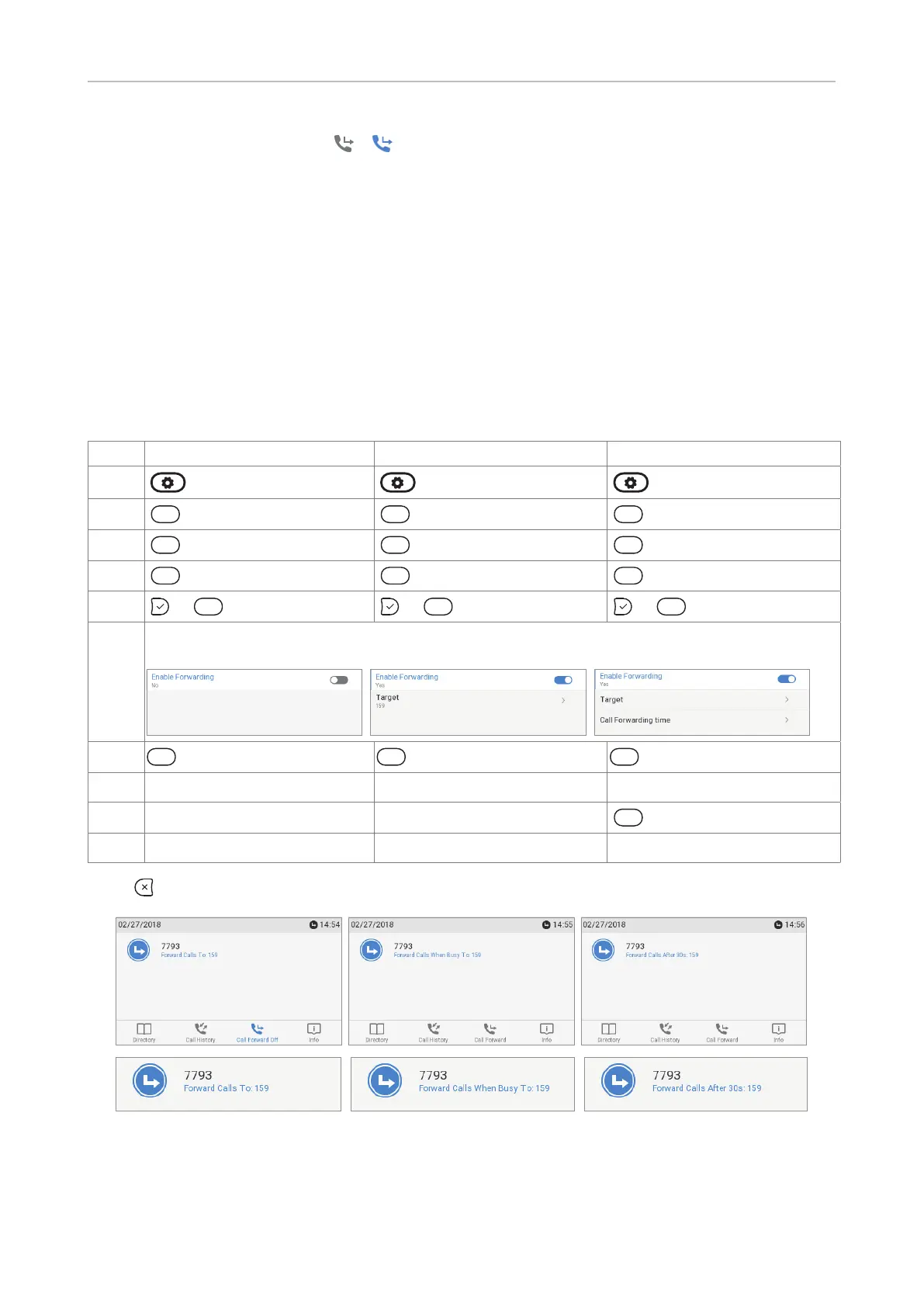
Making/changing the settings on the phone and turning on call forwarding
Forward all Forward when busy Forward after timeout
Press
Press
2
ABC
Call Features
2
ABC
Call Features
2
ABC
Call Features
Press
1
Call Forwarding
1
Call Forwarding
1
Call Forwarding
Press
1
Forward All
2
ABC
Forward when Busy
3DEF
Forward after Timeout
Press
or
1
Enable forwarding or
1
Enable forwarding or
1
Enable forwarding
The setting will change from o to on, and the setting for the forwarding target will appear. In
the case of forwarding after timeout, the setting for the time span will also appear.
Press
2
ABC
Target
2
ABC
Target
2
ABC
Target
Type phone number phone number phone number
Press
3DEF
Call Forwarding time
Type number of seconds
Press
for two seconds to return to the idle screen.
Forwarding all calls Forwarding calls when busy Forwarding calls after timeout



 To Next Page