81
D385 User Manual Customizing the Phone Settings
Date and time formats
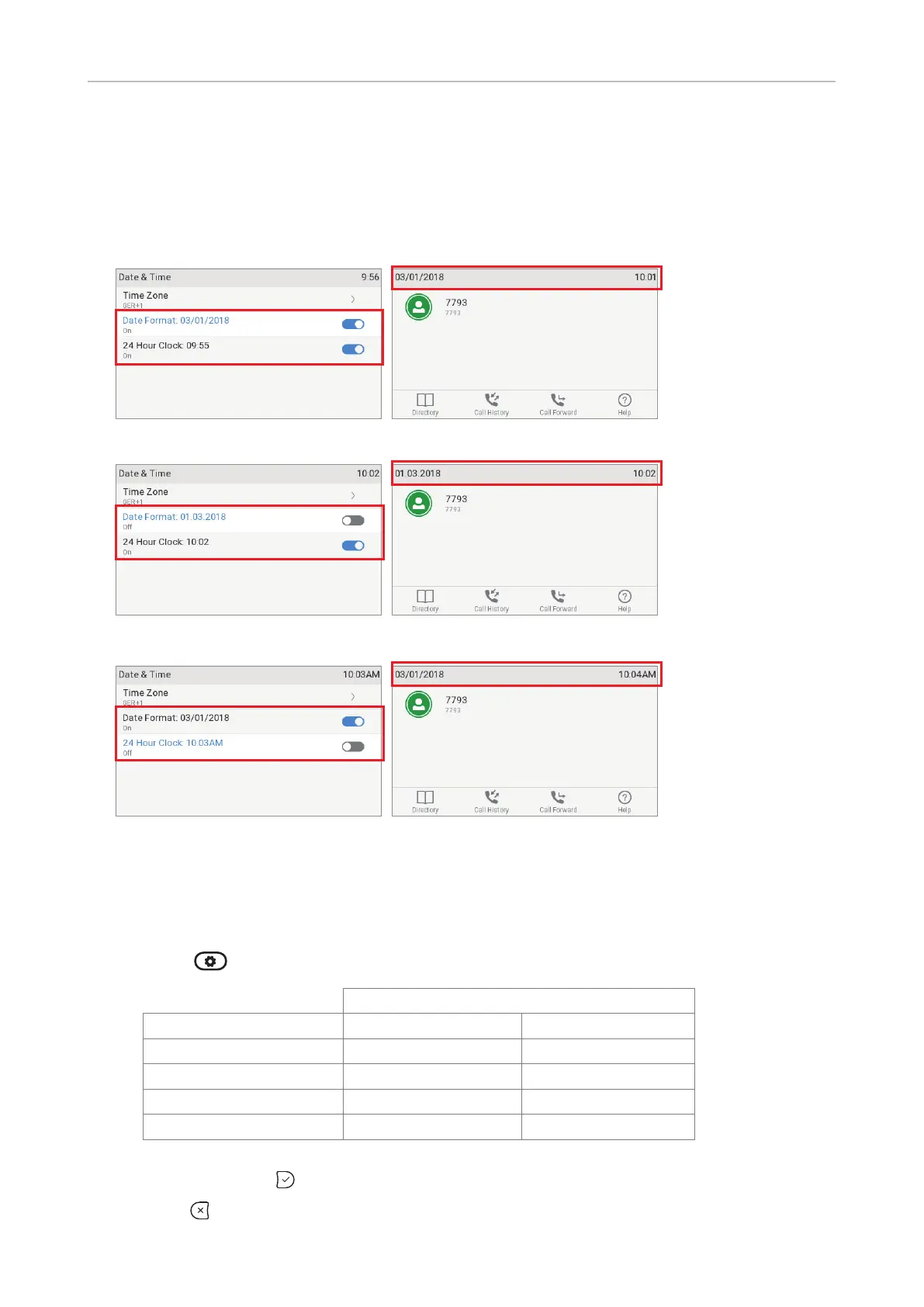
Date and time formats can be set on the phone and on the web interface. The defaults are US time
format and 24-hour clock (Fig. 1 and 2). European date and time formats are shown in Fig. 3 and 4,
US date and time formats in Fig. 5 and 6.
Fig. 1 Fig. 2
Fig. 3 Fig. 4
Fig. 5 Fig. 6
Date
• Phone settings.
1. Press
> Preferences > Date & Time (see Fig. 1, above).
US Date Format
Date Setting "On" Setting "O"
March 5, 2018 03/05/2018 05.03.2018
March 12, 2018 03/12/2018 12.03.2018
December 5, 2018 12/05/2018 05.12.2018
December 10, 2018 12/10/2018 10.12.2018
2. To change U.S. date format from on (Fig. 1, above) to o (Fig. 3, above), scroll down to Date
format and press
.
3. Press
briefly to return to the previous menu or for two seconds to return to the idle screen.



 To Next Page