59
D385 User Manual Using the Phone
• When the connected call is on-screen, you can transfer it to a third party or terminate it by
pressing
.
• When a held call is on-screen, press
to connect to it and put the currently connected call on
hold.
Conference
The maximum number of participants is three.
Note: This section refers to phone-based conferences. For the number of participants
and how to set up and participate in server-based conferences, please check with your
network administrator or your VoIP provider.
Initiating a conference
1. Call the first intended participant and put him or her on hold.
2. Call the second intended participant.
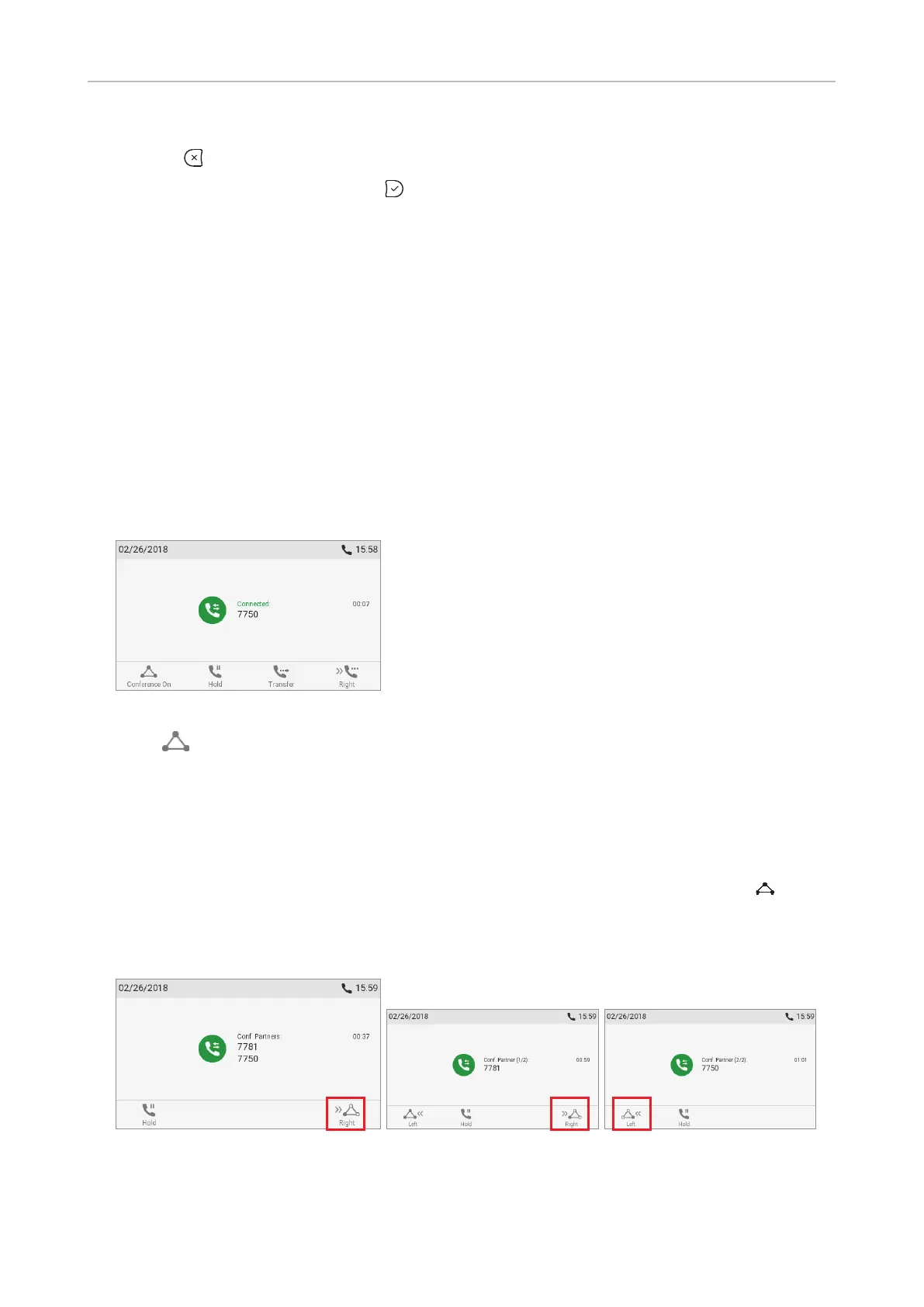
Fig. 1
3. Press to start the conference.
Conference screen navigation
Your input on the phone's keys will aect the caller/callee(s) or the entire conference shown in the
contact area of the display.
Example: A conference with three participants, including yourself. After you have pressed
(Fig. 1)
to start the conference, the names, if available, and/or phone numbers of the other participants are
shown on-screen (Fig. 2 - 4). Fig. 2 shows the conference screen, i.e., all of your conference partners
while Fig. 3 and 4 show the screens for the individual participants.
Fig. 2 Fig. 3 Fig. 4



 To Next Page