71
D385 User Manual Configuring the Function Keys
Programming the function keys
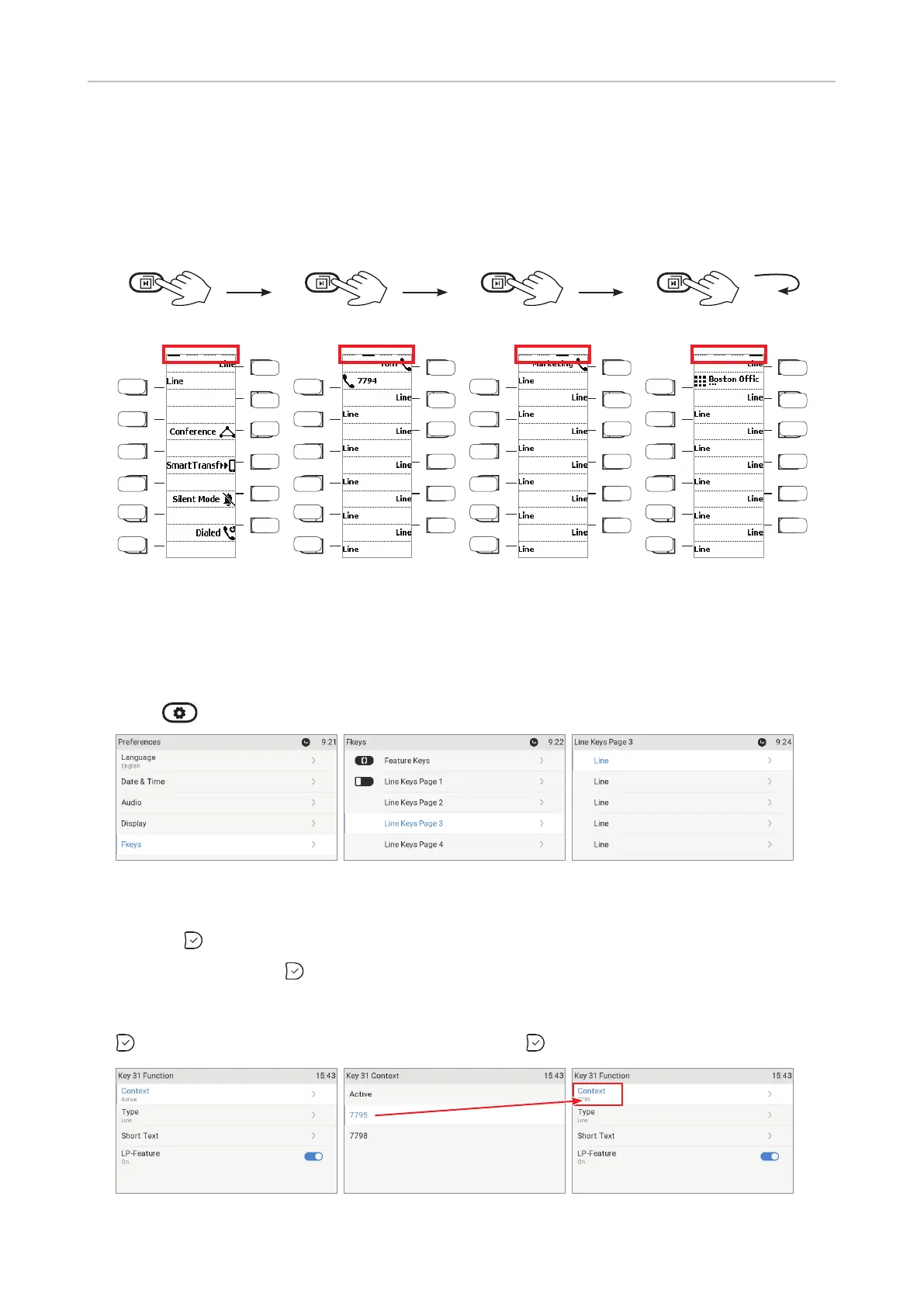
The freely programmable function keys on the phone and on all connected expansion modules can
be mapped on the phone and on the phone's web interface. We recommend using the web interface
which is faster and more comfortable.
Page 1 Page 2 Page 3 Page 4
Page 1
P7
P8
P9
P10
P11
P1
P2
P3
P4
P5
P6
P12
P19
P20
P21
P22
P23
P13
P14
P15
P16
P17
P18
P24
P31
P31
P33
P34
P35
P25
P26
P27
P28
P29
P30
P36
P43
P44
P45
P46
P47
P37
P38
P39
P40
P41
P42
P48
Fig. 1
Settings on the phone
On the phone, a limited number of functionalities is available.
1. Press
> > Preferences > Fkeys (Fig. 2).
Fig. 2 Fig. 3 Fig. 4
2. Select Line keys page 1, 2, 3, or 4, respectively, by scrolling to the respective line keys page and
pressing
(Fig. 3).
3. Select a key and press
(Fig. 4). The default setting is "line".
4. The default for Context is Active, i.e., all configured identities whose status is "active". If you
want to restrict the functionality to a configured identity, select Context (Fig. 5) and press
. Select the identity from the menu (Fig. 6) and press .
Fig. 5 Fig. 6 Fig. 7



 To Next Page