64
D385 User Manual Using the Phone
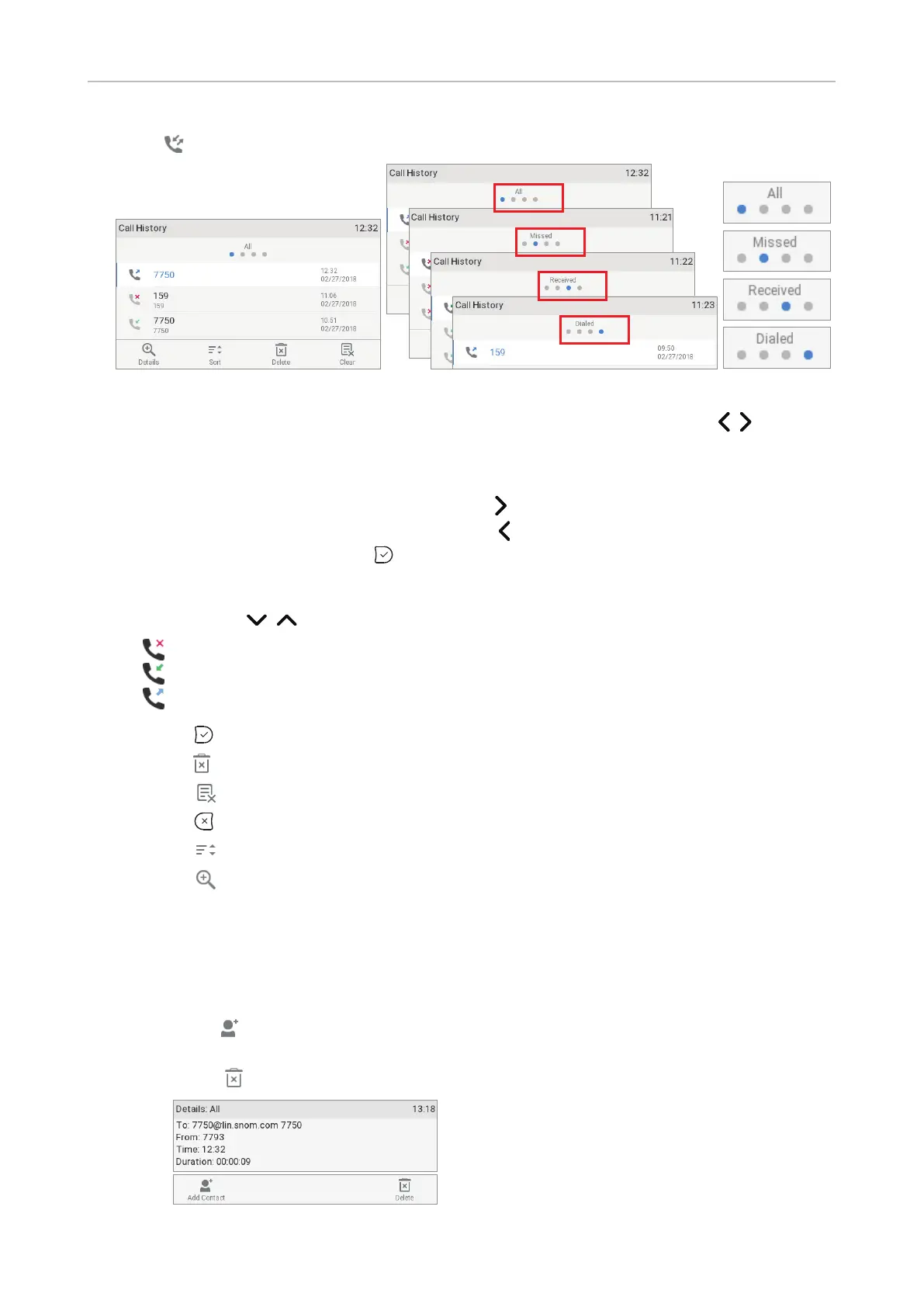
1. Press to open the call history (Fig. 1).
Fig. 1 Fig. 2 Fig. 3
2. To view the list of missed, received, or dialed calls, press the left and right arrows on the
navigation key to put the lists on-screen one after the other (Fig. 2).
Note: You can also use the following keys to view the lists directly (default setting):
- Missed calls: Press the right arrow
on the navigation key.
- Received calls: Press the left arrow
on the navigation key.
- Dialed calls: Press
.
3. On each list, the latest call is at the top of the list (Fig. 1, above). Scroll through the list with the
up/down arrows
on the navigation key. The icons indicate the type of call:
- missed call
- received call
- dialed call
◦ Press
to dial the number of the selected call.
◦ Press
to delete the selected call.
◦ Press
to delete the entire list.
◦ Press
for three seconds to return to idle screen.
◦ Press
to sort the calls.
◦ Press
to show the call details of the selected call.
- Missed calls: To, from, time (and date if not today), total number of missed calls from
caller.
- Received and dialed calls: To, from, time (and date if not today), duration of call.
◦ When viewing the Details of a call:
- Press
to add the caller/callee to the phone's directory. See "Editing existing entry" on
page 44 for information on adding a name and other data to the new directory entry.
- Press
to delete the call.



 To Next Page