EasyManua.ls Logo

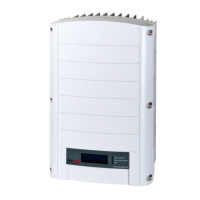
SolarEdge SE5000H - User Manual

SolarEdge SE5000H
90 pages
Print Icon
To Next Page IconTo Next Page
Loading...
Installation Guide
EV Charging Single Phase
Inverter
with SetApp Configuration
For Europe, APACand South Africa
Version 1.5

Table of Contents

Other manuals for SolarEdge SE5000H

Questions and Answers

  • T
    Tammy EllisonAug 31, 2025
    What to do if SolarEdge SE5000H Inverter shows 'Over Temperature'?
    • M
      maryclarkSep 1, 2025
      If your SolarEdge Inverter displays 'Over Temperature', verify proper clearances around the inverter and EV Charger Cable. After verification reconnect the EV charger cable to the EV.
  • M
    Michael LucasAug 30, 2025
    Why is the string voltage lower than the number of optimizers on my SolarEdge Inverter?
    • P
      Patrick ClarkAug 30, 2025
      If your SolarEdge Inverter displays 'String voltage not 0V but lower than number of optimizers', it can be caused by: * Power optimizer(s) not connected in the string. Connect all power optimizers. * Panel(s) not connected properly to power optimizer inputs. Connect the modules to the optimizer inputs. * String reverse polarity. Check string polarity using a voltmeter and correct if needed.
  • A
    Andrew ShortAug 29, 2025
    Why is the string voltage higher than the number of optimizers on my SolarEdge SE5000H Inverter?
    • J
      Joanna AlvaradoAug 29, 2025
      If the SolarEdge Inverter displays 'String voltage is higher than number of optimizers', it could be due to several reasons: * An extra power optimizer is connected in the string. * A module is connected directly to the string, without a power optimizer. * Power optimizer(s) malfunction. In this case: 1. Disconnect the wires connecting the power optimizers in the string. 2. Measure the output voltage of each power optimizer to locate the power optimizer that does not output 1V safety voltage. 3. If a malfunctioning power optimizer is located, check its connections, polarity, module, and voltage. 4. Contact SolarEdge Support.
  • R
    Raymond GutierrezAug 28, 2025
    What to do if the SolarEdge SE5000H Inverter shows 'Gateway not responding'?
    • A
      Amber ArnoldAug 28, 2025
      If your SolarEdge Inverter shows 'Gateway not responding', it means the ping to the router failed. Check the physical connection to the switch/ router. Check that the link LED at the router /switch is lit (indicating phy-link). If OK - contact your network IT, otherwise replace the cable or change it from cross to straight connection.
  • S
    Sarah BarkerAug 27, 2025
    How do I resolve a 'No DHCP' error on my SolarEdge Inverter?
    • M
      Madeline AdamsAug 27, 2025
      If your SolarEdge Inverter displays 'No DHCP', it indicates an IP settings issue. Check the router and configuration. Consult your network IT.
  • C
    Cameron HillAug 26, 2025
    How to troubleshoot 'LAN cable disconnected' error on SolarEdge Inverter?
    • J
      juarezdeannaAug 27, 2025
      If your SolarEdge Inverter displays 'LAN cable disconnected', it means there is a physical connection fault. Check the cable pin- out assignment and cable connection.
  • N
    Nicole OconnorAug 25, 2025
    How to fix No Internet connection on SolarEdge SE5000H?
    • M
      Manuel WhiteheadAug 26, 2025
      If your SolarEdge Inverter displays 'No Internet connection', it means the ping to google.com failed. You should connect a laptop and check for internet connection. If internet access is unavailable, contact your IT admin or your internet provider. For Wi-Fi networks, ensure that user-name and password are as defined in the internet provider AP/ router.
  • A
    Andrew PaulAug 25, 2025
    What to do if SolarEdge SE5000H Inverter displays 'Pairing failed'?
    • A
      Adam ShawAug 25, 2025
      If the SolarEdge Inverter displays 'Pairing failed' and the power optimizers are shaded, and if you connected the inverter to the monitoring platform, retry pairing remotely when there is sunlight. Make sure to leave the inverter ON/OFF/P switch ON and that S_OK appears in the status screen.

Summary

HANDLING AND SAFETY INSTRUCTIONS

IMPORTANT SAFETY INSTRUCTIONS

Chapter 1: Introducing the SolarEdge Power Harvesting System

EV Charging Single Phase Inverter

Introduction to the EV Charging Single Phase Inverter, its capabilities, and compatibility.

Installation Procedure

Step-by-step guide outlining the process for installing a new SolarEdge site or modifying an existing one.

EV Charging Safety Instructions

Specific safety warnings and precautions related to the operation and use of the EV charging functionality.

Chapter 2: Installing the Power Optimizer

Safety

Essential safety precautions to be observed during the installation of power optimizers.

Installation Guidelines

General recommendations and best practices for installing power optimizers, including connector compatibility.

Step 1: Mounting the Power Optimizers

Procedure for determining the mounting location and physically attaching power optimizers to the support structure.

Step 2: Connecting a PV module to a Power Optimizer

Instructions on how to correctly connect PV modules to the input and output connectors of a power optimizer.

Chapter 3: Installing the Inverter

Mounting the Inverter

Step-by-step instructions for securely mounting the inverter to a wall, stud framing, or pole, including clearance requirements.

Chapter 4: Connecting the AC and the Strings to the Connection Unit

Chapter 5: Activating, Commissioning and Configuring the System

Step 1: Activating the Installation

Procedure for activating the inverter, establishing Wi-Fi connection, and upgrading system firmware.

Step 2: Commissioning and Configuring the Installation

Steps for configuring system settings, including country, grid, language, and pairing devices.

Power Control

Step 3: Verifying Proper Activation and Commissioning

Final checks to ensure the inverter is properly activated, commissioned, and operating correctly.

Viewing System Status

Main Inverter Status

Site Status

Communication Status

EV Charging Status

Reporting and Monitoring Installation Data

Chapter 6: Setting Up Communication to the Monitoring Platform

Removing the Inverter Cover

Creating an Ethernet (LAN) Connection

Creating an RS485 Bus Connection

Verifying the Connection

Appendix A: Errors and Troubleshooting

Identifying Errors

Methods for identifying error types using inverter LEDs, error codes, and the monitoring platform.

EV Charger-related Troubleshooting

Specific troubleshooting steps for errors encountered with the EV charger functionality.

Troubleshooting Communication

Steps to diagnose and resolve issues related to Ethernet (LAN) and RS485 communication.

Power Optimizer Troubleshooting

Guidance on identifying and correcting malfunctions related to power optimizers.

Appendix B: Replacing and Adding System Components

Replacing an Inverter

Detailed steps for removing an existing inverter and installing a new one.

Appendix C: Connecting the Energy Meter To the Inverter

Technical Specifications - EV Charging Single Phase Inverter (Europe & APAC)

Inverter Specifications

Detailed electrical and performance specifications for different inverter models.

Default Trip Limits and Times According to IEEE1547

EV Charger and EV Charger Cable Specifications

Support Contact Information

SolarEdge SE5000H Specifications

General IconGeneral
ModelSE5000H
ManufacturerSolarEdge
TopologyTransformerless
AC Nominal Power5000 W
Rated AC Power5000 W
CoolingNatural Convection
Noise Level< 25 dBA
Protection RatingIP65
Max. Input DC Voltage480 Vdc
Number of MPP Trackers1
AC Voltage240 V
Weight10.6 kg
Operating Temperature Range-25°C to 60°C

Related product manuals