EasyManua.ls Logo

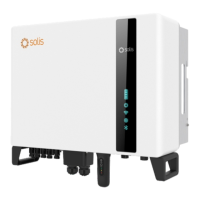
SOLIS S6 Series - User Manual

SOLIS S6 Series
91 pages
Print Icon
To Next Page IconTo Next Page
Loading...
User Manual
for S6 Series Grid Inverter
Version 1.0, Release Date: 08,2023
Applicable models
S6-GC25K-US
S6-GC33K-US
S6-GC36K-US
S6-GC40K-US
S6-GC50K-US
S6-GC60K-US
S6-GC-30K-LV-US

Table of Contents

Other manuals for SOLIS S6 Series

Questions and Answers

  • A
    Andrew JonesAug 27, 2025
    What does ARC- FAULT (1041 DATA:0000) mean on SOLIS S6 and how to fix it?
    • C
      Carol LittleAug 27, 2025
      The ARC- FAULT (1041 DATA:0000) error on your SOLIS Inverter indicates a potential arc fault. Start by verifying that all connections within your PV system are tight. If further adjustment is needed, arc fault settings can be changed in advanced settings.
  • E
    Elizabeth WaltersAug 27, 2025
    Why is my SOLIS Inverter showing OV-DC01 (1020 DATA:0001)?
    • A
      Amanda BergAug 27, 2025
      The OV-DC01 (1020 DATA:0001) error on your SOLIS Inverter indicates a potential issue with the PV voltage. Check if the PV voltage is abnormal. If the issue persists, restart the system to confirm that the fault continues.
  • N
    Nicholas LunaAug 27, 2025
    What to do if SOLIS S6 displays OV-ILLC (1052 DATA:0000)?
    • H
      Heather ByrdAug 27, 2025
      If your SOLIS Inverter displays OV-ILLC (1052 DATA:0000), it may be due to an overloaded backup load. Check whether the backup load is overloaded. If the problem continues, restart the system to see if the fault clears.
  • S
    Sharon JonesSep 3, 2025
    How do I troubleshoot PV ISO-PRO01 (1033 DATA:0001) error on my SOLIS Inverter?
    • S
      Shannon NelsonSep 3, 2025
      If your SOLIS Inverter displays PV ISO-PRO01 (1033 DATA:0001), check whether the PV strings have insulation problems and whether the PV cable is damaged.
  • M
    Manuel WalkerSep 5, 2025
    How to troubleshoot OV-TEM error on SOLIS S6 Inverter?
    • H
      harrisgeorgeSep 5, 2025
      If your SOLIS Inverter is showing an OV-TEM error, start by checking if the installation location meets the requirements specified in the user manual. Then, try to lower the ambient temperature around the inverter. After doing so, restart the inverter after fifteen minutes. If the error continues, contact the factory's customer service.
  • J
    joyce78Sep 7, 2025
    How to fix ILeak-Check error on SOLIS S6?
    • B
      brownmatthewSep 7, 2025
      If your SOLIS Inverter shows an ILeak-Check error, upgrade the software to the latest version. If the fault continues after the upgrade, contact the factory's customer service.
  • K
    Kelsey FigueroaSep 22, 2025
    What to do if my SOLIS Inverter displays Fan Alarm?
    • A
      Anne DiazSep 22, 2025
      If your SOLIS Inverter shows a Fan Alarm, check if the internal fan is working correctly or if it is jammed.
  • K
    Kelly HallSep 17, 2025
    How to troubleshoot battery overcurrent on SOLIS S6 Inverter?
    • M
      Mike NormanSep 18, 2025
      If your SOLIS Inverter is showing a battery overcurrent error, restart the inverter.
  • J
    Jessica SmithAug 25, 2025
    Why does my SOLIS S6 show a NO-Grid error?
    • E
      Elizabeth DavisAug 26, 2025
      If your SOLIS Inverter displays a NO-Grid error, first verify that the inverter is properly connected to the power grid. Next, check if the connected power grid is functioning normally. If the mains connection is normal, it is recommended to contact maintenance staff.
  • L
    Lisa GreerAug 25, 2025
    What to do if my SOLIS S6 displays GRID-INTF02 (1046 DATA:0000)?
    • R
      Raymond WilliamsAug 25, 2025
      If your SOLIS Inverter displays GRID-INTF02 (1046 DATA:0000), confirm whether the grid is seriously distorted and check whether the AC cable is connected reliably.

SOLIS S6 Series Specifications

General IconGeneral
Number of MPPTs2
THDi<3%
DC SwitchYes
Max. AC Output Power6000W
Rated AC Output Power6000W
Max. AC Apparent Power6000VA
Rated Grid Voltage230V
Grid Voltage Range180V-280V
Rated Grid Frequency50Hz/60Hz
Grid Frequency Range45-55Hz / 55-65Hz
ProtectionDC Reverse-Polarity Protection, AC Short-Circuit Protection
Operating Temperature Range-25°C to 60°C
CoolingNatural Cooling
CommunicationWiFi/GPRS

Related product manuals