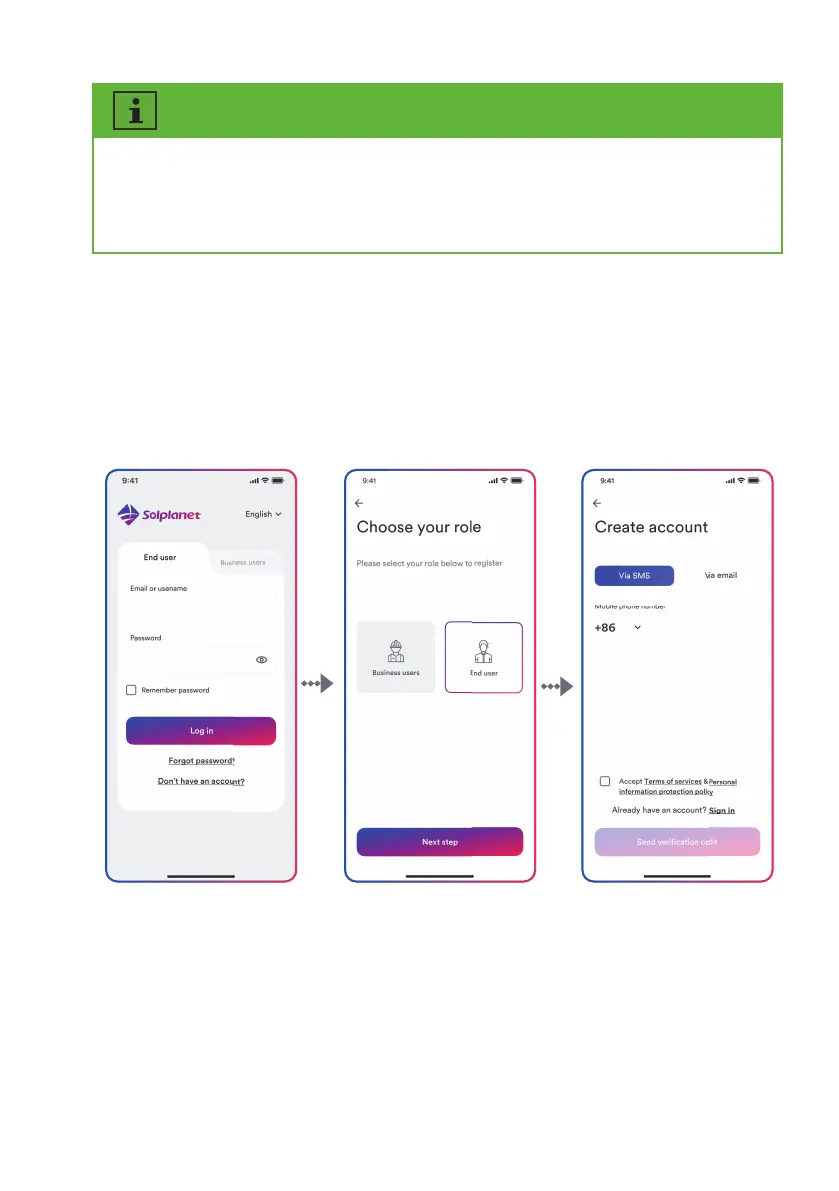
The end user and the business user have the different permissions for setting parameters.
The end user only can set the parameter during commissioning. The business user has more
permissions, but they need submit more identity authentication documents.
Step 1 Step 2 Step 3
Step 4:
Enter the correct verification code to automatically enter the next page.
Step 5:
Set the password and click “Register” to complete the registration.
Step 3:
Enter the right mobile phone number (Via SMS) or E-mail address (Via mail). And tap the
“Send verification code”.
UM0035_ASW05-12kH-T2-T3_EN_V01_0523





 To Next Page