M600i Picture Gallery and Picture Editor 45
This is the Internet version of the user guide. © Print only for private use.
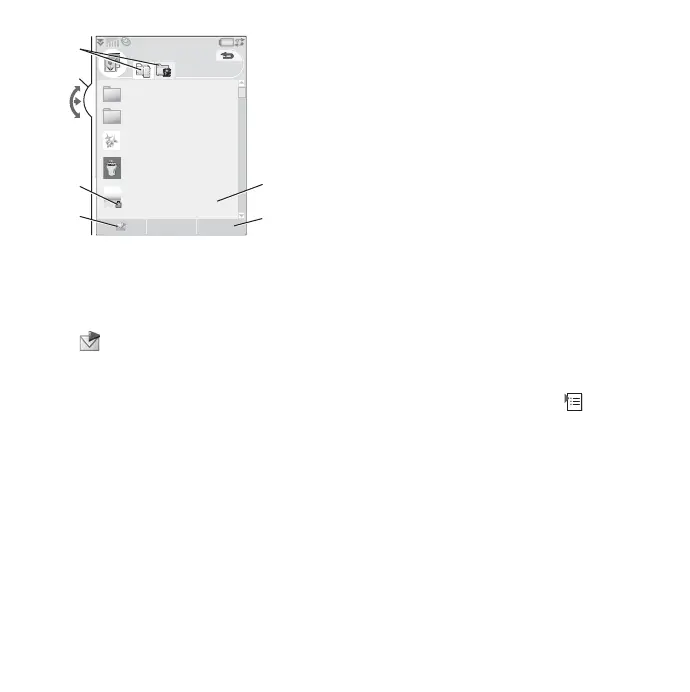
C. Copyright protection may prevent some
content from being copied, modified, or
transferred. If a file is copyright-protected,
or if an access key has expired or is
unavailable, an icon is displayed.
D.
– send a highlighted picture by MMS
messaging. You can also do this from an
image's Detail view.
E. Select
More to access menu options.
F. You can sort the list by name, size, type, or
date and in ascending or descending order.
Select
More > Sort by to change the
sorting.
Options for using image files
You will find options for using images under
More > Use.
Options for managing image files
To manage selected files and folders, select
More > Manage files for an options menu.
From this menu you can:
• Open Picture editor to create a new image.
• Create a new folder.
• Copy, move, rename, or delete files.
• Copy or move (Import and Export) camera
images (EXIF-type .jpg files) to and from
folders on a Memory Stick™ or your
phone.
•Open
File Manager. For more information,
see File Manager on page 54.
Detail view
Highlight and select an image from the list to
show its Detail view. Select
Expand to change
to full screen.
Mark
Zoom in the More menu to enable zoom.
(If the picture is expanded, tap to open the
More menu.) Rotate the Jog Dial to change the
zoom level. The Zoom indicator thumbnail
displays the part of the image that has been
zoomed. You can move the thumbnail to view
sections of the image. Unmark
Zoom to
disable zoom.
Slideshows
Display the contents of a folder as a slideshow,
by automatically or manually moving from
picture to picture. Slideshows can include
Picture gallery
A
B
C
D
E
F
View More
Clipart
Favorites
Butterfly
Coffee
Plane
13:00, 30/05/05
09:00, 28/05/05
09:03, 12/05/05
08:12, 21/07/05
12:07, 14/03/05











 To Next Page