ModelName: Falcon_E
PartNumber: 4-164-613-11
10
10
Basic Operations and Screens
Table of
Contents
Home
Menu
Index
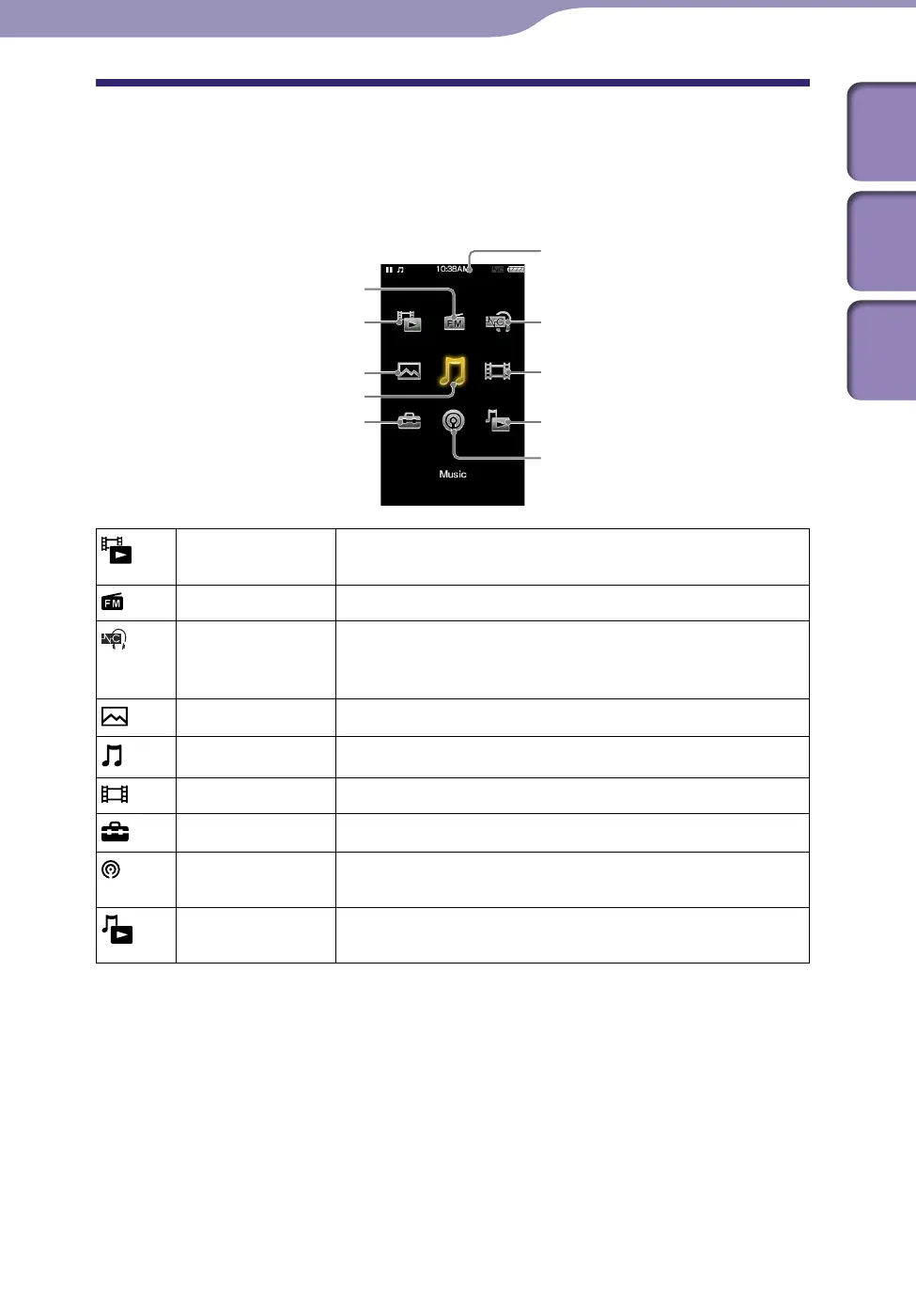
About the Home Menu
The following table shows the items of the Home menu. For details on the item
list of each menu, see
p
.
11.
For details about each menu item, refer to the specified reference page.
[Go to video
playback screen]
Display the video playback screen.
[FM Radio]
Listen to FM radio broadcasting (
p.
87).
[Noise Canceling] Reduce unwanted ambient noise by active noise control
technology (
p.
93). Select this icon to enable or disable
the Noise Canceling function.
[Photos]
View photos transferred to the player (
p.
81).
[Music]
Listen to songs transferred to the player (
p.
39).
[Videos]
Watch videos transferred to the player (
p.
59).
[Settings]
Set up the player and its applications (
p.
101).
[Podcasts]
Play back podcast episodes transferred to the player (
p.
72).
[Go to song
playback screen]
Display the music playback screen.
Continued
[FM Radio]
[Go to video playback screen]
[Photos]
[Music]
[Settings]
Information area
[Videos]
[Go to song playback screen]
[Podcasts]
[Noise Canceling]











 To Next Page