ModelName: Falcon_E
PartNumber: 4-164-613-11
96
96
Using the Noise Canceling Function
Table of
Contents
Home
Menu
Index
Listening to External Audio Sources
[External Input Mode]
You can enable the Noise Canceling function when you listen to audio from
external audio sources, such as audio devices in airplanes.
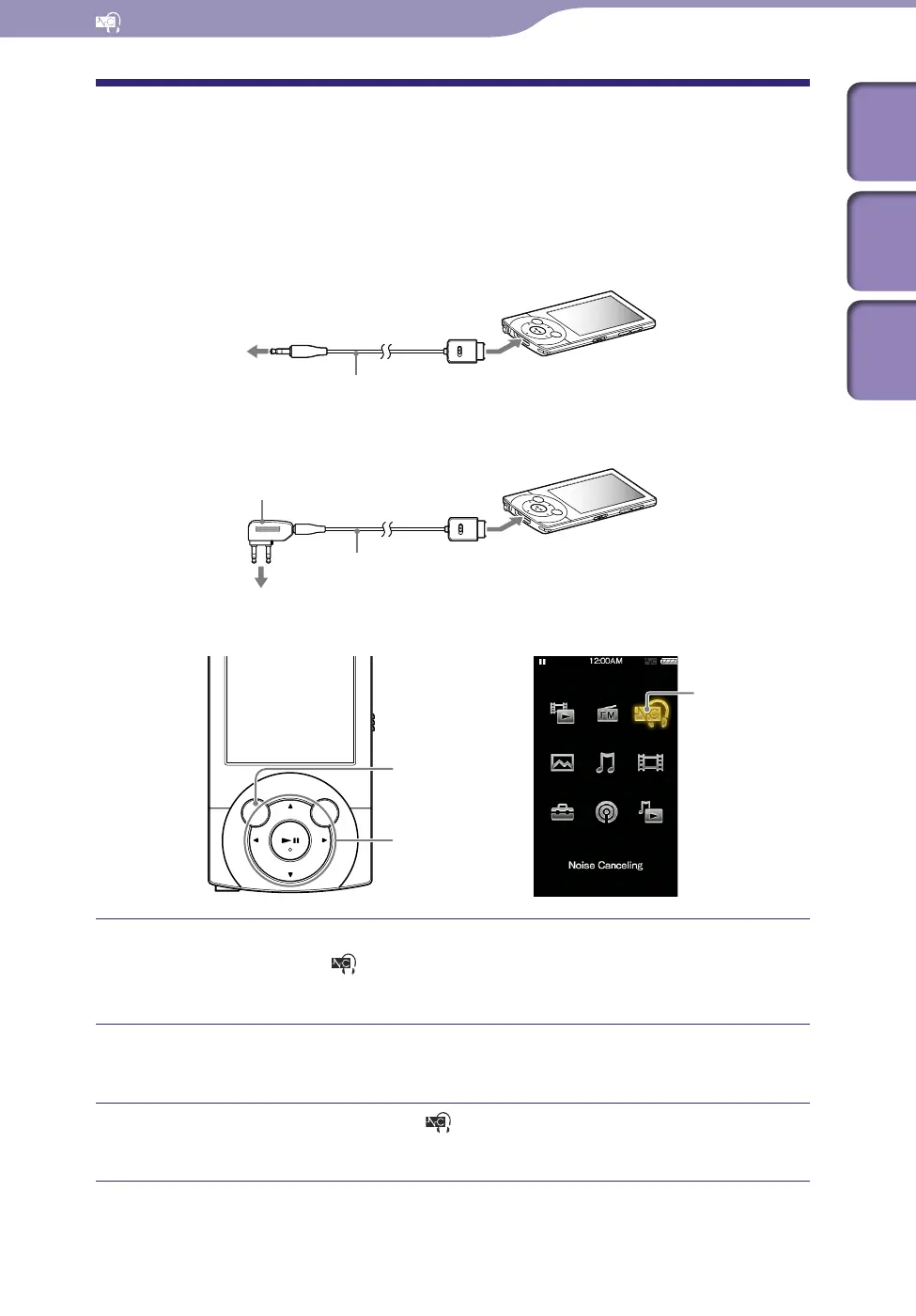
Using with external audio devices
Using with in-flight entertainment systems
Connect the supplied headphones to the player, and from the
Home menu, select
[Noise Canceling]
[Noise Canceling: On/
Off]
[On].
Connect the audio source device to the player using the supplied
audio input cable.
From the Home menu, select [Noise Canceling]
[NC Modes].
You can listen to the audio source device with reduced ambient noise.
Continued
To headphone jack
Supplied audio input cable
Supplied plug adaptor
Supplied audio input cable
To in-flight entertainment systems
BACK/HOME button
5-way button
[Noise Canceling]











 To Next Page