ModelName: Falcon_E
PartNumber: 4-164-613-11
45
45
Playing Music
Table of
Contents
Home
Menu
Index
Enjoying Music Playback on a Television
You can connect the player to a television to output the music screen and
audio. You can view cover art, etc., on a larger screen.
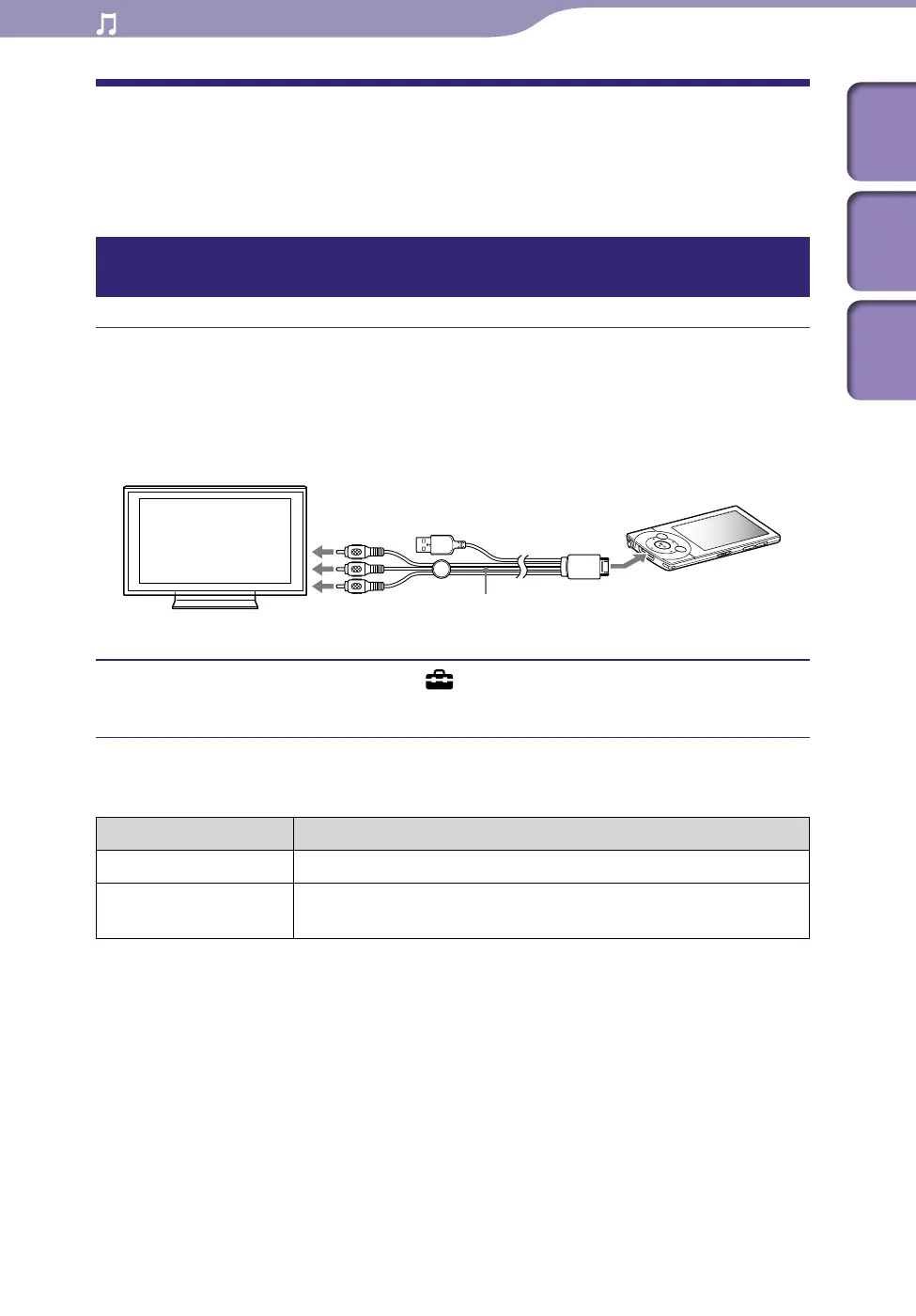
Outputting the music playback screen and audio to a television
[TV Output(Music)]
Connect the player and a television using the optional video/audio
output cable (WMC-NWV10).
Fo
r details, refer to the manual of the video/audio output cable.
Dep
ending on the country/region, the video/audio output cable (WMC-
NWV10) may not be available.
From the Home menu, select [Settings]
[Music Settings]
[TV Output(Music)]
[On].
Setting type
Type Description
[On] Outputs the music screen to a television connected to the player.
[Off] Displays the music screen on the player’s screen. (Default
setting)
Continued
Video/audio output cable (WMC-NWV10) (optional)











 To Next Page