ModelName: Falcon_E
PartNumber: 4-164-613-11
98
98
Using the Noise Canceling Function
Table of
Contents
Home
Menu
Index
Reducing Ambient Noise without Playing Back
Music
[Quiet Mode]
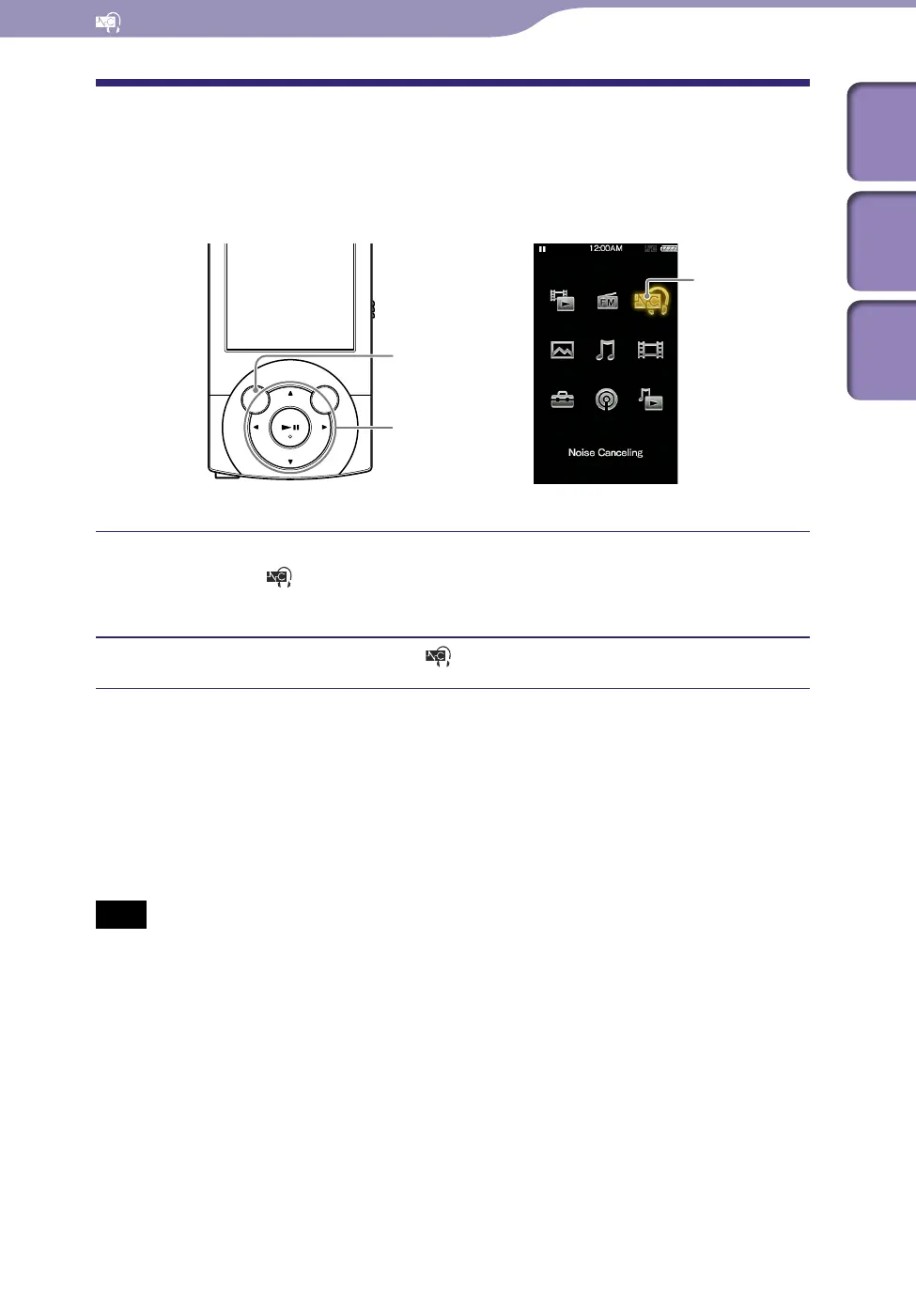
You can use the Noise Canceling effect to obtain some peace and quiet.
Connect the supplied headphone to the player, and from the Home
menu, select
[Noise Canceling]
[Noise Canceling: On/Off]
[On].
From the Home menu, select [Noise Canceling]
[NC Modes].
Hint
When the player receives an audio input signal from the supplied audio input cable
connected to the WM-PORT, the player enters [External Input Mode] (
p.
96). You
can change between [External Input Mode] and [Quiet Mode] by pressing the
button. Also, if you disconnect the supplied audio input cable during [External Input
Mode], the Noise Canceling function enters [Quiet Mode] automatically.
Note
The Noise Canceling function mainly reduces the ambient noise in the low frequency
bands and has less effect on ambient noise in the higher frequency bands, such as
speaking voices and ringing tones. It has no effect on certain sounds.
BACK/HOME button
5-way button
[Noise Canceling]











 To Next Page