ModelName: Falcon_E
PartNumber: 4-164-613-11
17
17
Basic Operations and Screens
Table of
Contents
Home
Menu
Index
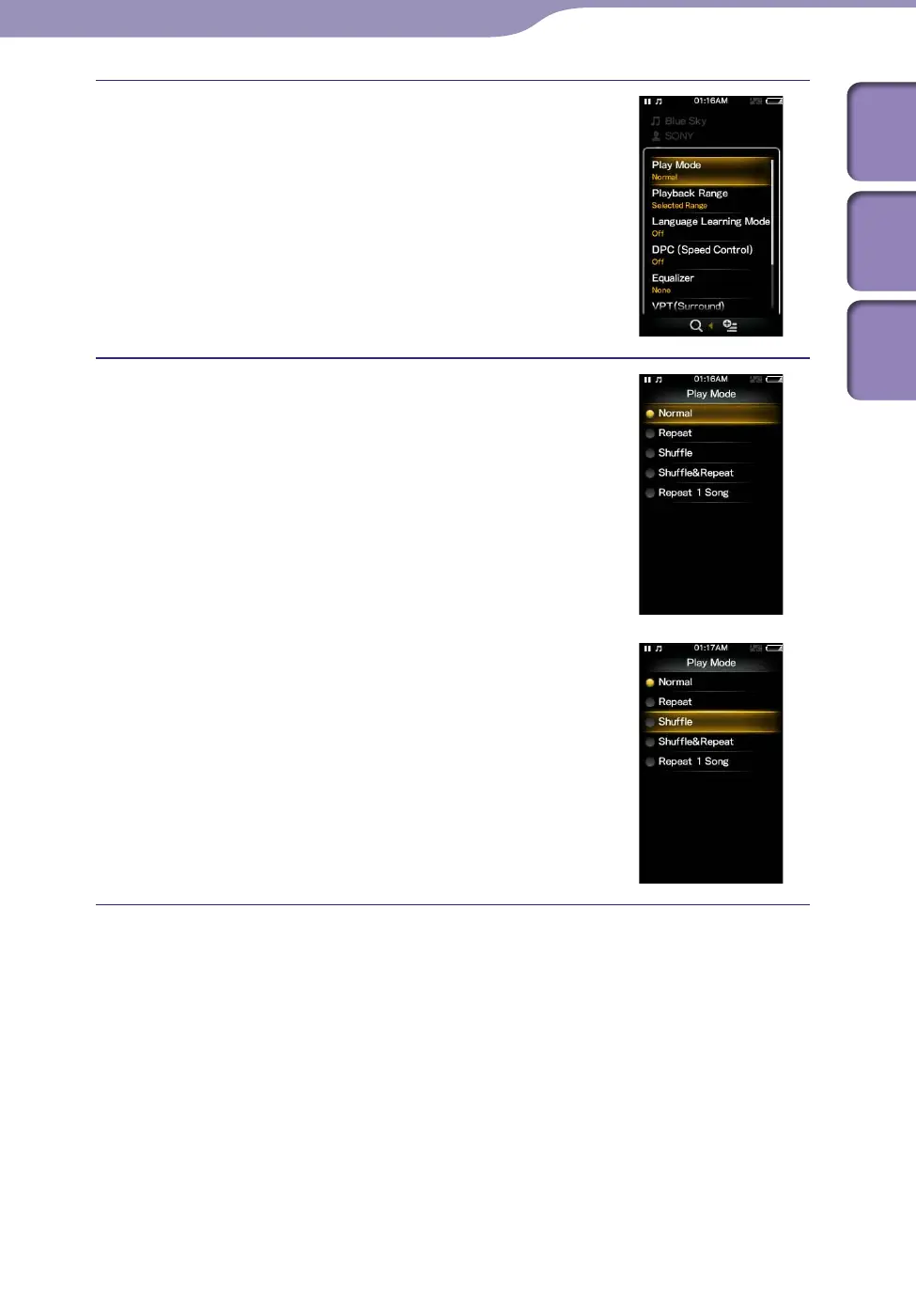
Press the /// button to select
[Play Mode], and then press the
button to confirm.
Press the /// button to select
[Shuffle], and then press the button
to confirm.
The play mode changes to [Shuffle].
The items in the option menu differ, depending on the screen on which you
press the OPTION/PWR OFF button.
For details, see the following pages.
“Using the Music Option Menu” (
p
.
48)
“Using the Video Option Menu” (
p.
67)
“Using the Podcast Option Menu” (
p.
79)
“Using the Photo Option Menu” (
p.
85)
“Using the FM Radio Option Menu” (
p.
91)











 To Next Page