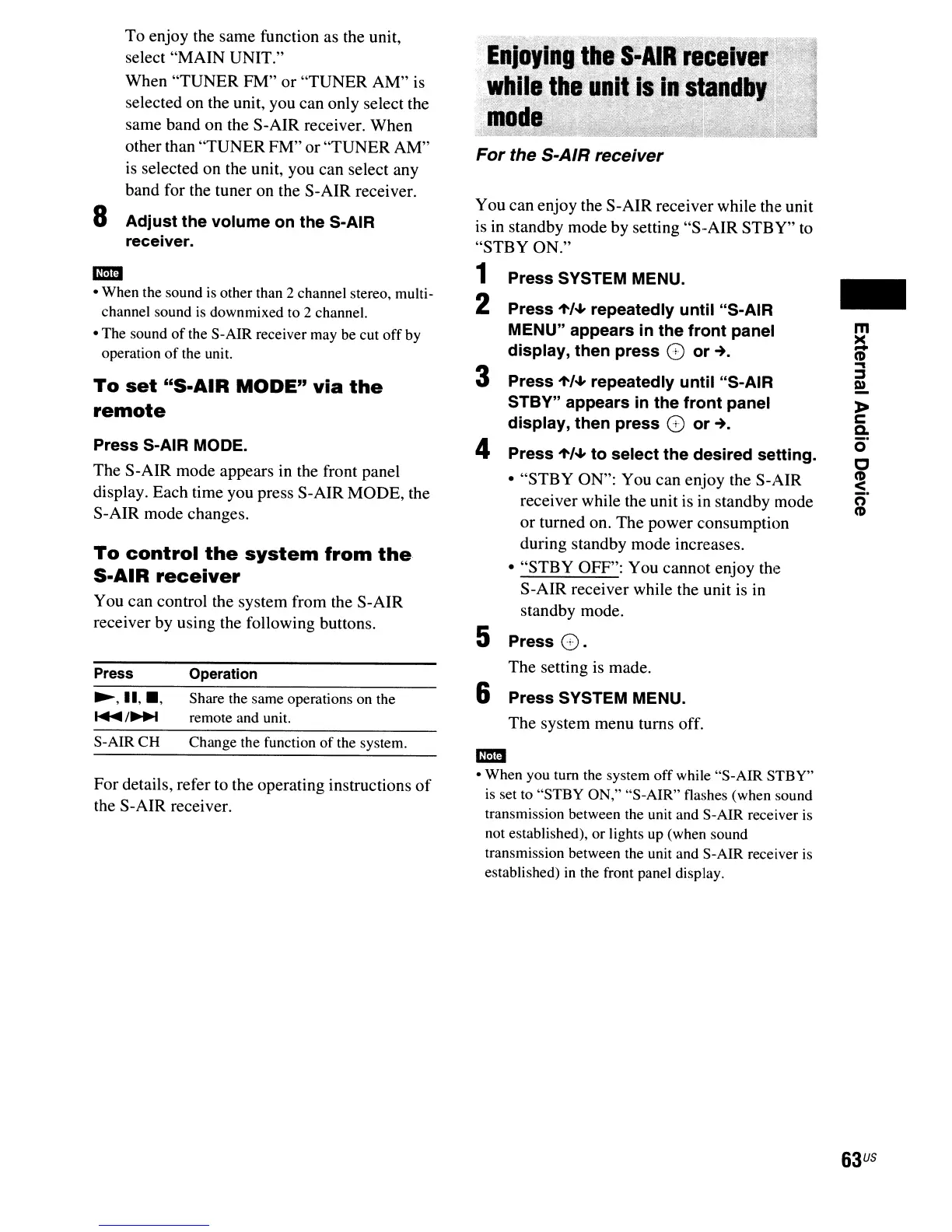
To
control
the
system
from
the
S-AIR
receiver
You can control the system from the S-AIR
receiver by using the following buttons.
..
• When the sound is other than 2 channel stereo, multi-
channel sound
is
downmixed to 2 channel.
• The sound
of
the S-AIR receiver may be cut
off
by
operation
of
the unit.
To
set
"S-AIR
MODE"
via
the
remote
Press S-AIR MODE.
The S-AIR mode appears in the front panel
display. Each time you press S-AIR MODE, the
S-AIR mode changes.
m
ii
~
~
I»
»
c:
Q.
o·
C
~.
(')
CD
-
For the S-AIR receiver
You can enjoy the S-AIR receiver while the unit
is in standby mode by setting "S-AIR STBY"
to
"STBY ON."
1 Press SYSTEM MENU.
2 Press
"'/~
repeatedly until "S-AIR
MENU" appears in the front panel
display, then press
G
or~.
3 Press
"'/~
repeatedly until "S-AIR
STBY" appears
in
the front panel
display, then press
G
or~.
4 Press
"'/~
to select the desired setting.
• "STBY ON": You can enjoy the S-AIR
receiver while the unit is in standby mode
or turned on. The power consumption
during standby mode increases.
• "STBY OFF": You cannot enjoy the
S-AIR receiver while the unit is in
standby mode.
5 Press
G.
The setting is made.
6 Press SYSTEM MENU.
The system menu turns off.
Operation
Share the same operations on the
remote and unit.
Press
'-,11,_,
.....
/~
To enjoy the same function as the unit,
select "MAIN UNIT."
When "TUNER FM"
or
"TUNER AM" is
selected on the unit, you can only select the
same band on the S-AIR receiver. When
other than "TUNER FM" or "TUNER AM"
is
selected on the unit, you can select any
band for the tuner on the S-AIR receiver.
8 Adjust the volume on the S-AIR
receiver.
For details, refer to the operating instructions
of
the S-AIR receiver.
S-AIRCH
Change the function
of
the system.
..
• When you tum the system
off
while "S-AIR STBY"
is set to "STBY ON," "S-AIR" flashes (when sound
transmission between the unit and S-AIR receiver is
not established), or lights up (when sound
transmission between the unit and S-AIR receiver is
established)
in
the front panel display.
63
US



 To Next Page