For the surround amplifier
For the S-AIR receiver
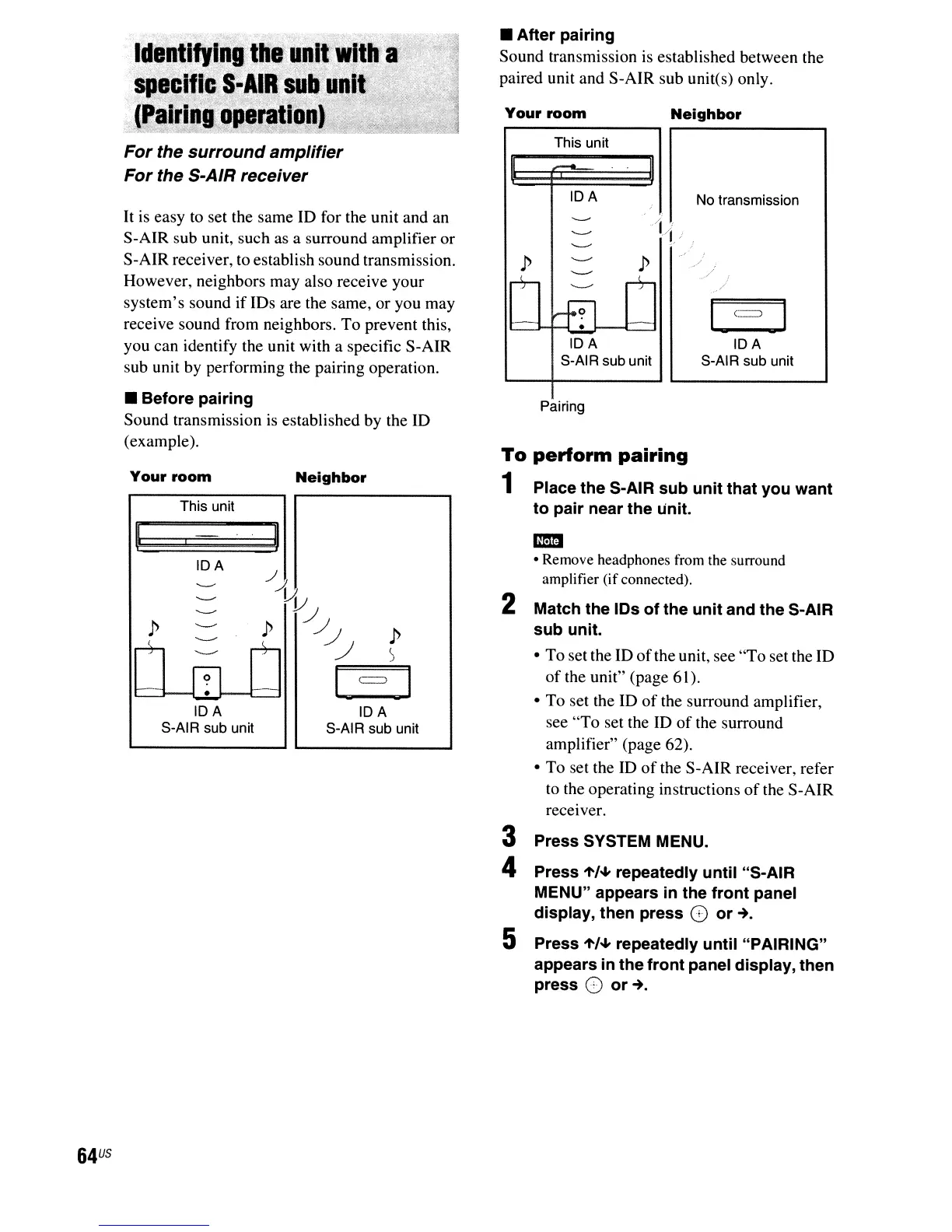
It
is easy to set the same ID for the unit and an
S-AIR sub unit, such as a surround amplifier or
S-AIR receiver, to establish sound transmission.
However, neighbors may also receive your
system's sound if IDs are the same,
or
you may
receive sound from neighbors. To prevent this,
you can identify the unit with a specific S-AIR
sub unit by performing the pairing operation.
• Before pairing
Sound transmission is established by the ID
(example).
• After pairing
Sound transmission is established between the
paired unit and S-AIR sub unit(s) only.
IDA
S-AIR sub unit
No transmission
Neighbor
/L
j
/
.-./
,
/
Pairing
This unit
H
...-.
II
IDA
-----
i
-----
-------
p
'--'
p
r+-
'--'
+
'---"
-.
:Fl
_.
....:....
IDA
S-AIR sub unit
Your
room
To
perform
pairing
1 Place the S-AIR sub unit that you want
to pair near the unit.
Neighbor
This unit
Your
room
M:::~
bLW-Jd
II
IDA
IDA
S-AIR sub unit
I
IDA
S-AIR sub unit
1m
• Remove headphones from the surround
amplifier (ifconnected).
2 Match the IDs of the unit and the S-AIR
sub unit.
• To set the ID
of
the unit, see
"To
set the ID
of
the unit" (page 61).
• To set the
ID
of
the surround amplifier,
see
"To
set the ID
of
the surround
amplifier" (page 62).
• To set the
ID
of
the S-AIR receiver, refer
to the operating instructions
of
the S-AIR
receiver.
3 Press SYSTEM MENU.
4 Press
't/~
repeatedly until "S-AIR
MENU" appears in the front panel
display, then press
G
or~.
5 Press
't/~
repeatedly until "PAIRING"
appears
in
the front panel display, then
press
0
or~.
64
US



 To Next Page