"Handycam" User Guide
PrintSearch
Operation Search
Before use
Getting started
Recording
Playback
Playing images on a TV
Saving images with an external
device
Using the Wi-Fi function
Customizing your camcorder
Troubleshooting
Maintenance and precautions
Contents list
Top page > Using the Wi-Fi function > Using the Wi-Fi function > Attaching the wireless adaptor
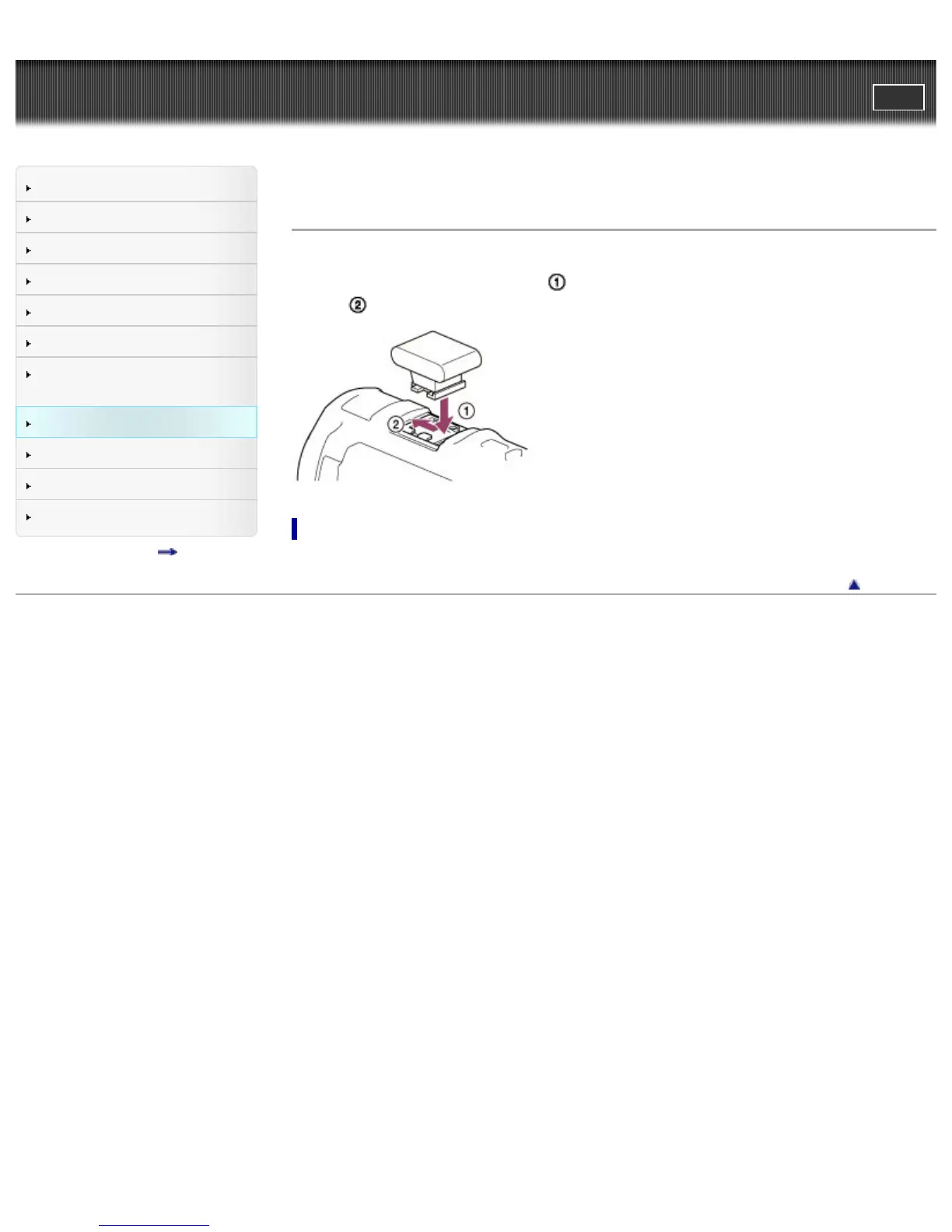
Attaching the wireless adaptor
Open the Multi interface shoe cover on the camcorder. Align the wireless adaptor ADP-WL1M (sold
separately) with the Multi interface shoe (
), then attach it to the camcorder by pressing and sliding
forward (
).
To remove the wireless adaptor
Remove the wireless adaptor by sliding backward while pressing down.
Back to top
Copyright 2013 Sony Corporation



 To Next Page