operation for about 2 minutes, to save battery power ([Power Save]).
Charging time
Approximate time (min.) required to fully charge a fully discharged battery pack.
Battery pack AC Adaptor
NP-FV50 (supplied) 155
NP-FV70 195
NP-FV100 390
The charging times shown in the table above are measured when charging the camcorder at a room
temperature of 25 °C (77 °F). It is recommended that you charge the battery in a temperature range
of 10 °C to 30 °C (50 °F to 86 °F).
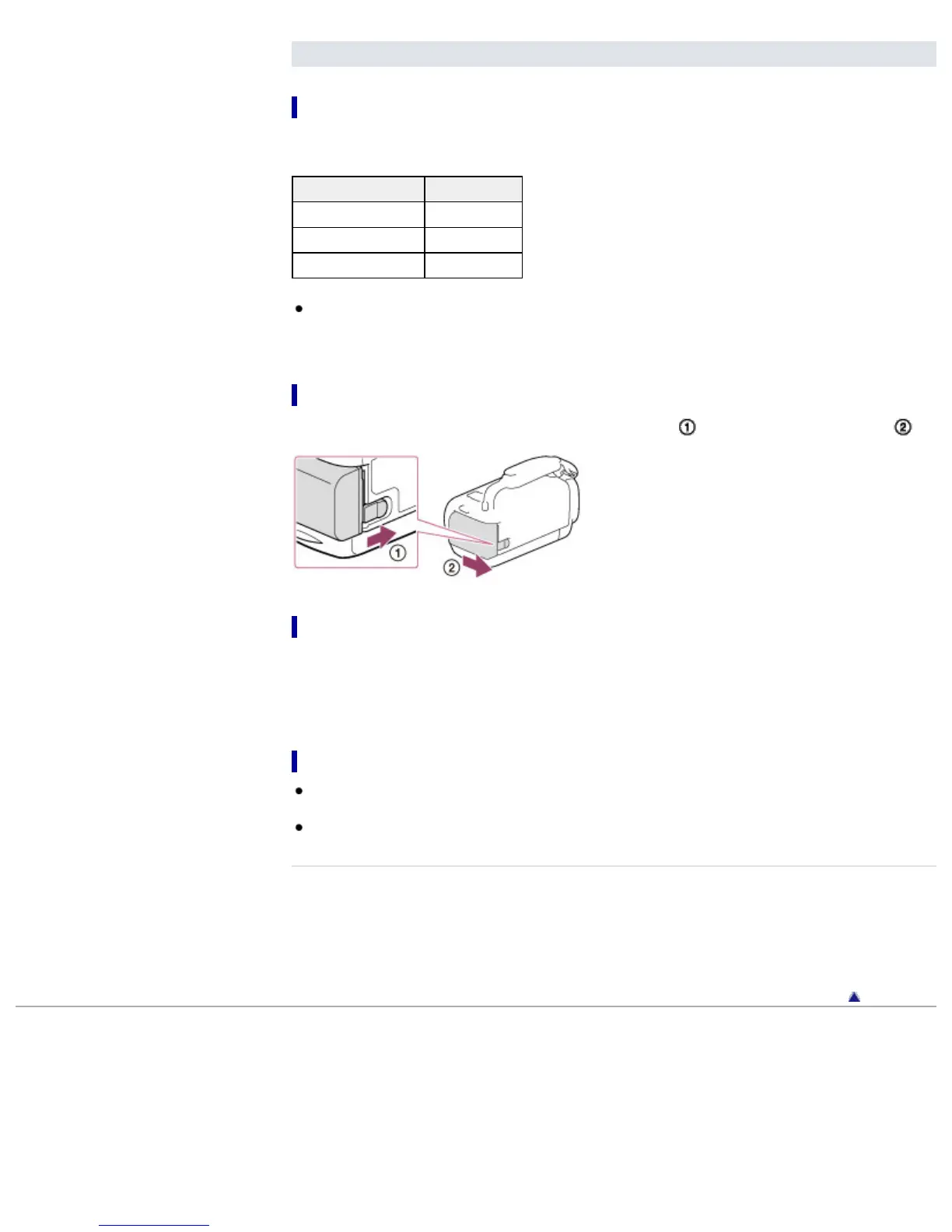
To remove the battery pack
Close the LCD screen. Slide the BATT (battery) release lever ( ) and remove the battery pack ( ).
To use your camcorder continuously for a long time
Connect the AC Adaptor and the power cord (mains lead) to your camcorder and the wall outlet (wall
socket). [Details]
By using the AC Adaptor, you can use your camcorder without worrying about the battery running out of
charge.
Notes on the AC Adaptor
Do not short-circuit the DC plug of the AC Adaptor or battery terminal with any metallic objects. This
may cause a malfunction.
Disconnect the AC Adaptor from the camcorder, while holding both the camcorder and the DC plug.
Related topics
Expected time of recording and playback with each battery pack
Remaining battery indicator: Screen indicators
Using your camcorder abroad
[Power Save]
Back to top
Copyright 2013 Sony Corporation



 To Next Page