"Handycam" User Guide
PrintSearch
Operation Search
Before use
Getting started
Recording
Playback
Playing images on a TV
Saving images with an external
device
Using the Wi-Fi function
Customizing your camcorder
Troubleshooting
Maintenance and precautions
Contents list
Top page > Before use > Parts and controls/Screen indicators > Parts and controls
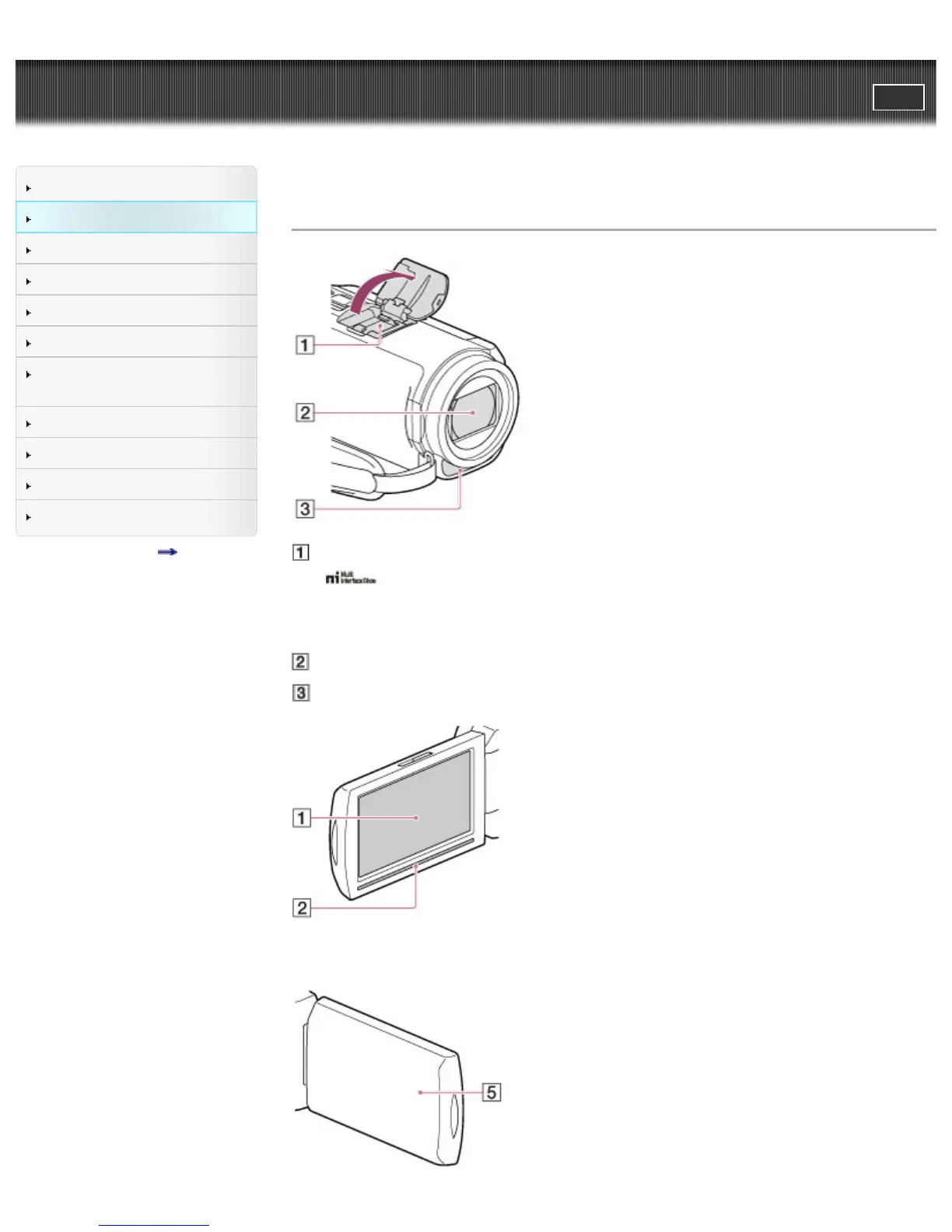
Parts and controls
Multi interface shoe
For details on compatible accessories of the Multi interface shoe, visit the Sony web site in your
area, or consult your Sony dealer or localauthorized Sony service facility.
Operations with other manufacture’s accessories are not guaranteed.
Lens (G lens)
Built-in microphone
HDR-CX400E/ CX410VE/ CX430V/ CX430VE/ CX510E



 To Next Page