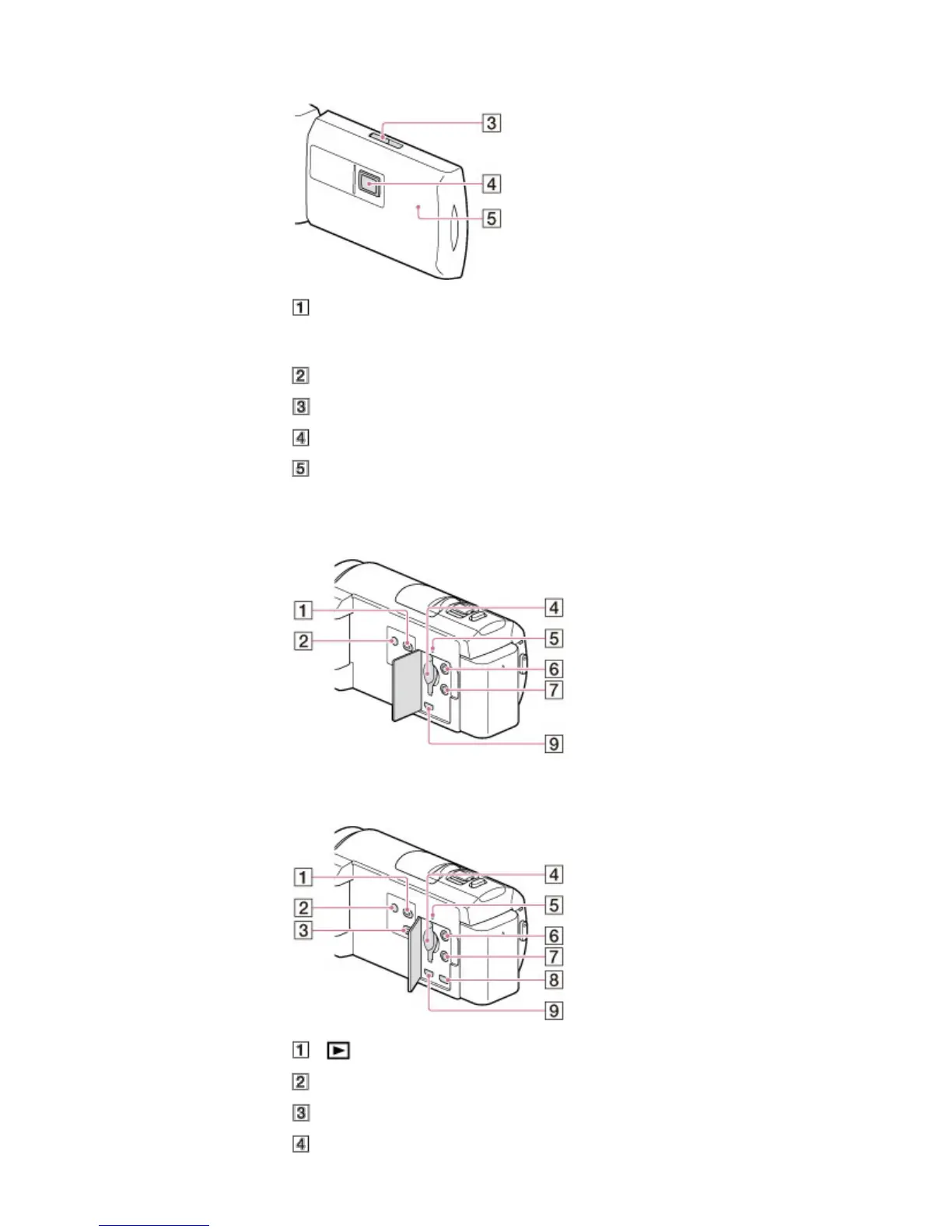
HDR-PJ420E/ PJ420VE/ PJ430/ PJ430E/ PJ430V/ PJ430VE/ PJ510E
LCD screen/Touch panel
If you rotate the LCD panel 180 degrees, you can close the LCD panel with the LCD screen facing
out. This is convenient during playback operations.
Speaker
PROJECTOR FOCUS lever
Projector lens
GPS antenna (HDR-CX410VE/ CX430V/ CX430VE/ PJ420VE/ PJ430V/ PJ430VE)
A GPS antenna is located in the LCD panel.
HDR-CX400E/ CX410VE/ CX430V/ CX430VE/ CX510E
HDR-PJ420E/ PJ420VE/ PJ430/ PJ430E/ PJ430V/ PJ430VE/ PJ510E
(View Images) button
POWER button
PROJECTOR button
Memory card slot



 To Next Page