"Handycam" User Guide
PrintSearch
Operation Search
Before use
Getting started
Recording
Playback
Playing images on a TV
Saving images with an external
device
Using the Wi-Fi function
Customizing your camcorder
Troubleshooting
Maintenance and precautions
Contents list
Top page > Getting started > Checking the supplied items > Attaching the supplied accessories
Attaching the supplied accessories
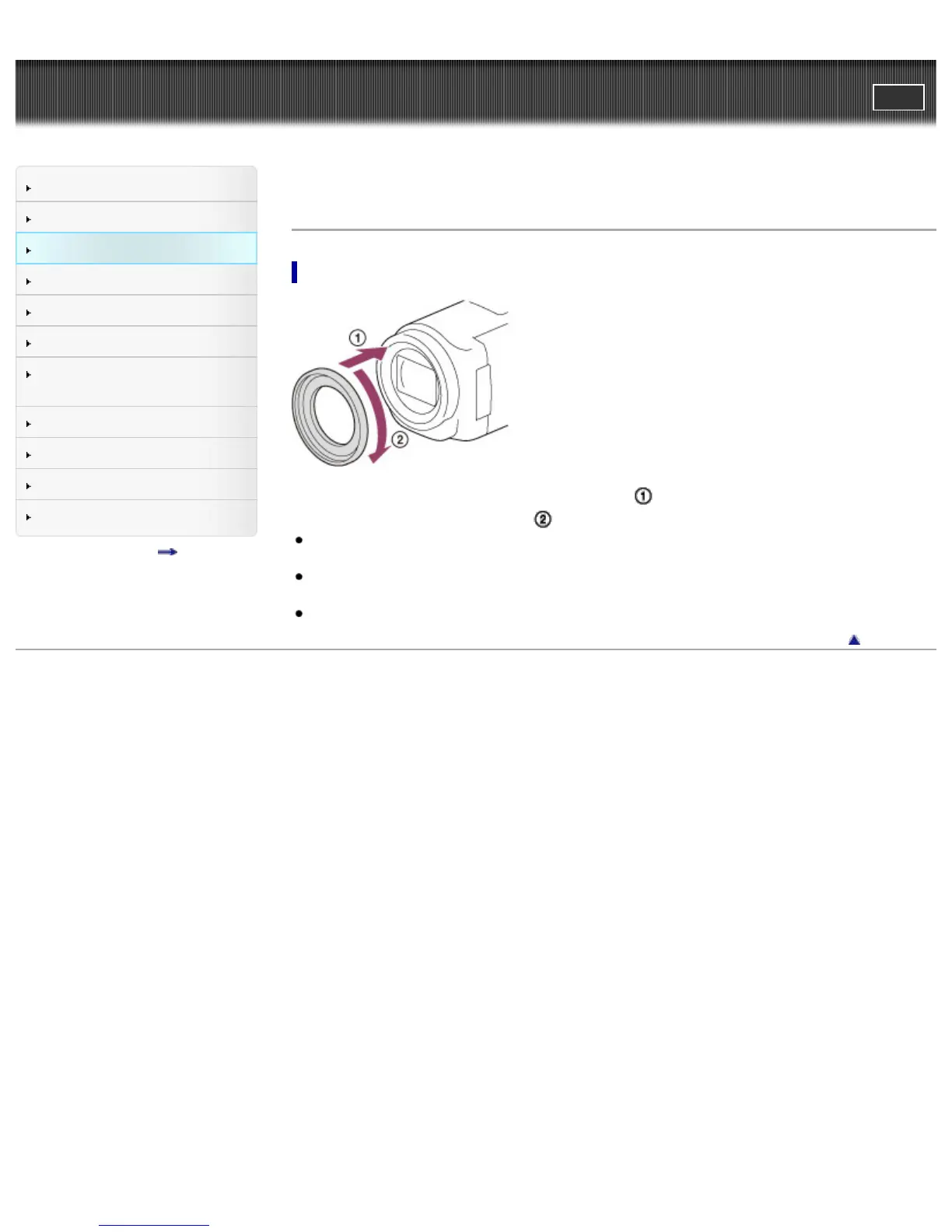
To attach the Step Down Ring
Align the Step Down Ring with the camcorder properly ( ), then turn it in the direction of the arrow until
the Step Down Ring is locked in place (
).
You can change the filter diameter to 37 mm (1 1/2 in.) by attaching the Step Down Ring, allowing
you to use the recommended conversion lens.
You cannot attach the wide end conversion lens/wide conversion lens, if the Step Down Ring is
attached.
To remove Step Down Ring, turn it in the opposite direction from that of the arrow.
Back to top
Copyright 2013 Sony Corporation



 To Next Page