"Handycam" User Guide
PrintSearch
Operation Search
Before use
Getting started
Recording
Playback
Playing images on a TV
Saving images with an external
device
Using the Wi-Fi function
Customizing your camcorder
Troubleshooting
Maintenance and precautions
Contents list
Top page > Getting started > Charging the battery pack > Charging the battery pack using the AC
Adaptor
Charging the battery pack using the AC Adaptor
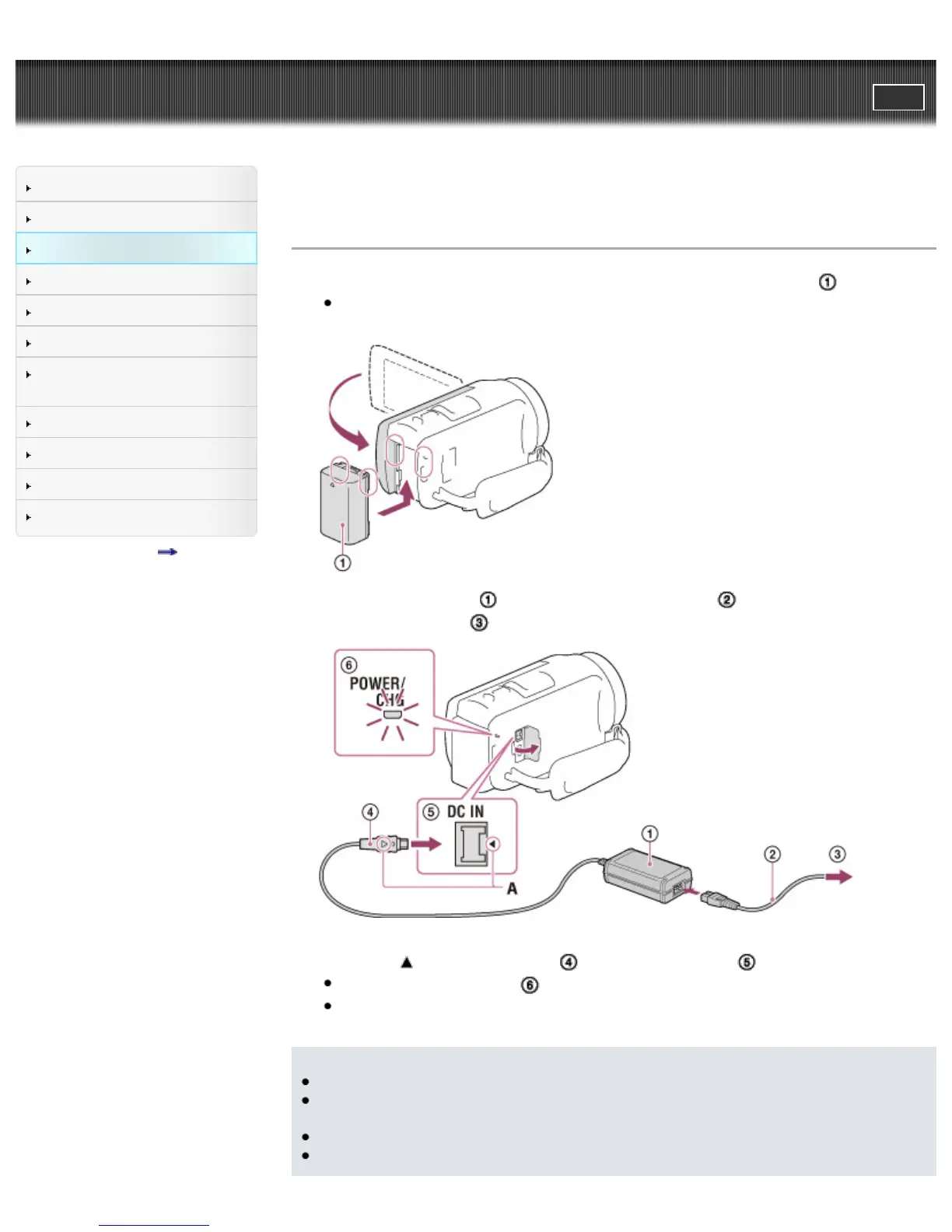
1. Turn off your camcorder by closing the LCD screen, and attach the battery pack ( ).
Align the indentation on the camcorder and projection on the battery pack, then slide the battery
pack upwards.
2. Connect the AC Adaptor ( ) and the power cord (mains lead) ( ) to your camcorder and the
wall outlet (wall socket) (
).
A: Align the mark on the DC plug ( ) with that of DC IN jack ( ).
The POWER/CHG (charge) (
) lamp turns orange.
The POWER/CHG (charge) lamp turns off when the battery pack is fully charged. Disconnect the
AC Adaptor from the DC IN jack of your camcorder.
Notes
You cannot attach any “InfoLITHIUM” battery pack other than the V series to your camcorder.
When attaching a video light (sold separately), it is recommended that you use an NP-FV70 or NP-
FV100 battery pack.
You cannot use the NP-FV30 “InfoLITHIUM” battery pack with the camcorder.
In the default setting, the power turns off automatically if you leave your camcorder without any



 To Next Page