"Handycam" User Guide
PrintSearch
Operation Search
Before use
Getting started
Recording
Playback
Playing images on a TV
Saving images with an external
device
Using the Wi-Fi function
Customizing your camcorder
Troubleshooting
Maintenance and precautions
Contents list
Top page > Using the Wi-Fi function > Available menus with the wireless adaptor attached > Send to
Computer
Send to Computer
You can save movies and photos to your computer.
1. Install the software on your computer.
For Windows: PlayMemories Home
www.sony.net/pm
For Mac: Wireless Auto Import
http://www.sony.co.jp/imsoft/Mac/
If connecting the camcorder to your computer for the first time after installing the software, set
[USB Connect Setting] to [Auto] or [MTP] on the camcorder, and then connect the camcorder to
your computer with the Built-in USB Cable.
If “PlayMemories Home” is already installed in your computer, update the software to the latest
version.
2. Connect the camcorder to the wireless network access point.
If your access point does not support the WPS push button, refer to “Access point settings.”
[Details]
If your access point supports the WPS push button, refer to “WPS Push.” [Details]
Settings for steps 1 and 2 are required only the first time.
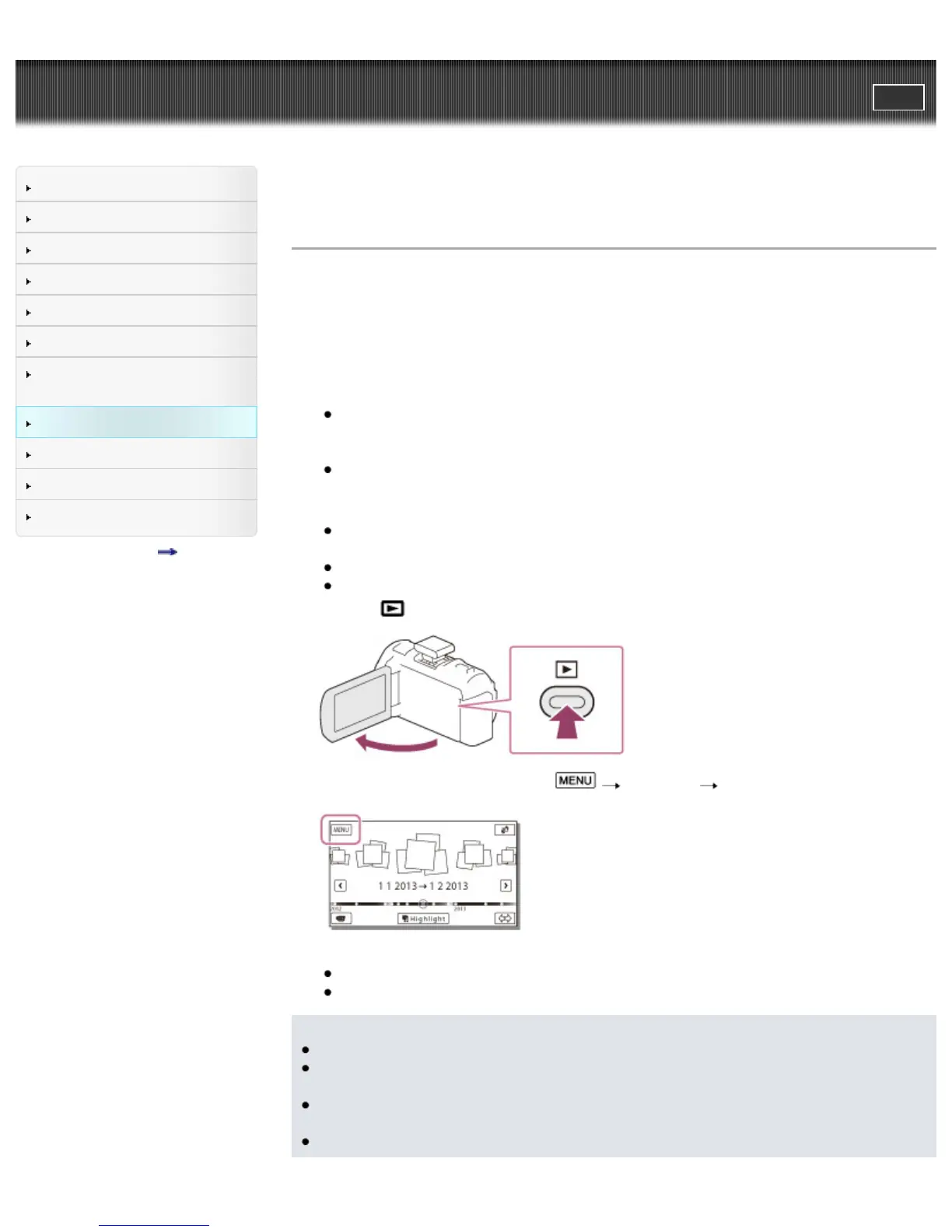
3. Press the
button on the camcorder to enter the playback mode.
4. On the camcorder LCD screen, select [Edit/Copy] [Send to Computer].
Images are automatically transferred to and saved on the computer.
Only newly recorded images are transferred.
Notes
You must turn on the computer to execute [Send to Computer].
Depending on the settings of the application on the computer, the camcorder may turn off
automatically after saving images.
If you want to import images recorded on a memory card, insert the memory card to the camcorder,
and then select the memory card in [Media Select] (models with internal memory).
Importing movies and multiple still images may take time.



 To Next Page