Context
/
Play/Pause
Stop Play/stop slide show
Some buttons described above may not appear, depending on the image being played back.
As you repeat selecting
/ during playback, movies are played as fast as about 5 times
about 10 times about 30 times about 60 times.
Select
/ during pause to play movies slowly.
To repeat Slideshow, select
[Slideshow Set] when is selected with the Switch Image
Type button.
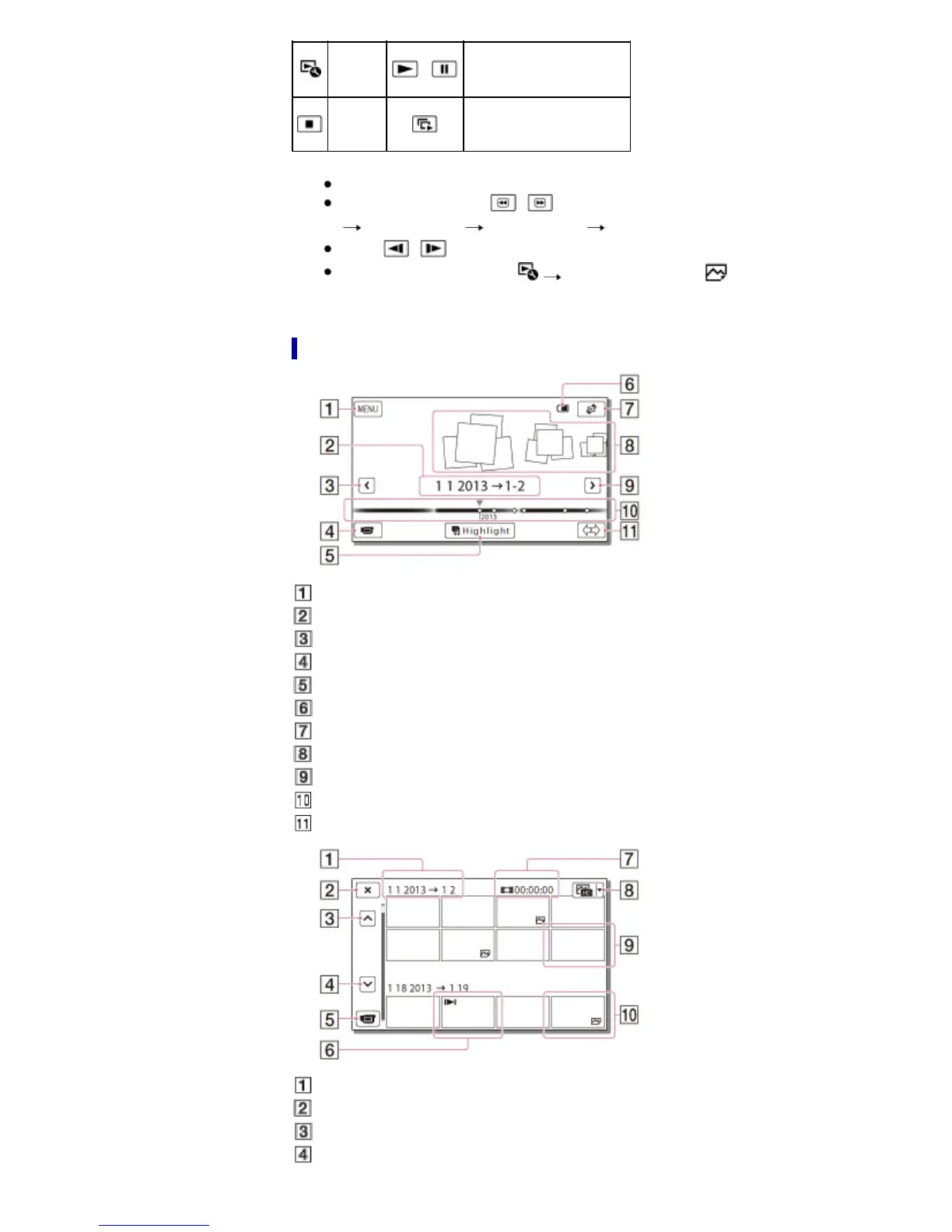
Screen display on the Event View screen
: To the MENU screen
: Event name
: To the previous event
: Change to the movie/photo recording mode
: To play back short movies (Highlight Playback)
: Remaining battery
: To the Map View screen (models with GPS)
: Events
: To the next event
: Time-line bar
: Change Event Scale button
: Event title
: To go back to the Event View screen
: Previous
: Next



 To Next Page