To turn off the power
Close the LCD screen or press the POWER button.
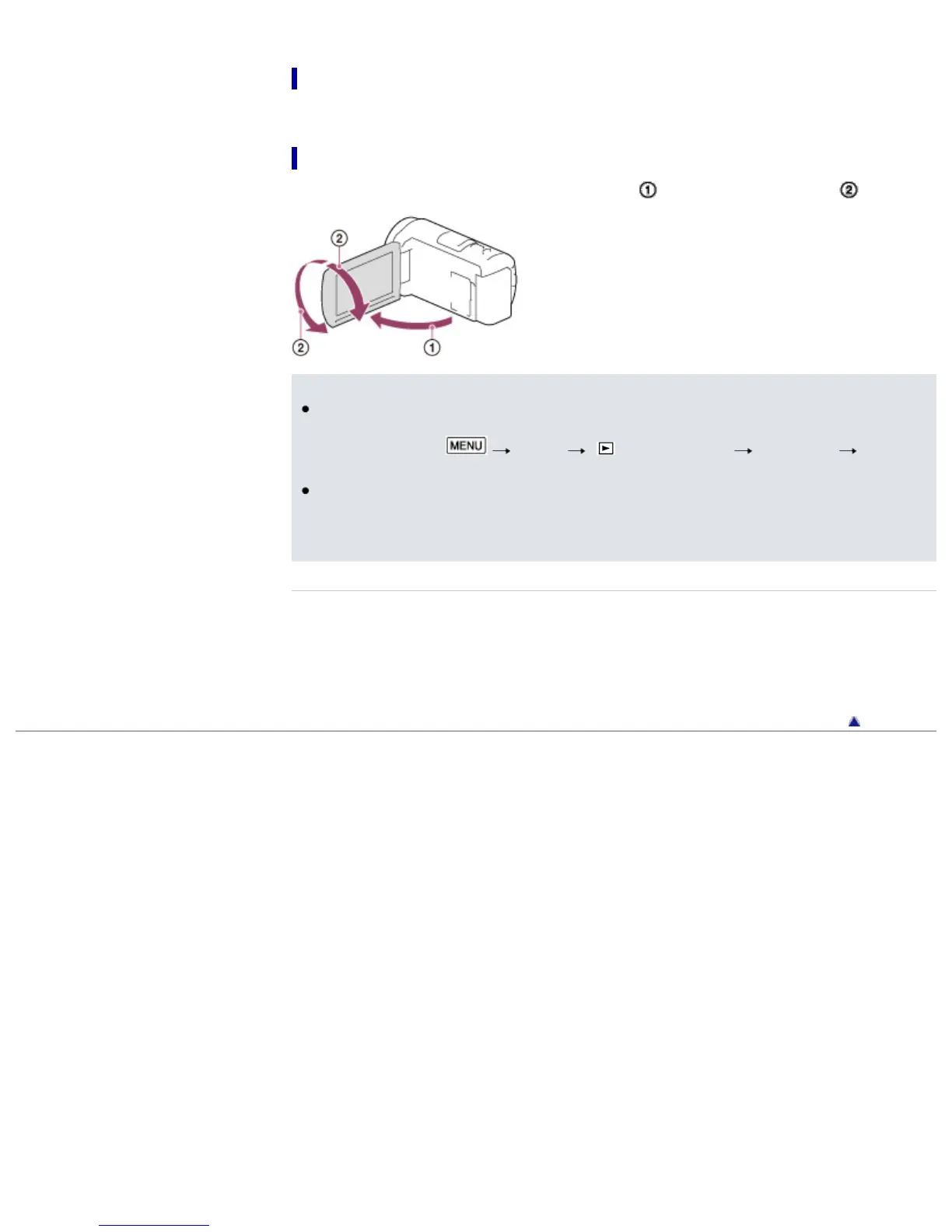
To adjust the angle of the LCD screen
First open the LCD panel 90 degrees to the camcorder ( ), and then adjust the angle ( ).
Notes
The recording date and time are recorded automatically on the recording media. They are not
displayed during recording. However, you can check them as [Data Code] during playback. To
display them, select
[Setup] [ Playback Settings] [Data Code]
[Date/Time].
Once the clock is set, the clock time is automatically adjusted with [Auto Clock ADJ ] and [Auto
Area ADJ] set to [On]. The clock may not automatically adjust to the correct time, depending on the
country/region selected for your camcorder. In this case, set [Auto Clock ADJ ] and [Auto Area
ADJ] to [Off] (models with GPS).
Related topics
Information on your camcorder model: Model Information
[Power On By LCD]
To set the date and time again: [Date & Time Setting]
To calibrate the touch panel: [Calibration]
Back to top
Copyright 2013 Sony Corporation



 To Next Page