"Handycam" User Guide
PrintSearch
Operation Search
Before use
Getting started
Recording
Playback
Playing images on a TV
Saving images with an external
device
Using the Wi-Fi function
Customizing your camcorder
Troubleshooting
Maintenance and precautions
Contents list
Top page > Playback > Highlight playback > Saving Highlight Playback in high definition image quality
(HD) (Scenario Save)
Saving Highlight Playback in high definition image quality (HD) (
Scenario Save)
You can save your favorite Highlight Playback as a “Scenario” with high definition image quality (HD). Up
to 8 scenarios can be saved.
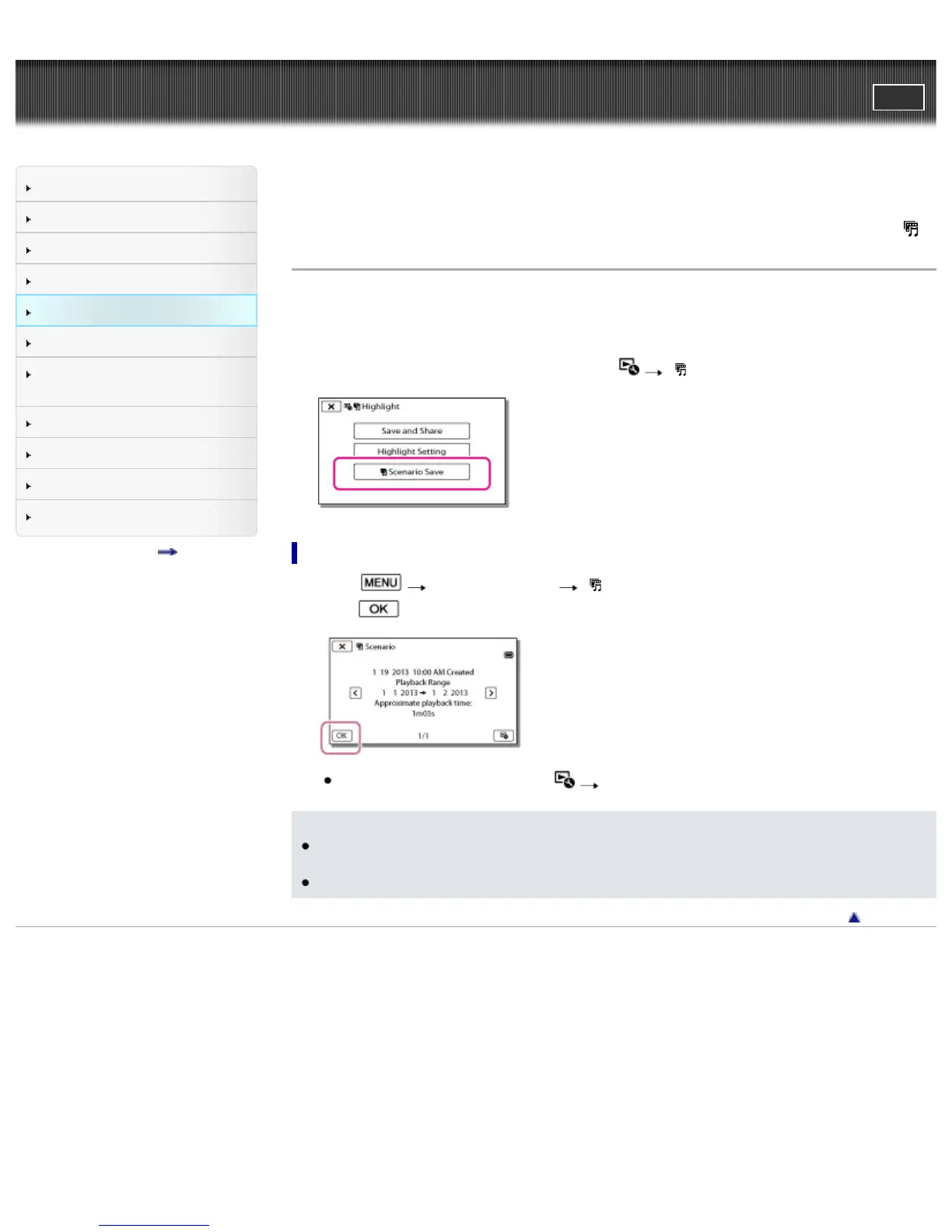
1. Select [Replay] on the screen after a Highlight Playback has finished.
2. When the Highlight Playback starts again, select
[ Scenario Save].
To play back a saved scenario
1. Select [Playback Function] [ Scenario], select the desired scenario, and then
select
.
To erase a saved scenario, select [Erase]/[Erase All] while playing the scenario.
Notes
When you connect the camcorder to an external device, such as a TV, and watch Highlight
Scenario, these images do not appear on the LCD screen of the camcorder.
The scenarios can be played on this camcorder only.
Back to top
Copyright 2013 Sony Corporation



 To Next Page