Superimposing a title
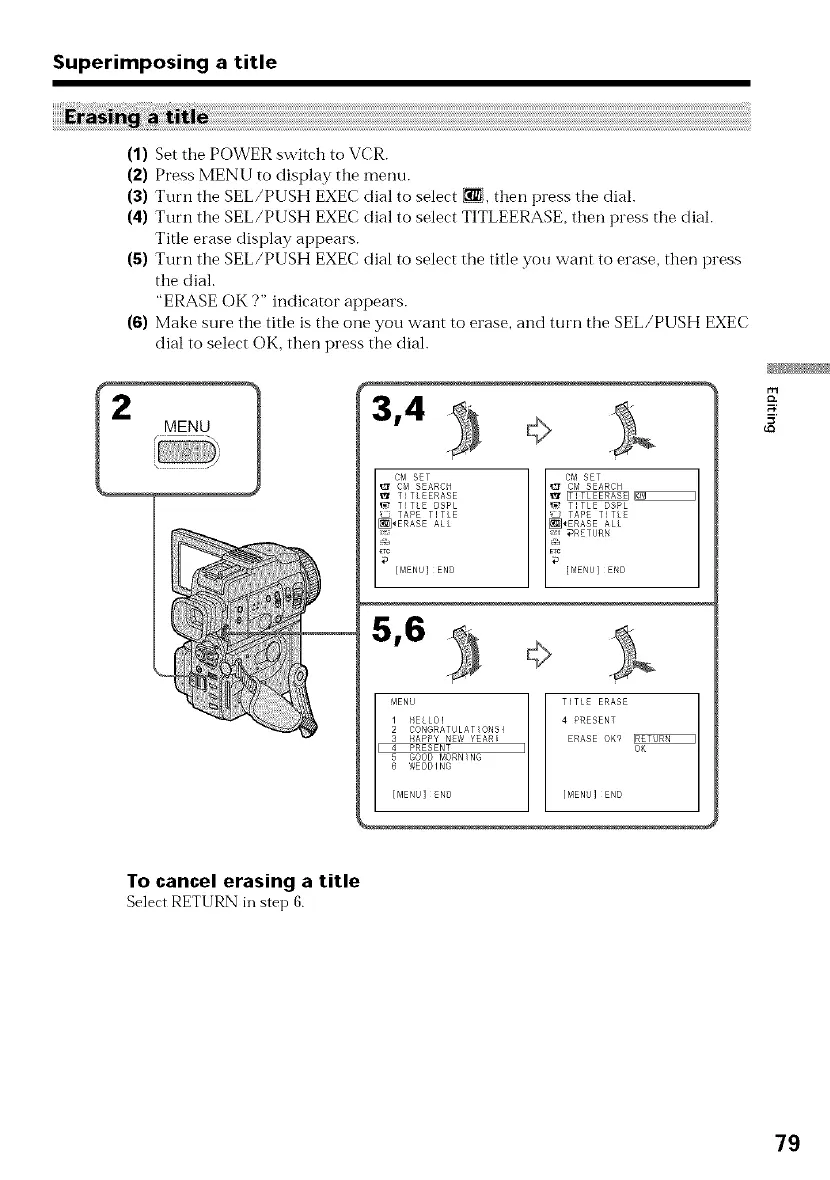
(1) Set the POWER switch to VCR.
(2) Press MENU to display the menu.
(3) Turn the SEL/PUSH EXEC dial to select [], then press the dial.
(4) Turn the SEL/PUSH EXEC dial to select TITLEERASE, then press the dial.
Title erase display appears.
(5) Turn the SEL/PUSH EXEC dial to select the title you want to erase, then press
the dial.
"ERASE OK ?" indicator appears.
(6) Make sure the title is the one you want to erase, and turn the SEL/PUSH EXEC
dial to select OK, then press the dial.
2
MENU
5,6
MENU TITLE ERASE
1 HELLO! 4 PRESENT
2 CONGRATULATIONS!
3 HAPPY NEW YEAR! ERASE OK9
4 PRESENT OK
5 GOOD MORNING
6 WFDDING
[MENU]END [MENU]END
I I
5'
To cancel erasing a title
Select RETURN in step 6.
79















 To Next Page