34
GB
3
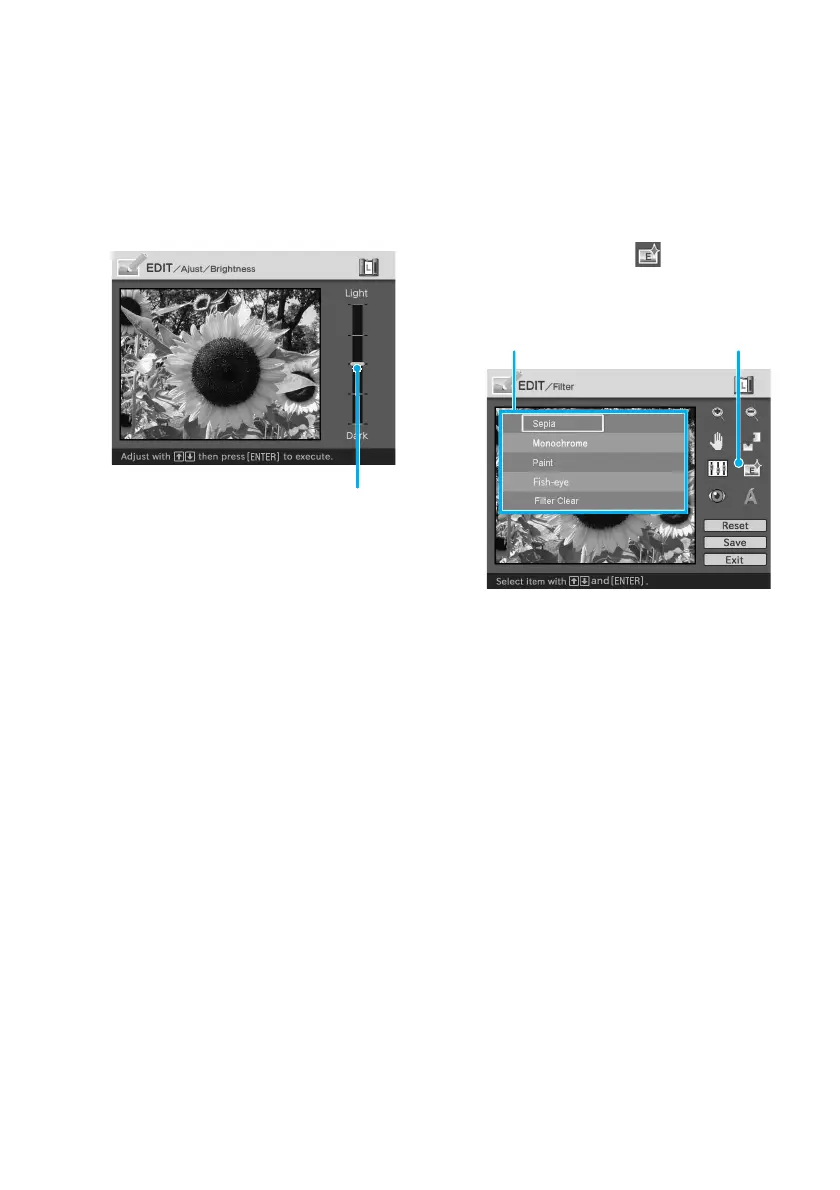
Press the arrow (V/v) button
to select the desired
adjustment tool and press
ENTER.
The adjustment slider appears.
When “Brightness” is selected.
Adjustment slider
4
Move the slider to the desired
position to adjust the level.
• Brightness: Press V to brighten
the picture or v to darken it.
• Tint: Press V to make the picture
bluish or v to make it reddish.
• Saturation: Press V to deepen the
colors or v to lighten the colors.
• Sharpness: Press V to sharpen
the outlines or v to reset them.
5
Press ENTER.
The adjustment takes effect.
To reset the adjustment
Press the arrow (B/b/V/v) button to
select “Reset” and then press ENTER.
The image resets to the status before the
adjustment is added.
Adding a special filter to an
image
1
Display the EDIT menu (page
31).
2
Press the arrow (B/b/V/v)
button to select (Filter) and
then press ENTER.
The Filter menu is displayed.
Filter menu Filter tool
3
Press the arrow (V/v) button
to select the desired filter you
want to add to the image.
• Sepia: Changes the image like an
old photograph with faded
colors.
• Monochrome: Changes the
image into a monochrome
picture.
• Paint: Makes the image look like
a painted picture.
• Fish-eye: Makes the image look
like a photo taken with a fish-eye
lens.
• Clear Filter: Removes the filter
from the image.
4
Press ENTER.
The filter takes effect.



 To Next Page