5-19
DSR-2000A/2000AP
3. PLUNGER CHECK
The respective items of “PLUNGER CHECK” are described
below.
11
11
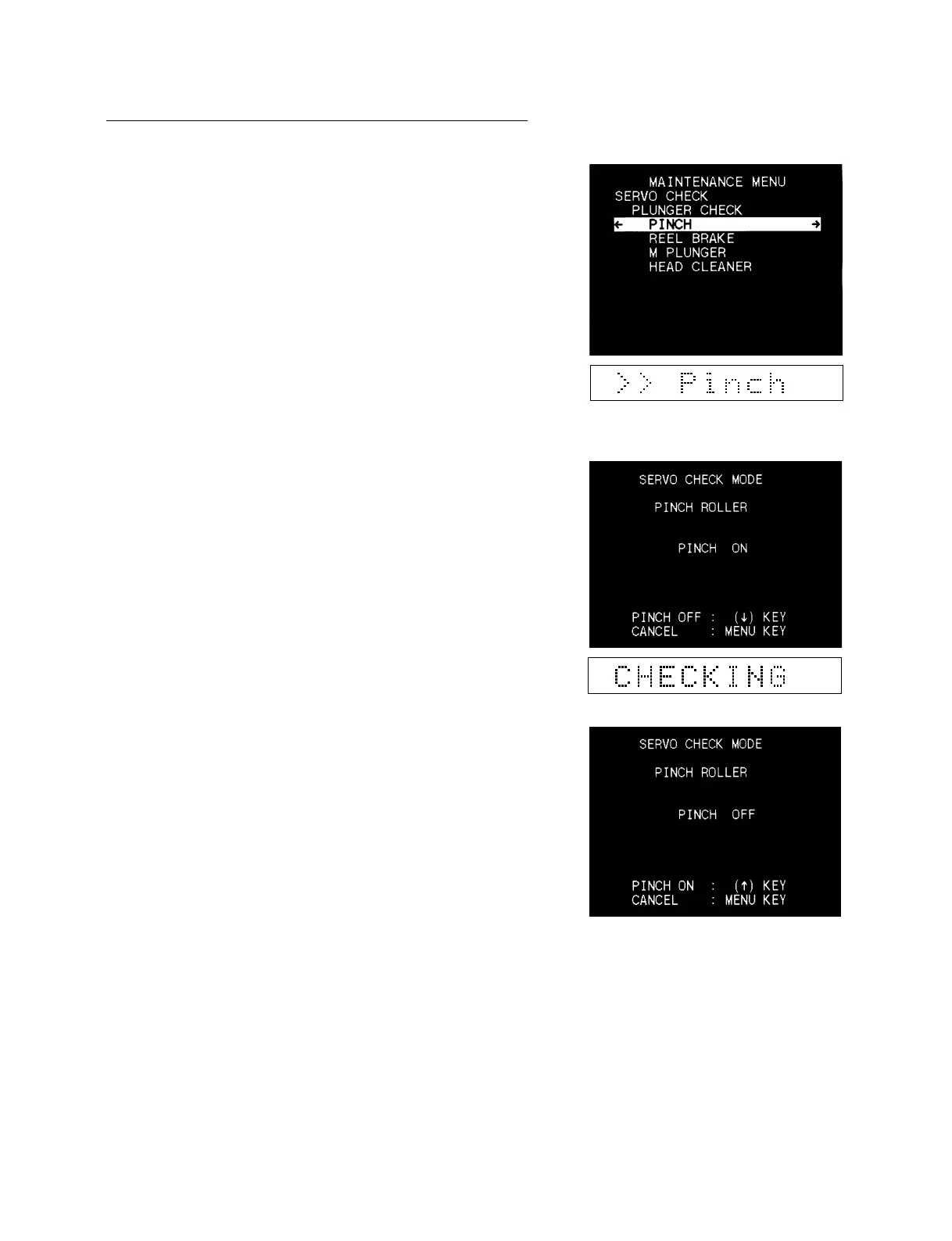
1 PINCH
Checks the pinch roller solenoid.
1. Execute the PINCH and confirm that the pinch solenoid
operates when the threading starts.
2. Press the [AUDIO|IN] (↑) and [IN] (↓) keys to confirm that
the PINCH comes to ON/OFF.
3. Press the [MENU] key to release the pinch solenoid and to
bring to the unthreading.
Doing so, the monitor display returns to the main menu.
In the case of trouble :
If the pinch solenoid does not operate, check the pinch solenoid
and the driver circuit (the SV-212 board).











 To Next Page