5-26
DSR-2000A/2000AP
Specification is as indicated on the display.
Specification is as indicated on the display.
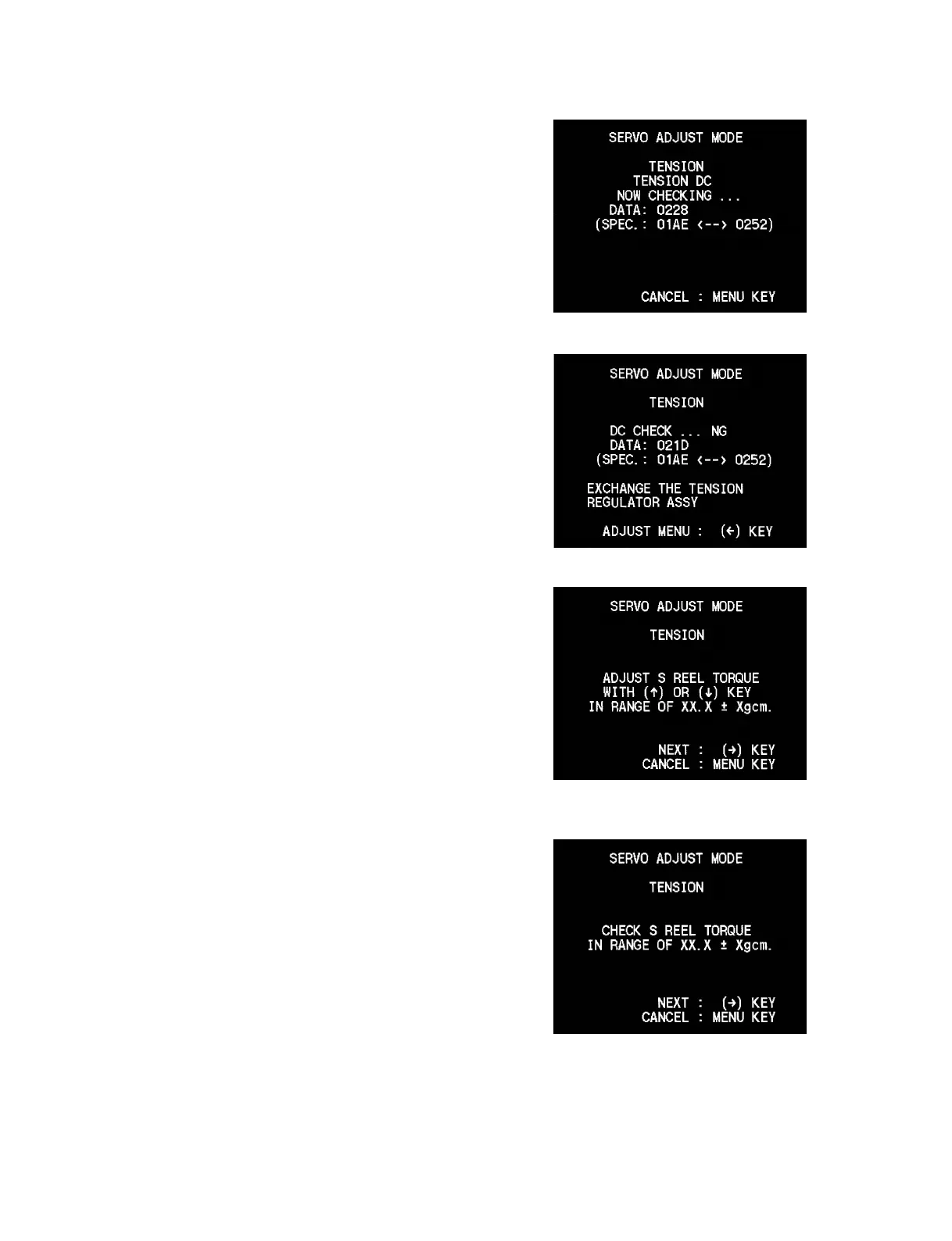
10. The display changes as shown in the right, and the DSR-
2000A/2000AP enters the tension regulator magnet position
check mode.
11. If the check is completed unsatisfactorily, the display changes
as shown in the right.
12. Replace the tension regulator assembly in accordance with
message on the display.
13. If the check is completed satisfactorily, the display changes as
shown in the right.
14. Keep pressing the [AUDIO|IN] (↑), [IN] (↓) keys until the
DV torque cassette reading agrees with the specification value
on the display.
15. When adjustment is completed, press the [ENTRY] (→) key.
16. Repeat steps 14 and 15 to readjust the DV torque cassette
reading.
17. Confirm that the DV torque cassette reading agrees with the
specification value on the display.
18. After completing step 17, press the [ENTRY] (→) key and the
DSR-2000A/2000AP enters the REV mode automatically.











 To Next Page