Genre
You can select the genre of the disc yourself.
Disc type
The disc ype appears automaticallv, "7" appears when the
player has not loaded the disc information in the memory.
To select the disc on the Disc Explorer
1 Select the disc by pressing t/_,.
2 Press ENTER.
The Disc Explorer disappears and playback starts.
To cancel using the Disc Explorer
Press o'%RETURN.
Notes
• If you open the tray, the disc information disappears. Press
LOAD again to load the disc information.
• If you load or try to play an empty tray, it appears as a white
blank in the Disc Explorer. You cannot select this.
• Even if the disc has a )acket picture recorded on it, the jacket
picture may not appear on the Disc Explorer.
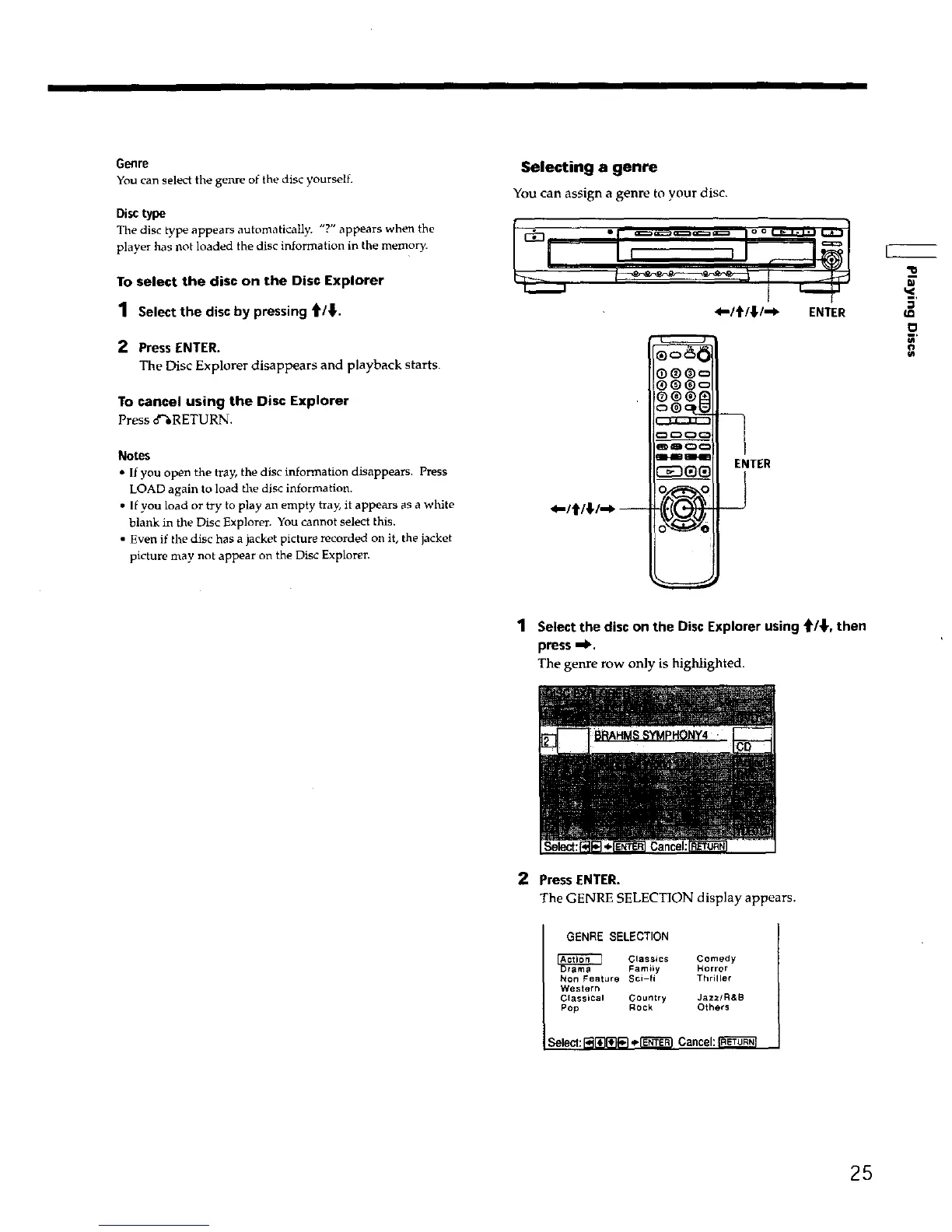
Selecting a genre
You can assign a genre to your disc,
.....
4"1_l_,l--P" ENTER
*-/t/;/--_ --
O®®c
®®®c
ENTER
_J
IJ
1 Select the disc on the Disc Explorer using '_/_,, then
press =!_.
The genre row only is highlighted.
2 Press ENTER.
The GENRE SELECTION display appears.
GENRE SELECTION
Classics Comedy
Famiiy Horror
Non Feature Sci-fi Thriller
Western
Classical Country Jazz/R&B
Pop ROCk Others
Select:l_[_[_ _-I'_'_1 Cancel:
25











 To Next Page