EasyManua.ls Logo

Sony EVO-720P - Page 252

Sony EVO-720P
287 pages
Print Icon
To Next Page IconTo Next Page
To Previous Page IconTo Previous Page
Loading...
8-4,
DIGITAL
PICTURE
SYSTEM
ADJUSTMENT
For
this
adjustment,
the
video
signal
coming
through
the
“Recorder
video input
terminal”
and
the
player
playback
signal
are
used
as
adjustment
signals,
Confirm
the
following
two
points
before
performing
the
adjustment,
1,
The
Y
signal
input
via
the
recorder
(Pin
of
۩N002
on
the
DM-24
board)
must
be
1
Vp-p.
Also,
burst
of
the
chroma
signal
(Pin
®
of
CNOO2
on
the
DM-24
board)
must
be
285
mVp-p,
and
the
video
signal
(Pin
@
of
CNO02
on
the
DM-24
board)
must
be
2
Vp-p,
(Confirm
this
with
the
recorder
input
select
switch
in
the
“EXT"
position
and
the
recorder
in
the
stop
mode).
2,
The
Y
playback
signal
from
the
player
(Pin
©
of
CNOO1
on
the
DM-24
board)
must
be
1
Vp-p.
Burst
of
the
chroma
signal
(Pin
@
of
CNO01
on
the
DM-24
board)
must
be
300
mVp-p,
and
the
video
signal
(Pin
@
of
CNOO1
on
the
DM-24
board)
must
be
2
Vp-p.
(Confirm
this
by
playing
back
the
color
bar
section
of
the
alignment
tape
(WRS-SCSP)
on
the
player
for
operation
check).
8-4-1.
Main
Clock
Adjustment’
(DIM-24
Board)
Mode
Stop
(Player:
side
and
recorder
side)
Signat
Arbitrary
Measurement
Point
TP504
(Pin
@
of
1C521)
|
Measuring
Instrument
Frequency
counter
|
Adjusting
Element
CV501
[Specified
Value
4433618420
Hz
Adjusting
method:
1)
Adjust
to
4433618
+20
Hz
with
CV501.
8-4-2.
Y
Input
Level
Adjustment
(DM-24
Board)
Signal
Measurement
Point
Measuring
Instrument
Adjusting
Element
Specified
Value
Connection
:
1)
Connect
the
editing
Switch
setting
:
°
Recorder
input
select
Adjusting
method
:
1)
Press
the
editing
controller
“RECORDER”
button.
Playback
(Player
side)
Alignment
tapes"...
For
operation,
confirmation
(WRS-SCSP)
se
®
Color.
bar
section
TPOGI
(Pin
©
of
*CN009)
Oscitloscope
RVOO1
1,040.05
Vp-p
controller,
switch
«++PLAYER
2)
Adjust
to
1.0
40.05
Vp-p
with
RVOO1.
14
+
1,020.05
Vp-p
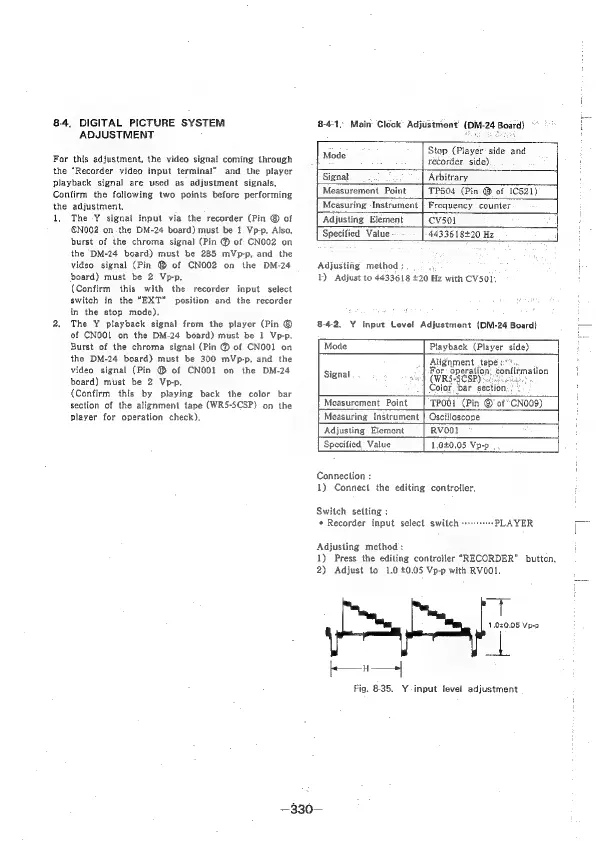
Fig.
835,
Y-input
level
adjustment
—330—

Table of Contents

Related product manuals