— 41 —
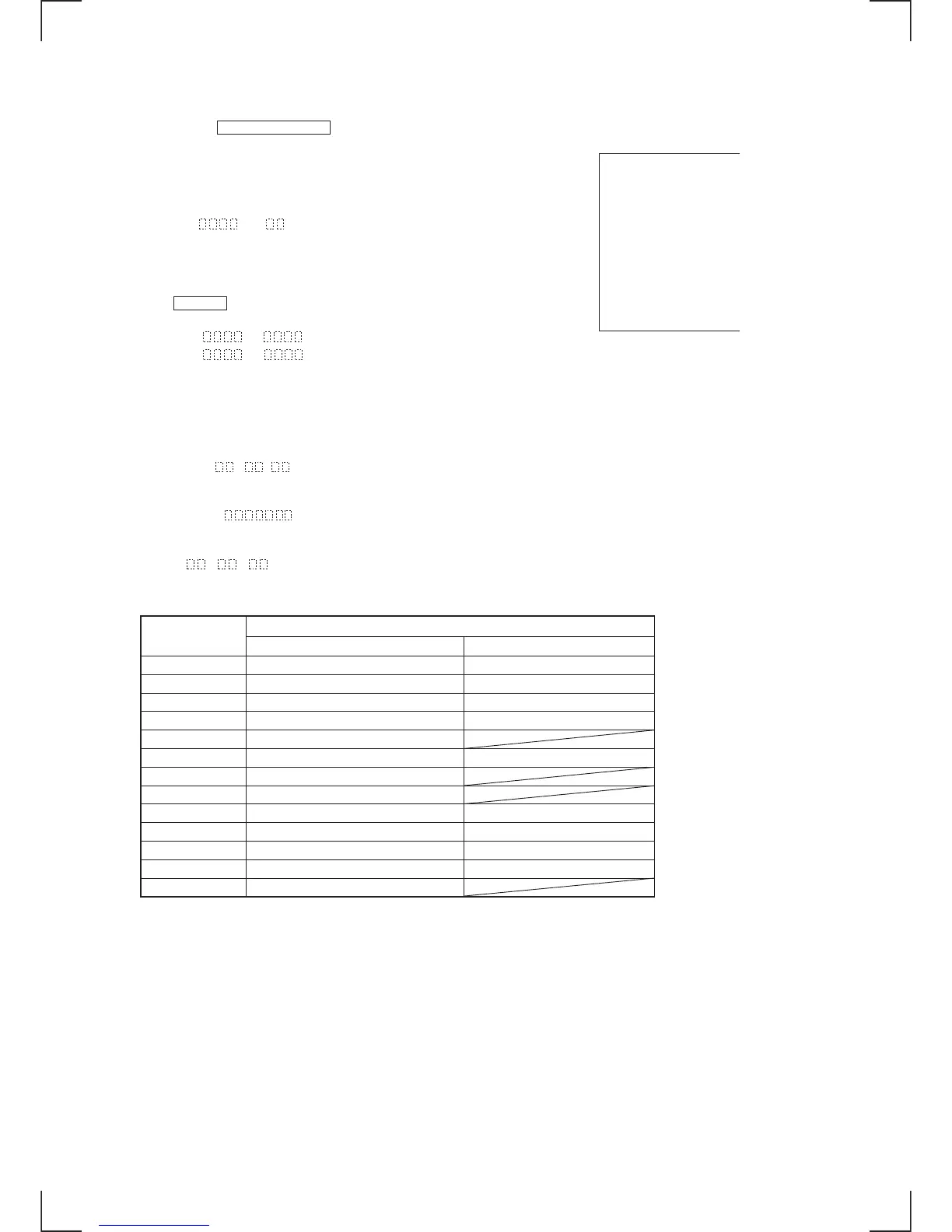
DISPLAY IN THE TEST MODE
Each time the LOWER DISPLAY button pressed, the display changes in the following order.
MODE display
Displays “TEMP ADJUST”, “CPLAY MODE”, etc.
Error rate display
Error rates are displayed as follows.
C=
AD=
C =: Indicates the C1 error
AD =: Indicates ADER.
Address display
Addresses are displayed as follows. (MD: recordable disc, CD: playback only disc)
If the CLEAR button is pressed in this state, the display toggles between
the groove display and the pit display.
h = s = (MD pit and CD)
h =
a = (MD groove)
h =: Indicates header address.
s =: Indicates SUBQ address.
a =: Indicates ADIP address.
Note: The display “_” appears when the servo cannot be locked in and the address cannot be read.
Auto gain display (This display is not used during servicing.)
The auto gain display is as follows.
AG =
/ [
Detrack check display (This display is not used during servicing.)
The detrack check display is as follows.
ADR =
IVR display (This display is not used during servicing.)
The IVR display is as follows.
[ ] [ ] [
MEANING OF OTHER DISPLAYS
Display
Contents
When turned on When turned off
· (LED: green) During continuous playback (CLV:ON) STOP (CLV: OFF)
P (LED: amber) Tracking servo OFF Tracking servo ON
REC Recording mode ON Recording mode OFF
SYNC CLV low speed mode CLV normal mode
L-SYNC ABCD adjustment completed
OVER Tracking offset cancel ON Tracking offset cancel OFF
REPEAT Tracking auto gain successful
(REPEAT) 1 Focus auto gain successful
TRACK Pit mode Groove mode
DISC High reflection Low reflection
SHUFFLE CLV-S CLV-A
MONO CLV LOCK CLV UNLOCK
IT LIMIT IN
↓
Mode display
↓
Error rate display
↓
Address display
↓
Auto gain display (Not used during servicing.)
↓
Detrack check display (Not used during servicing.


 To Next Page