— 7 —
OPERATING THE DISPLAYED HISTORIES
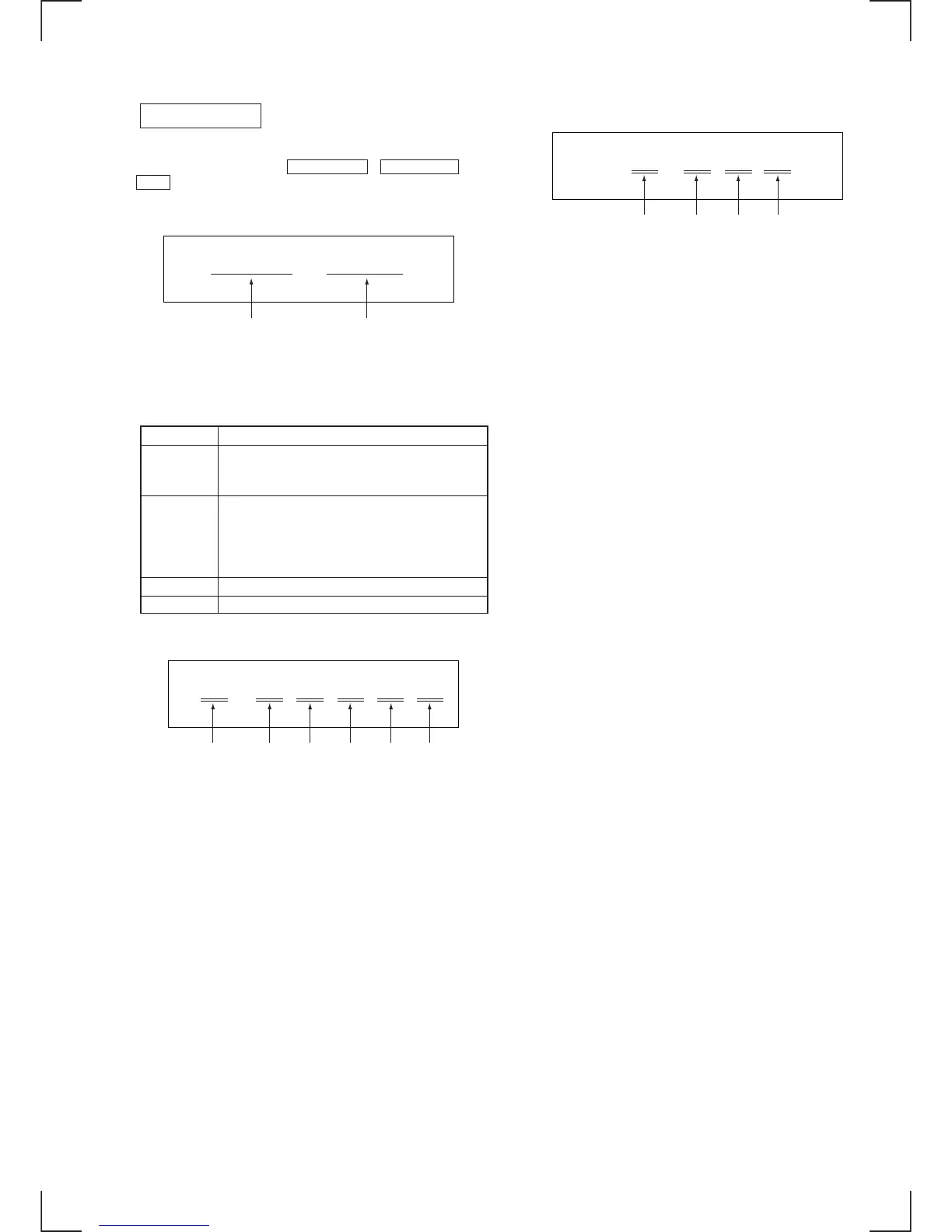
When the three buttons of ENTER/YES , PRESET EQ , and
CD3 are pressed simultaneously, and the mechanical error count
and the count of “NO DISC” that optical system has judged, are
displayed.
When the buttons that are shown in Table 2 are pressed in this state,
the following operations are executed as listed below.
Table 2
Button Function
CD1 Mechanical error code from the latest error to
the last ten errors are displayed each time this
button is pressed. (Note 1)
CD2 The reasons why “NO DISC” the optical
system has judged to be an error, are displayed
from the latest error to the last ten errors are
displayed each time this button is pressed.
(Note 2)
CD1 6 Resets the mechanical error count.
CD2 6 Resets the “NO DISC” count.
(Note 1) Mechanical error code
(a) Mechanical error count
The latest error “00” to the last ten error “09”
(b) “FF” : Mechanical error after mechanism is initialized.
(c) “1∗” : Mechanical error during loading the tray in between
”2
∗” the stocker position and the deeper end.
(d) “Don’t care”
(e) “2
∗” : Mechanism error while the stocker is moving up/down.
(f) “2
∗” : Mechanism error of the clumper and that during mode
switching
CD SECTION
Emc = Edc =
Mechanical error count
∗∗ ∗∗
No disc count
E M
(a) (b) (c) (d) (e) (f)
∗∗ ∗∗ ∗∗ ∗∗ ∗∗ ∗∗
(Note 2) NO DISC code in the order of occurrence
(a) The number of NO DISC
The latest one “00” to the last ten “09”
(b) “01” : Focus error
“02” : GFS error
“03” : Setup error
(c) “00” : Judged as NO DISC without chucking retry
“02” : Judged as NO DISC after chucking retry is
performed
(d) The status, when NO DISC judgment is made
“1∗” : Stop
“2
∗” : Set up
“3
∗” : TOC read
“4
∗” : Access
“5
∗” : Play
“6
∗” : Pause
“7
∗” : Manual search (play)
“8
∗” : Manual search (pause)
E D
(a) (b) (c) (d)
∗∗ ∗∗ ∗∗ ∗∗


 To Next Page