18
GB
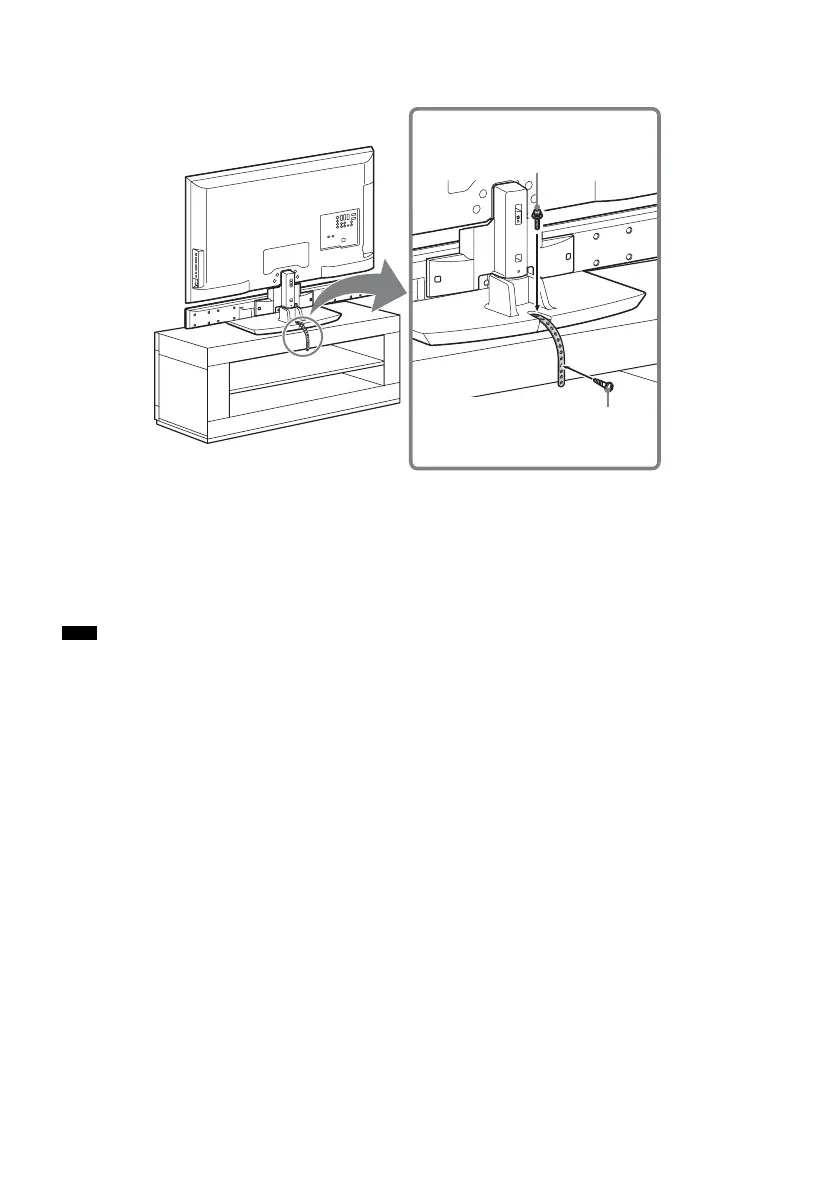
To prevent the TV from toppling over
As a protective measure, secure the TV.
1 Place the TV on the center of the rack.
2 Fit the support belt (supplied) to the TV, then firmly fasten with the screw for the support
belt (+PSW4 × 20 mm) (supplied) using a screw driver.
3 Fasten the support belt to the rack with the wood screw for the support belt (M3.8 × 20
mm) (supplied).
• Be careful not to pinch your fingers when setting up the TV and rack.
Note
Screw for the support belt
(+PSW4 × 20 mm)
Wood screw for the support belt
(M3.8 × 20 mm)



 To Next Page