63
GB
“BRAVIA” Sync features
When you turn the TV off by using the power
button on the TV’s remote, the system and the
connected components turn off automatically.
Also, when you turn the TV off by using the
system’s remote, the system and the connected
components turn off automatically.
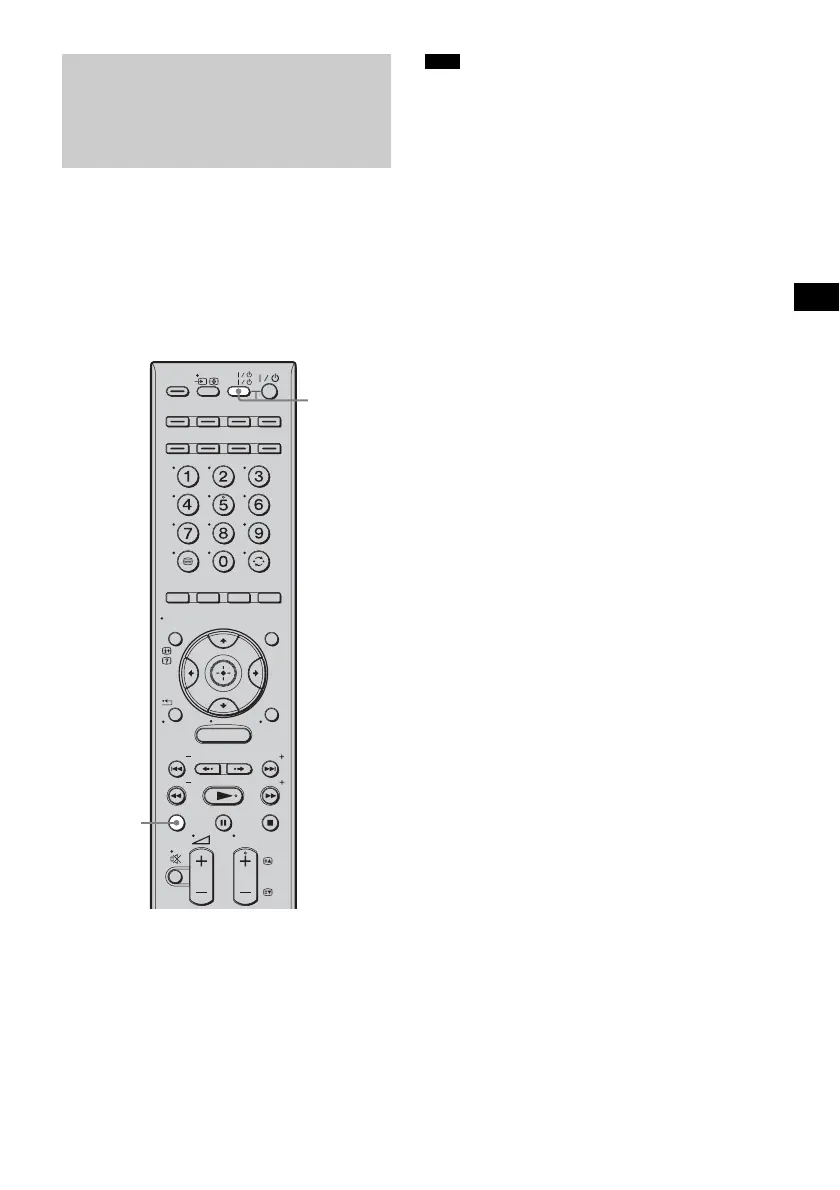
1 Press TV (yellow).
The TV (yellow) button lights up for a
moment.
2 Press AV ?/1.
The TV, the system, and the connected
components are turned off.
• Depending on the status, the connected components
may not be turned off. For details, refer to the
operating instructions of the connected components.
Turning off the TV,
system, and connected
components
(System Power Off)
MENU
TV
AV
TV
BD
VIDEO1 VIDEO2 VIDEO3
TUNER/
BAND
/ENTER/CLEAR
GUI MENU
TOOLS/
OPTIONS
RETURN/
EXIT
PRESET
TUNING
PRESET
TUNING
TV
PROG
HOME
DISPLAY
DVD
SAT/CATV
DMPORT
SYSTEM STANDBY
AV ?/1
TV
(yellow)
Note



 To Next Page