56
GB
Enjoying Surround Sound
Using Sound Field
This system can create multi channel surround
sound. You can select one of the optimized
sound fields from the system’s preprogrammed
sound fields.
Available sound fields
* These sound fields are not available when
“DMPORT” is selected by pressing INPUT
SELECTOR.
**[Portable Audio] appears only when “DMPORT” is
selected.
Selecting a sound field
You can select the sound field you want as
follows.
1 Start playing a sound source you want
to listen to (CD, DVD, etc.).
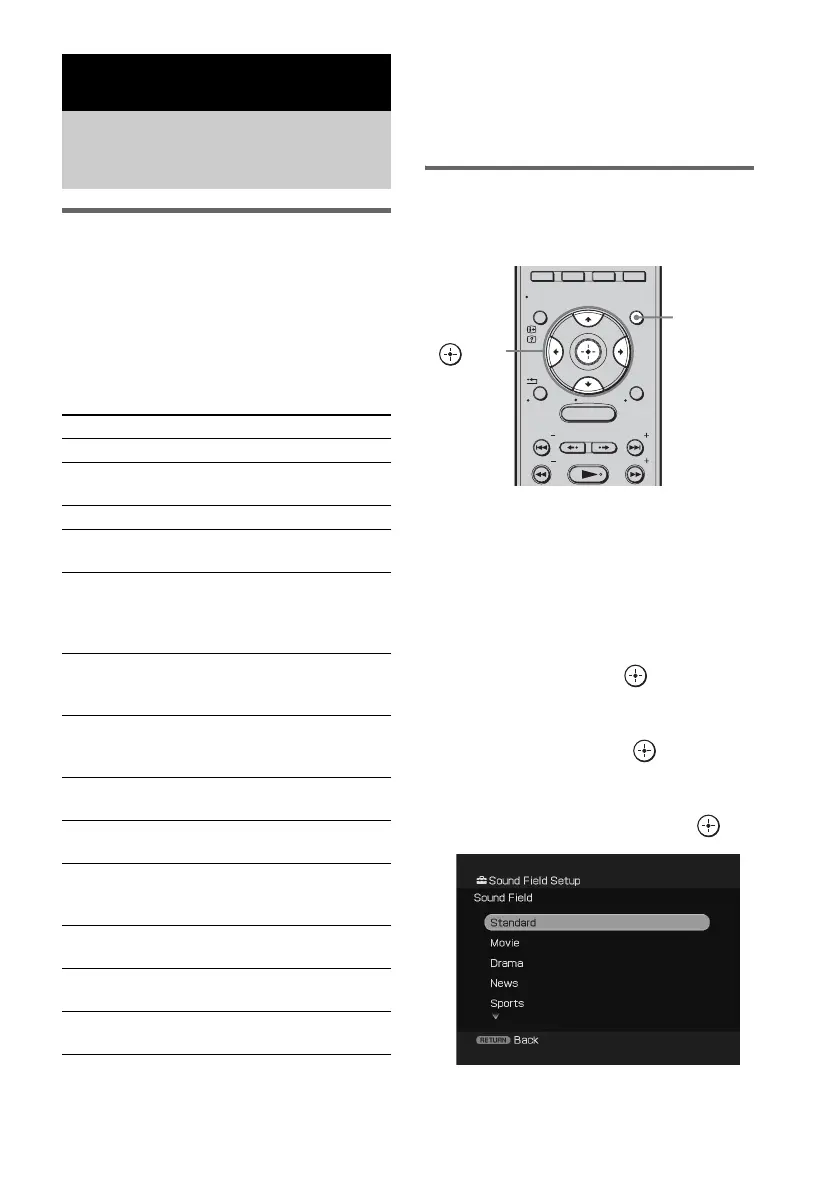
2 Press GUI MENU.
“GUI MENU” appears in the front panel
display of the subwoofer and the GUI menu
appears on the TV screen.
3 Press X/x repeatedly to select
[Settings], then press or c.
The settings menu appears.
4 Press X/x repeatedly to select
[Surround], then press .
[Sound Field Setup] appears.
5 Press X/x repeatedly to select the
desired sound field, then press .
Surround Sound Functions
Enjoying the surround
effects
Sound field Effect
[Standard] Suits various sources.
[Movie] * Recreates powerful and realistic
sound, along with clear dialog.
[Drama] * Suited for TV dramas.
[News] * Produces the announcer’s voice
clearly.
[Sports] * Produces the play-by-play
commentary clearly and
realistic sound with surround
effects, such as cheering, etc.
[Game] * Produces powerful and realistic
sound, suited for playing video
games.
[Music] Suited for music programs or
music videos on Blu-ray Discs/
DVDs.
[Jazz] Recreates the atmosphere of a
jazz club.
[Classic] Recreates the atmosphere of a
classical concert.
[Rock] Produces powerful sound,
suited for listening to rock
music.
[Pop] Produces uplifting sound, suited
for listening to pop music.
[Live] Recreates the atmosphere of a
live performance.
[Portable Audio] ** Suited to replay portable audio
source.
MENU
GUI MENU
TOOLS/
OPTIONS
RETURN/
EXIT
PRESET
TUNING
PRESET
TUNING
HOME
DISPLAY
GUI
MENU
C, X, x, c,



 To Next Page