68
GB
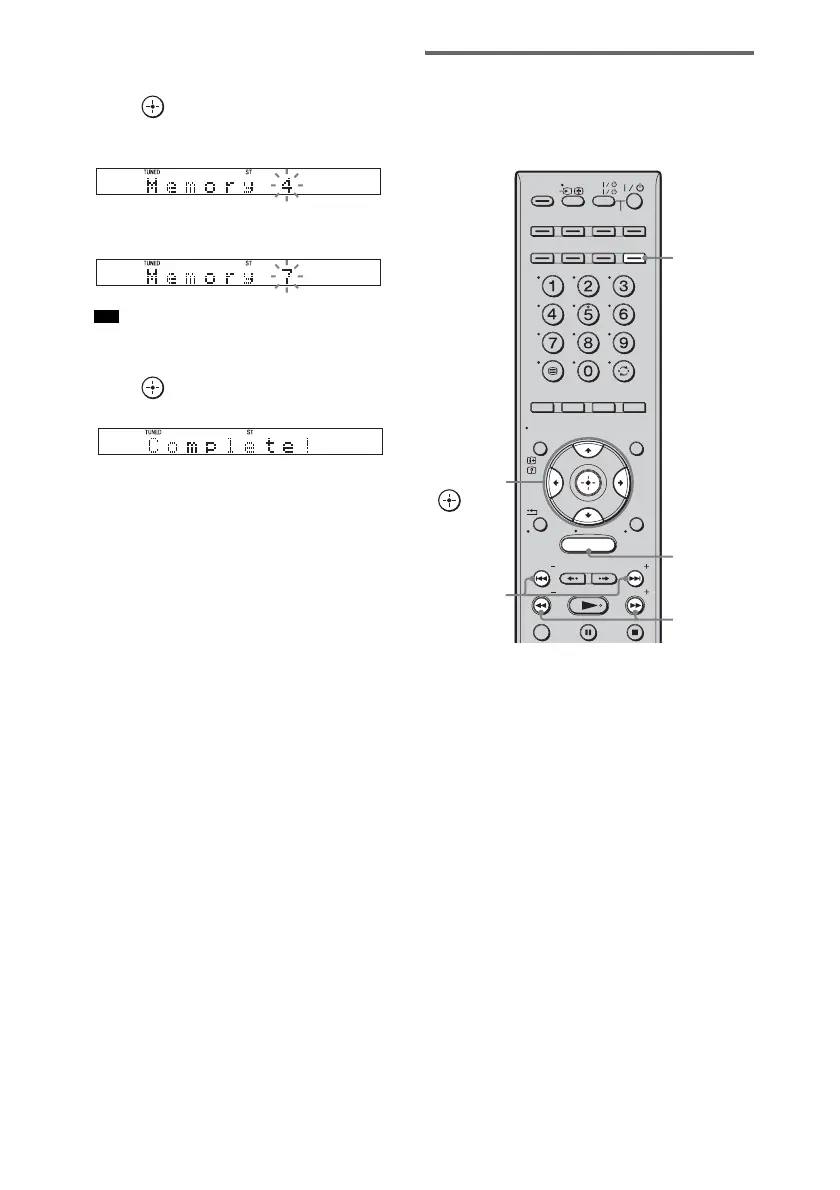
4 Press X/x repeatedly until “Memory?”
appears in the front panel display.
5 Press .
A preset number appears in the front panel
display.
6 Press X/x to select the preset number
you want.
• You can select the preset number directly by
pressing the number buttons.
7 Press .
The station is stored.
8 Press MENU.
9 Repeat 2 to 8 to store other stations.
To change the preset number
Restart from step 3.
Listening to the radio
Preset radio stations in the system’s memory first
(see “Presetting radio stations” (page 66) or
“Presetting radio stations” (page 67)).
1 Press TUNER/BAND.
The last received station is tuned in.
You can change “FM” or “AM” by pressing
TUNER/BAND.
2 Press PRESET + or – repeatedly to
select the preset station.
Each time you press the button, the system
tunes in one preset station.
You can select the preset number directly by
pressing the number buttons.
3 Adjust the volume of the system.
To turn off the radio
Press "/1 to turn off the system, or change to
another function.
Tip
MENU
TV
AV
TV
BD
VIDEO1 VIDEO2 VIDEO3
TUNER/
BAND
/ENTER/CLEAR
GUI MENU
TOOLS/
OPTIONS
RETURN/
EXIT
PRESET
TUNING
PRESET
TUNING
TV
HOME
DISPLAY
DVD
SAT/CATV
DMPORT
SYSTEM STANDBY
C, X, x, c,
TUNING
–/+
TUNER/
BAND
MENU
PRESET
–/+



 To Next Page