96
GB
3 Press SYSTEM MENU to turn off the
system menu.
You can make these settings except “SLEEP” by
GUI menu, too. For details, see “Step 6:
Operating the system using the GUI” (page 38).
For corresponding menu items in the system
menu and GUI menu, see “Overview of the
menus” (page 104).
You can set the system to turn off at a preset time
when you go to sleep listening to music. You can
preset the time from 10 minutes to 90 minutes in
10 minute steps.
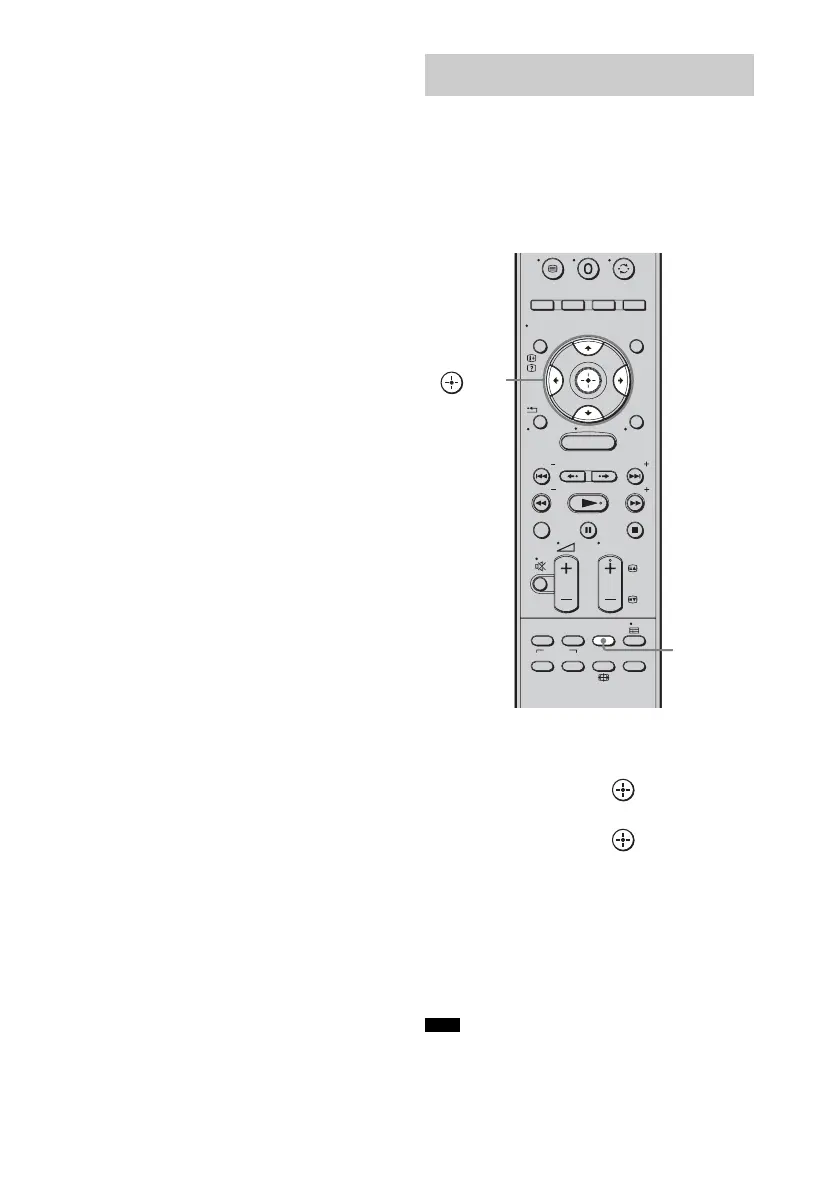
1 Press SYSTEM MENU.
2 Press X/x repeatedly until “SYSTEM”
appears, then press or c.
3 Press X/x repeatedly until “SLEEP”
appears, then press or c.
4 Press X/x to select the preset time.
The minutes display (the remaining time)
changes as follows:
OFF y 10M .... y 90M y OFF ....
5 Press SYSTEM MENU.
The system menu turns off.
• This function is only for this system, not for the
connected TV or other components.
Using the sleep timer
(SLEEP)
Note
MENU
/ENTER/CLEAR
GUI MENU
TOOLS/
OPTIONS
RETURN/
EXIT
PRESET
TUNING
PRESET
TUNING
THEATRE
TOP MENU
DIGITAL ANALOG
AUDIO
BD/DVD
MENU F1 F2
SOUND
FIELD
SYSTEM
MENU
TV
PROG
HOME
DISPLAY
SYSTEM
MENU
C, X, x, c,



 To Next Page