78
GB
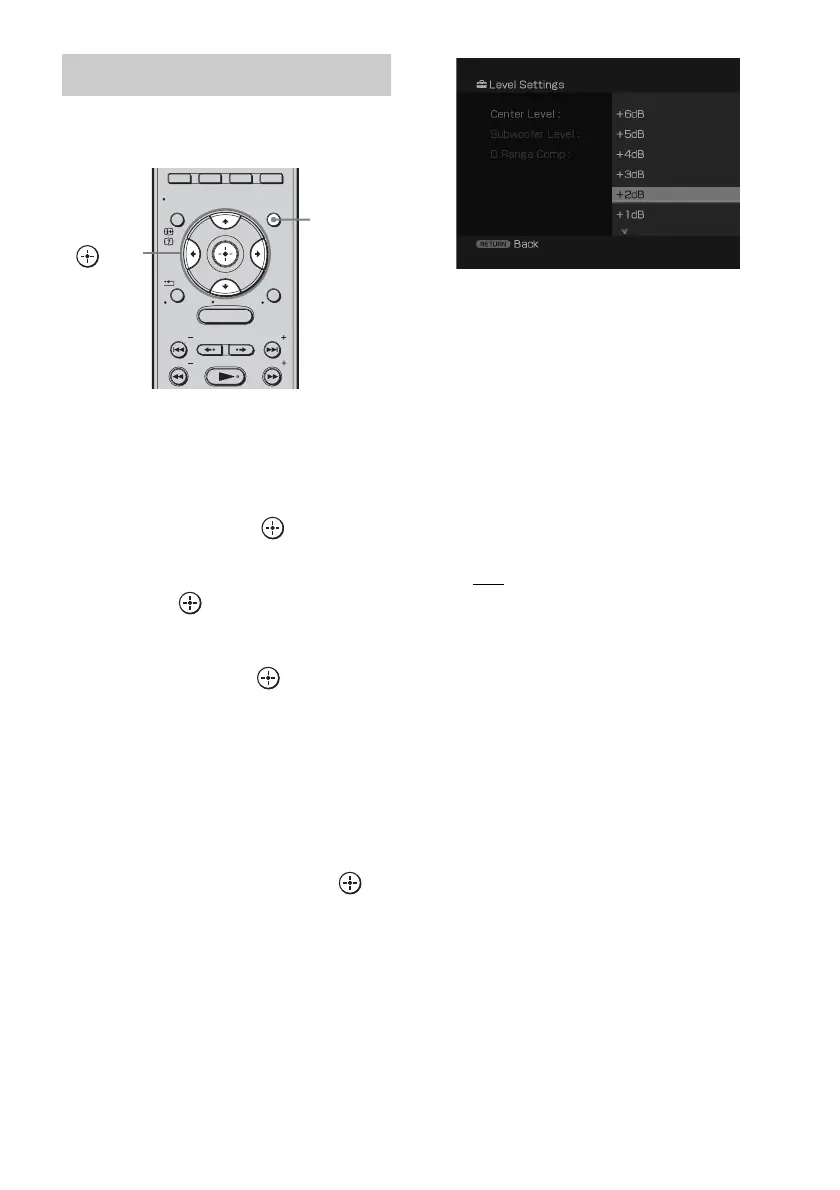
You can adjust the level and the balance of the
speaker and subwoofer.
1 Press GUI MENU.
“GUI MENU” appears in the front panel
display of the subwoofer and the GUI menu
appears on the TV screen.
2 Press X/x repeatedly to select
[Settings], then press or c.
The settings menu appears.
3 Press X/x repeatedly to select [Level],
then press .
The level menu appears.
4 Press X/x repeatedly to select the item
you want, then press or c.
• [Center Level]:
adjusts the speaker level.
• [Subwoofer Level]:
adjusts the subwoofer level.
• [D. Range Comp]:
compresses the dynamic
range of the sound track.
5 Press X/x repeatedly to select the
parameter you want, then press .
The parameter of [Center Level] and
[Subwoofer Level] is from [–6dB] to
[+6dB] in 1 dB steps. The default setting is
[0dB].
The parameter of [D. Range Comp] is as
follows.
• [MAX]: compresses dynamic range
fully.
• [STD]: reproduces the sound track
with the kind of dynamic
range that the recording
engineer intended.
•[OFF
]: no compression of dynamic
range.
The default setting is underlined.
6 Press GUI MENU.
The GUI menu turns off.
Setting the speaker level
MENU
GUI MENU
TOOLS/
OPTIONS
RETURN/
EXIT
PRESET
TUNING
PRESET
TUNING
HOME
DISPLAY
GUI
MENU
C, X, x, c,



 To Next Page