50
GB
Enjoying a satellite tuner or
cable television tuner
1 Turn on the TV.
For details, refer to the operating
instructions of the TV.
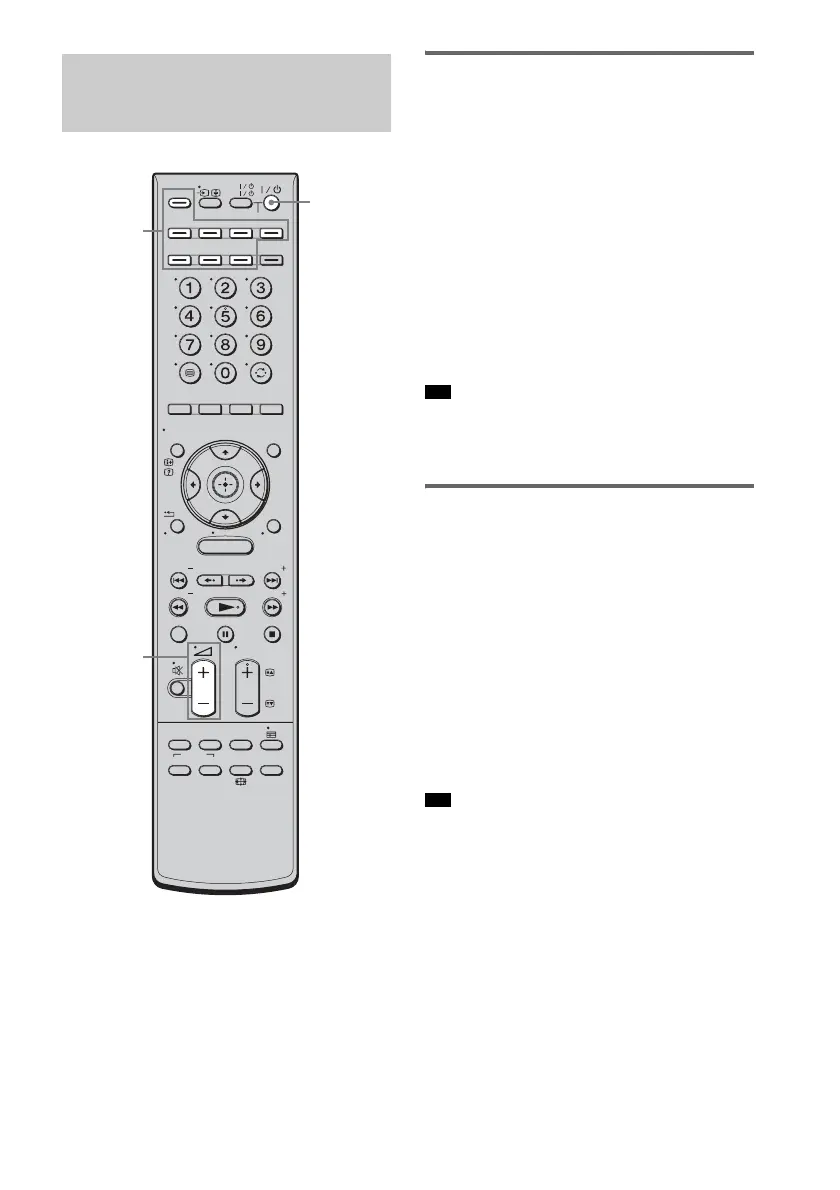
2 Turn on the satellite/cable television
tuner and the system.
3 Press SAT/CATV on the remote.
4 Change the TV input.
For details, refer to the operating
instructions of the TV.
5 Adjust the volume of the system.
• Sound may be output from the TV’s speaker. In this
case, turn the volume of the TV’s speaker down to the
minimum level.
Enjoying Blu-ray Disc, DVD, or
“PlayStation 3”
1 Turn on the TV.
2 Turn on the Blu-ray Disc/DVD player
(recorder) or “PlayStation 3” and the
system.
3 Press DVD or BD on the remote.
4 Change the TV input.
For details, refer to the operating
instructions of the TV.
5 Play back the disc.
• Even if you play back Dolby True HD, Dolby Digital
Plus or DTS-HD with a connected component
compatible with these sound formats, the system
recognizes it as Dolby Digital or DTS. When you
connect the component to the system using an HDMI
cable to play back these high-quality sound formats,
set the connected component to output the sound in
multi channel PCM, if possible.
Enjoying other
components
MENU
TV
AV
TV
BD
VIDEO1 VIDEO2 VIDEO3
TUNER/
BAND
/ENTER/CLEAR
GUI MENU
TOOLS/
OPTIONS
RETURN/
EXIT
PRESET
TUNING
PRESET
TUNING
THEATRE
TOP MENU
DIGITAL ANALOG
AUDIO
BD/DVD
MENU F1 F2
SOUND
FIELD
SYSTEM
MENU
TV
PROG
HOME
DISPLAY
DVD
SAT/CATV
DMPORT
SYSTEM STANDBY
?/1
2 +/–
Input
buttons
Tip
Tip



 To Next Page