65
GB
Tuner Functions
You can listen to FM and AM broadcasts
through the built-in tuner. Before operation,
make sure you have connected the FM and AM
antennas (aerials) to the subwoofer (page 36).
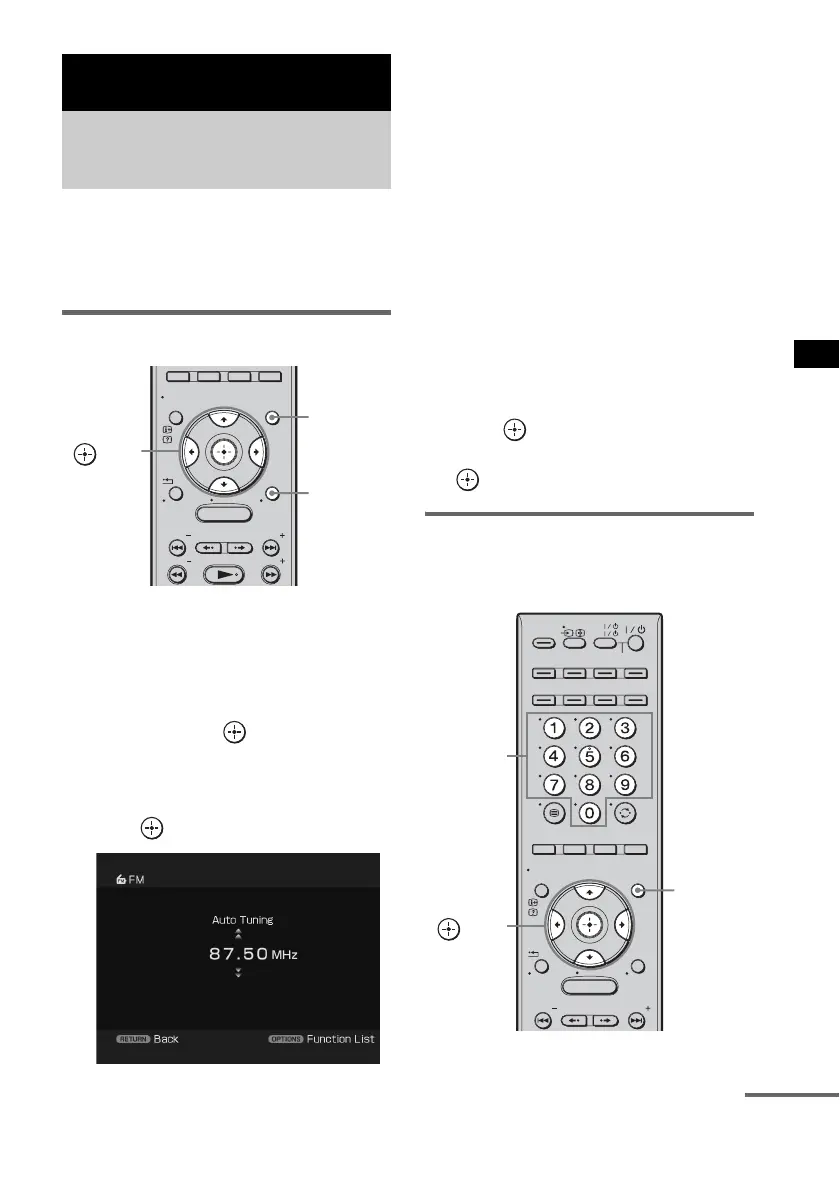
Automatic tuning
1 Press GUI MENU.
“GUI MENU” appears in the front panel
display of the subwoofer and the GUI menu
appears on the TV screen.
2 Press X/x repeatedly to select [FM] or
[AM], then press or c.
The FM or AM menu appears on the TV
screen.
3 Press X/x to select [Auto Tuning], then
press .
4 Press X/x.
Press X to scan from low to high frequency
stations, or press x to scan from high to low.
Scanning is halted when a station is
received. To tune in to another station, press
X or x.
5 Press GUI MENU.
The GUI menu turns off.
In case of poor FM stereo
reception
If an FM program is noisy, you can select
monaural reception. There will be no stereo
effect, but reception will improve.
1 Press TOOLS/OPTIONS.
2 Press X/x to select [FM Mode], then
press or c.
3 Press X/x to select [Mono], then press
.
Direct tuning
You can enter the frequency of a station directly
using the number buttons.
Tuner Functions
Listening to FM/AM radio
using the GUI menu
MENU
GUI MENU
TOOLS/
OPTIONS
RETURN/
EXIT
PRESET
TUNING
PRESET
TUNING
HOME
DISPLAY
C, X, x, c,
TOOLS/
OPTIONS
GUI MENU
MENU
TV
AV
TV
BD
VIDEO1 VIDEO2 VIDEO3
TUNER/
BAND
/ENTER/CLEAR
GUI MENU
TOOLS/
OPTIONS
RETURN/
EXIT
PRESET
PRESET
HOME
DISPLAY
DVD
SAT/CATV
DMPORT
SYSTEM STANDBY
C, X, x, c,
GUI MENU
Number
buttons
continued



 To Next Page