55
GB
DMPORT function
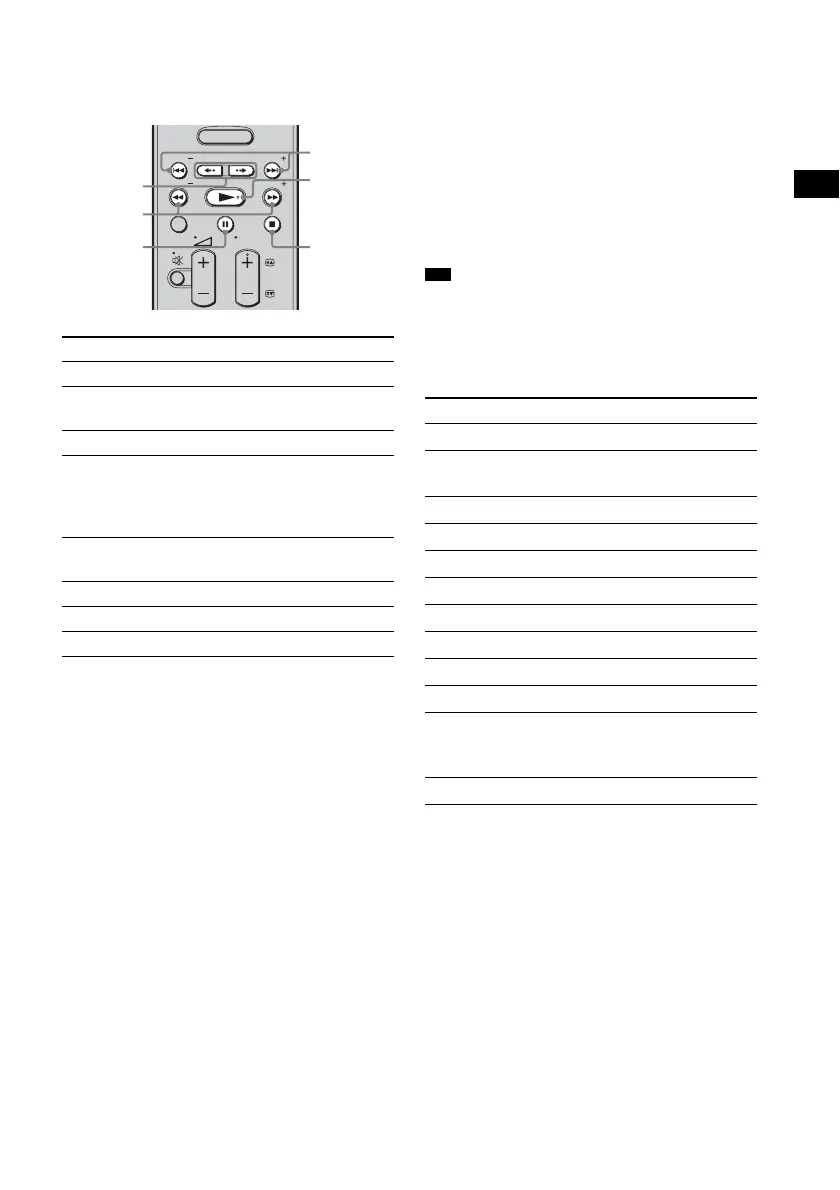
You can operate the components connected to
the DIGITAL MEDIA PORT adapter using the
following buttons on the system’s remote.
* When a TDM-iP1 is connected, the system
enters pause mode when x is pressed.
** Fast reverse/forward while pressing and holding
the m/M button.
Option parameters in the play
modes
Shuffle (TDM-iP1/TDM-iP50 only)
• [OFF]
•[Songs]
•[Albums]
Repeat Mode (TDM-iP1/TDM-iP50 only)
• [OFF]
•[One]
•[All]
List Mode (TDM-NC1 only)
• [All Tracks]
•[Disc List]
• [Artist List]
• [Genre List]
Audiobook Speed (TDM-iP50 only)
•[Low]
•[Normal]
•[High]
• The [List Mode] can be used with the [Function List]
menu even when the list is displayed.
DIGITAL MEDIA PORT message
list
* TDM-NC1 only.
To Do the following
Play Press N.
Pause Press X. To resume play,
press the button again.
Stop Press x.*
Find the beginning of a
track during playback, or
find the beginning of the
previous track
Press . .
Find the beginning of the
next track
Press >.
Skip to the previous album Press < •.
Skip to the next album Press • ,.
Go reverse/forward Press m/M.**
MENU
TOOLS/
OPTIONS
RETURN/
EXIT
PRESET
TUNING
PRESET
TUNING
TV
PROG
< •/• ,
m/M
X
./>
N
x
Tip
Message Explanation
[No Adapter] The adapter is not connected.
[No Device] There is no device connected to
the adapter.
[No Audio] No audio file was found.
[No Video] No video file was found.
[Loading] The data is being read.
[No Server]* There is no server connected.
[No Track]* No track was found.
[No Item]* No item was found.
[Connecting]* Connecting to the server.
[Configuring]* The network is setting up.
[Warning]* Check the display of the
DIGITAL MEDIA PORT
adapter.
[Searching]* Searching the server.



 To Next Page